



.png.21c42c10539be5c9a4695b9f1f08fd95.png)
cherryaerie
Members
-
Joined
Everything posted by cherryaerie
-
I'm not sure whether you mean LSPDFR or GTAV itself. If it is GTAV itself, go ahead and update your normal install version. For LSPDFR, keep it on the current version until an update comes out for LSPDFR and RPH, and ScriptHookV if you prefer. From there you can simply copy GTAV, PlayGTAV, GTAVLanguageSelect, and GTAVLauncher from your updated folder to the LSPDFR folder when you do wish to update everything. To start that, turn off automatic steam updates, manually update your normal version, and then turn off your automatic updates. I strongly encourage that you backup your old LSPDFR game version with the 4 files stated above in case Steam decides to update that version, but it should only do it once.
-
You can go to the same pathway you had the cars and copy+paste them into the mods folder, or you can simply delete your new modded files and the files outside the mods folder will work just fine, you just cannot modify those files. Usually, the result of your images is the result of models and/or texture files conflicting and not belonging to the model. Green/Black&White Checkers typically indicate missing textures.
-
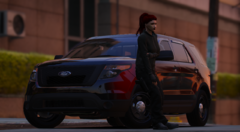
From the album: Random Unmarked / Undercover Units
FiveM ready vehicle by OJL Designs converted to GTA V Single Player by cherryaerie. As of the screenshot, this is a Discord-exclusive release. -
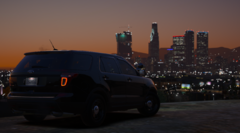
From the album: Random Unmarked / Undercover Units
FiveM ready vehicle by OJL Designs converted to GTA V Single Player by cherryaerie. As of the screenshot, this is a Discord-exclusive release. -
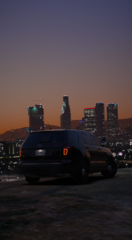
From the album: Random Unmarked / Undercover Units
FiveM ready vehicle by OJL Designs converted to GTA V Single Player by cherryaerie. As of the screenshot, this is a Discord-exclusive release. -
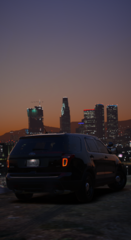
From the album: Random Unmarked / Undercover Units
FiveM ready vehicle by OJL Designs converted to GTA V Single Player by cherryaerie. As of the screenshot, this is a Discord-exclusive release. -
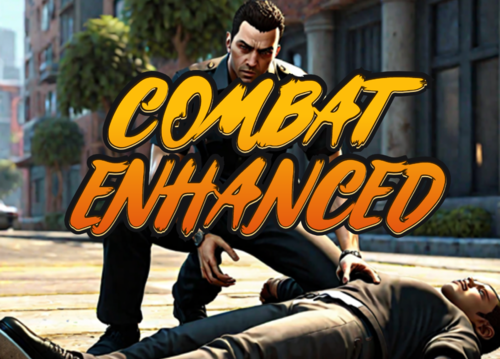 Just, game-changing. Fixes the annoying aspects of the game with arrests and combat. Spending the excess time restraining "dead" peds, calling an ambulance, and then stopping them to get them arrested was just purely annoying.
- 84 comments
- 9 reviews
-
-

- 1
-
-
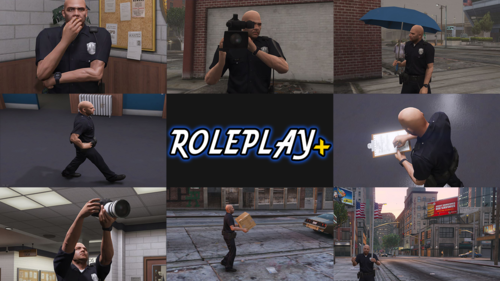 Just an overall amazing mod. Thankfully there are female walk styles and animations too, not just male 😂 (This may seem like an irrelevant remark, but that's simply because finding someone who actually includes the female version of something, if applicable, is rare. Meant to be a "joke") Anyways, small thing, but it just does that much making mundane actions, better.
- 70 comments
- 14 reviews
-
 Again replacing outdated, broken, and abandoned mods. Venoxity just... makes them better. Nothing else to say about it.
 -
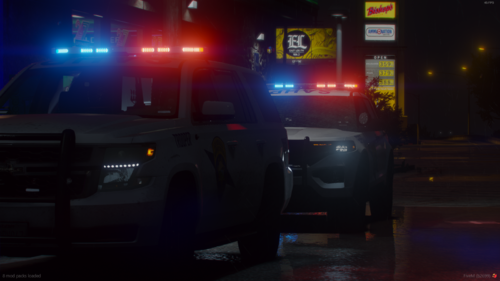 I will say this is rather confusing for me to interpret, but again, I am not going to tell you how to do something, all I can do is suggest. Again, great attempt! 😀
 -
With Edit Mode on in OpenIV, simply drag and drop the OIV file into OpenIV. Follow the steps and install to your mods folder.
-
Simply offering advice as I always do, no need to bud in 🙂
-
I would encourage you to at the very least invert the 911 emblem you have on the cars. Otherwise, I won't tell you otherwise how to make things the way you like them. Great job otherwise!
-
Theoretically, if you have UltimateBackup, you should be able to do this yourself. Just modify and create a new entry in the SpecialUnits.xml found in Grand Theft Auto V\plugins\LSPDFR\UltimateBackup This regardless will still not take them anywhere, a vehicle comes and picks them up and then acts as if they are taking them somewhere. The vehicle eventually despawns.
-
To my understanding, it is easier for users to use ELS as it is a simple drag and drop, whereas DLS is a configuration of non-ELS vehicles. However, I cannot accurately tell you how to make a DLS vehicle as I have yet to be successful in doing so. it is true that DLS/non-ELS gives you more frames (about 5-6fps according to the people I have talked to using it) You can convert an addon pack to a replacement pack, just take the vehicle files you wish to use and rename them to replace the vehicles you wish to replace. This one is not a pack, but if you want to try out this one by Sova Mods I would suggest doing that and see how you like DLS.
-
As I had guessed, the pushbar (for some reason) is ELS-controlled. Find the XML in relation to the vehicle and find <Extra05 IsElsControlled="true" to "false"
-
You will need to click on OpenIV and then directly to the WinRar/ZIP file. (In other words, click on the white buffer space on the right in OpenIV and then directly to the WinRar files.
-
I have a very wild guess as to what could be causing this, but I am not definite. Any possibility you could link the car in question?
-
I haven't personally used this mod myself, but I have heard good things about AI : Respond and would recommend trying that out.
-
I cannot say for sure that this is going to solve your issue, but I never got Northern Lights to work, but I also never got texture loss as a result. I would try removing that and see if it does anything for you.
-
All I know is that if the body camera plugin you use has a POV feature and you are recording via Rockstar Editor, yes. Without running in that POV though is where the problem lies for you. I know a plugin that does it for dashcam POV's, but I don't know one that does bodycam POV's.
-
I assume you mean they look dim. Go into your GTA display settings and open the graphics tab. Change Post FX and Shader Quality to at least high. ELS uses the J key to turn on the lights. Depending on the vehicle, you may need to hit it 3 times to get the lights to full stage. Your sirens will then be numbers 1-3 (sometimes 4 depending on the car again) when you are in the full stage 3 lighting. For this, find the vehicles.meta in mods -> update -> update.rpf -> common -> data -> levels -> gta5, right click and click edit. From here, hit CTRL+F and type in the name of vehicle slot you wish to change the audio of (police2 as an example) scroll until you find AudioNameHash and change whatever the value is to baller between the >< tags.
-
All authors will use their base that someone else has created. For example, a vehicle author will use a base they purchased from someone else, and then modify that. Anyway, the point is that a lot of authors may use the same base. You will need to ask or check the credits to see what base is used, which you might already have. Though Georgie Moon (GM) I know has his in a download. Georgie Moon (GM) AO Maps & Templates Whose base are you looking for a template for and/or can you provide a link to the car(s)? I might by chance have some that I can give you. Otherwise, it is a matter of finding someone who has them or finding another vehicle that has the template for the same base.
-
That is unfortunate to hear. I did read over the comments on the pack you said you were downloading and there was something wrong with the files that were included with it. I haven't been able to test it myself as I just have not downloaded it yet. I would suggest downloading the earlier version and see if it does anything different. If you do this, you do not need another dlclist.xml entry. If you are now installing replace files, you have a variety of slots to be using. Vehicles should be installed to the latest patchday, but I will give you the patchday pathway I use. mods -> update -> x64 -> dlcpacks -> patchday22ng -> dlc.rpf -> x64 -> levels -> gta5 -> vehicles.rpf If you go on to download addon files, it is the same method as the one you pleased to download, just take the folder name that contains the dlc.rpf of the download and place it in the dlcpacks folder, and copy that name as a new entry. (Folder name will replace the statecars text for example)
-
it sounds like you need to turn up your Shadow FX Quality and Shader Quality to at least high in your graphics settings.
.thumb.png.2dde6de0042b025b695ed82f6d2c1e50.png)

