



.png.21c42c10539be5c9a4695b9f1f08fd95.png)
cherryaerie
Members
-
Joined
Everything posted by cherryaerie
-
When launching RPH, hold your left shift key for about 5-10 seconds. This will bring up your settings. Change the PluginThresholdTimeout value to 60000 and save + launch the game from the bottom right.
-
When launching RPH, hold your left shift key for 5-10 seconds until it opens. Change the PluginThresholdTimeout value to 60000 (this will likely not directly fix your issue, but will be helpful for the future) Install this gameconfig Yasd's solution will more likely work for you, I did not read the crash section correctly indicating it was a RageNativeUI issue and rushed to conclusions.
-
As far as I know, he uses LA Revo, otherwise known as "5Real" (they go together). Others have claimed he uses QuantV, but I am not too sure myself.
-
If this is the crash log, please follow the below as I have mentioned previously to complete.
-
If it is doing it after a while of gameplay, please attach a new log. The log you provided indicates you are crashing upon loading, which my earlier message here will likely solve for you. Please make sure you do that before providing me a new log saying it is crashing.
-
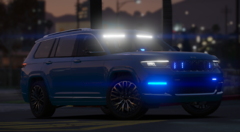
From the album: Random Unmarked / Undercover Units
-
From the album: Random Unmarked / Undercover Units
-
From the album: Random Unmarked / Undercover Units
-
From the album: Random Unmarked / Undercover Units
-
From the album: Random Unmarked / Undercover Units
-
From the album: Random Unmarked / Undercover Units
-
From the album: Random Unmarked / Undercover Units
-
Try my solution found in this post. I still have yet to figure out why this started occurring. If this happens to not work, please let me know 🙂
-
Right, have you done what I suggested in my previous reply? Do that and reinstall Stop the Ped.
-
You would need to modify it through the XML files. The numbers corresponding with the vehicles' lighting stages will show in the bottom right of your screen when you are changing them. There is no way to automatically save them.
-
First things first, ensure that there are no conflicting texture/model files. Model files (.yft) should only have another model file corresponding with that vehicle. (Ex; If you have a Tahoe in that spot previously, and your new Explorer does not replace the previous Tahoe files completely.) Easiest way to check this is to simply delete all your modded replace sheriff2 files and then reinstall them to ensure there are no conflicting files. Also ensure you have no addon vehicle files that have the same name.
-
LSPDFR being terminated because of "game freezing" is likely caused by too many plugins trying to load at once. When you launch RPH, hold your left shift key in for about 5-10 seconds to open the settings page. Change the PluginTimeoutThreshold to 60000 and attempt to load LSPDFR again. If this does not work, please attach your RagePluginHook.log file as a reply - this is found in the main game directory folder.
-
Navigate to Grand Theft Auto V/mods/update/update.rpf/common/data/levels/gta5 and find the diffusetint option for the vehicle slot that is having this issue. Change that line to: <diffuseTint value="0x00FFFFFF" />
-
Callouts always end up in Grand Theft Auto V\plugins\LSPDFR Drag and drop the contents of the Grand Theft Auto V\plugins\LSPDFR into the same pathway. For anything else, I suggest taking a look at the readme.txt provided in the download.
-
It was a solution for an extremely identical issue I had just before this post and has been the solution for many other people around the time this was made as well. Also assuming the fact that since he reacted to my post 3 months ago, it works, at least for his issue.
-
Unfortunately, you cannot revert from Rockstar Retail, or at least there is no known way of doing it that I can share with you.
-
Usually LSPDFR and RPH update within a few days after a title update. ScriptHookV usually is a longer wait.
-
Not sure if this works, but this is only useful after the fact, at least so it seems. If you intended it to be a way to backup your files because of a game update, it is unnecessarily "complicated". In this case particularly it is not needed.
-
In order to backup GTAV itself, yes. Sometimes it is recommended to backup the update folder if there is expected to be a change there, but this update was not one that changed that folder.
-
Simply drag and drop them into the modified folder once you update that folder. Do not update them if you do not plan to update the game.
.thumb.png.2dde6de0042b025b695ed82f6d2c1e50.png)

