
BB.
Members
-
Joined
-
Last visited
Everything posted by BB.
-
 If you have any feedback, questions, suggestions, or ideas for future updates, I'd love to hear them. If you encounter any bugs or issues, please report them so I can fix them as quickly as possible.
- 215 comments
- 20 reviews
-
-
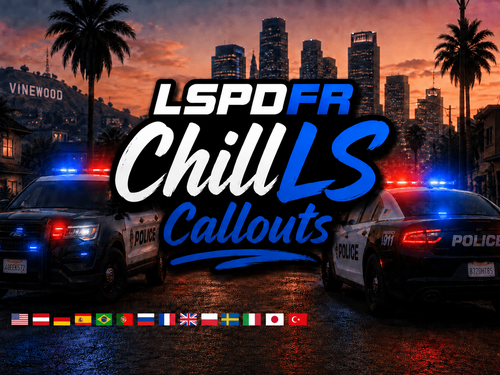
NPCAI ONLY MODE FOR ALL CALLS ChillLSCallouts is developed by BB Development with one goal: creating one of the most comprehensive and immersive callout packs for LSPDFR. What started as a small personal project has grown into something much bigger. We continuously expand the pack with new callouts, scenarios, bug fixes, and improvements, while focusing on quality, replayability, and realistic patrol experiences. The pack currently features 65 unique callouts, each with multiple outcomes and spawn locations. It also includes optional NPCI integration (v3.1+) for more natural and immersive NPC interactions. If you'd like to support the continued development of ChillLSCallouts, you can do so through Patreon. Every contribution helps us dedicate more time to creating new content and improving the pack. ChillLS+ — 45+ New Callouts & Exclusive ProjectsSupport ChillLS Development on PatreonAccess Free ChillLSSWAT Callouts Want to get more out of ChillLS and support the continued development of new callouts, gameplay improvements, and standalone plugins? Patreon members get access to exclusive releases, early builds, development previews, and the ability to directly influence upcoming features. Membership BenefitsEarly Access to upcoming updates and releases ChillLSCallouts v1.5.2.7 ChillLSPaletoBay Callouts v0.0.6 ChillLS Undercover Callouts v1.0.0 ChillLSTrafficFix Stable 1.0.0 Smart Hazard Lights v1.0.0 ChillLSSWAT Callouts v1.0.1.0 Access to upcoming builds of ChillLSPursuitAI Exclusive development previews and behind-the-scenes updates Vote on upcoming callouts, features, and development priorities Share feedback directly and help shape future ChillLS projects Your support allows us to continue expanding the ChillLS ecosystem with new callouts, improvements, and larger projects. The 45 Calls in ChillLSPremium Join ChillLS+ on Patreon: Support ChillLS Development on Patreon Main FeaturesRealistic and immersive patrol callouts All Callouts available in 11 languages! Randomized scenarios with multiple possible outcomes 1700+ hand selected Spawn locations Random & specific callout selection menu Reveal entire map via the Callout Menu Statistics and progress tracking NPCI (3.1+) integration Stop The Ped & Policing Redefined support Optimized performance and regular content updates SimuDispatch Integration Current Callouts (65) Showcase Videos RequirementsScriptHookV RageNativeUI Enable All Interiors (Recommended, for some Calls) CalloutInterface (Recommended) Stop The Ped (Recommended) or Police Redefined (Recommended) MoreFire (Recommended) NPCI Version 3.1+ (Recommended) SimuDispatch (Recommended) PDComp (Recommended) This plugin should work with GTA Enhanced. If you encounter any bugs, please report them. Disclaimer: Translations were created using translation software and may contain minor inaccuracies or wording that feels unnatural. If you notice any translation errors, missing text, or incorrect wording, please let us know so we can improve them in future updates. ©2026 ChillLSCallouts by Benjamiin & BB Development. All rights reserved. Do not modify, redistribute, or reupload any part of this package without my permission. I hope you enjoy this pack! I'd really appreciate any feedback, suggestions, or ideas for future callouts. If you encounter any bugs, please report them here, and if you have any questions, feel free to contact me.
- 215 comments
- 20 reviews
-
-

-

- 19
-
-
 Awesome! I'll try it out.
 -
-
 First of all, thanks for your work. I was wondering whether this mod calls EMS via Ultimate Backup or if it uses the default EMS.
- 13 comments
- 1 review
-
- fr
- us
- lspdfr plugin
- legacy
-
Tagged with:
-
-
 Honestly, I’d really love to see a feature similar to UB where you can call a taxi or an Uber instead of just using regular patrol cars. Also, the backup in pursuits always spawns directly in front of the suspect and just blocks the road, instead of actually joining the chase from behind or trying to ram them. It would be way more immersive if backup could spawn behind the suspect or even actively catch up instead of just parking right in front of them every time.
- 740 comments
- 58 reviews
-
-
- 1
-
-
I’ve noticed that backup units always drive exactly to the spot where they were called and then just stay there. This often causes them to crash into other vehicles. It would be great if their behavior could be adjusted a bit for example, stopping nearby instead of right on the marker.
- 740 comments
- 58 reviews
-
-
-
 Can the DialogueSystem support dynamic changes in dialogue based on real-time player actions or in-game events?
- 10 comments
- 1 review
-
-
- 1
-
-
-
-
 did you test it?
 -
-
 does this still work in 2025?
 -
-
 Thank you for the Callout Pack! I really appreciate it and look forward to more awesome content in the future!
- 50 comments
- 5 reviews
-
-

- 1
-
-
- us
- rph
- lspdfr callout
- open source
-
Tagged with:
-
-
-
-
 I like the idea of the activist callout! Thank you for your work, I look forward to more
- 19 comments
- 3 reviews
-
-
- 1
-
-
 Thanks for updating the callout pack! Really appreciate the work and looking forward to more. 🙌
 -