
Everything posted by BB.
-
 First I wasn't a fan of the pack. But the developer really improved the pack, i think he built every callout from scratch again! Give it a try!
- 59 comments
- 8 reviews
-
-

- 2
-
-
- it
- us
- lore
- lspdfr callout
-
Tagged with:
-
 In the current version, adjusting the volume via the INI file is unfortunately broken, apologies for the inconvenience. That is normally how to change it, and the option will be restored in an upcoming update. Yeah haha, it was meant to be a little fun callout with a reference for all rookie fans! Love it too.
- 204 comments
- 16 reviews
-
Hi, thank you very much for the detailed report and for taking the time to investigate this so thoroughly. The log timestamps and your additional DLL/config checks are especially helpful. You are correct that there currently isn't a dedicated grace period after going on duty before chillLScallouts becomes eligible to trigger an ambient callout. The fact that two callouts were attempted at essentially the same time is also something we will take a closer look at, as this should ideally be prevented by the callout scheduling logic. Thanks again for reporting this and for providing such useful technical details. The log snippet is enough for us to start investigating, but we may reach out if we need the full log files. Best regards
- 204 comments
- 16 reviews
-
-

- 1
-
-
-
That's actually a good Idea, I will try to implement that in a future update Hello, thank you for reporting that issue, its because this callout doesnt have fixed spawnpoints. I'll take a look how I can fix that
- 204 comments
- 16 reviews
-
Hello, I think there may be a misunderstanding. Our project is not going behind a paywall. ChillLSCallouts will remain available to everyone for free, including future updates. The only difference is that our supporters get early access to upcoming versions, betas, and new content before the public release. After that early-access period, those versions are released publicly for everyone as usual. We genuinely want to contribute to the LSPDFR community and keep our work accessible. At the same time, we spend days and sometimes weeks developing, testing, and fixing callouts, so it's also nice to earn a little from something we put so much time and effort into. We simply want to give the people who choose to support our work an additional benefit as a thank-you. Nothing is being taken away from free users, and the project itself will remain free. I hope this clears up the misunderstanding.
- 204 comments
- 16 reviews
-
Thank you for the compliments! My callout pack normally searches for suitable spawn locations within approximately 300–3,000 meters of your current position. If no suitable location is available within that range, the system will automatically expand the search radius and look for other valid spawn points. You can also configure the maximum spawn distance yourself in the .ini file.
- 204 comments
- 16 reviews
-
We’re currently focusing heavily on traffic-related callouts, and several of them are already finished or in development. In v1.5.0.9, we’ll introduce: Vehicle Blocking Traffic –> a relatively simple but realistic everyday traffic call. v1.5.0.10 Person Running in Traffic –> involving a pedestrian creating a hazard on the roadway. Then, v1.5.1.0 will expand the traffic side even further with: Reckless Dirt Bike Vehicle Accident Traffic Control After Crash –> where officers are requested to assist with traffic control at an accident scene. Then we will continue adding calls of this type
- 204 comments
- 16 reviews
-
Hello, this crash problem should be fixed in 1.5.0.9. If it remains please feel free to contact me
- 204 comments
- 16 reviews
-
-
- 2
-
-
-
Manual forcing confirms the callouts are loaded correctly, so it is likely related to LSPDFR’s automatic callout settings. Please check that Available for Calls is enabled under Police Radio and that Callouts.Multiplier in lspdfr/lspdfr.ini is at least 250. Other installed callout packs may also reduce how often ChillLS Callouts are selected. If it continues, please send your RagePluginHook.log after 10–15 minutes on duty.
- 204 comments
- 16 reviews
-
-
-
Hello, could you tell me if you Have enable all interiors if this happens on the sandy location or los santos location or both and send me your log?
- 204 comments
- 16 reviews
-
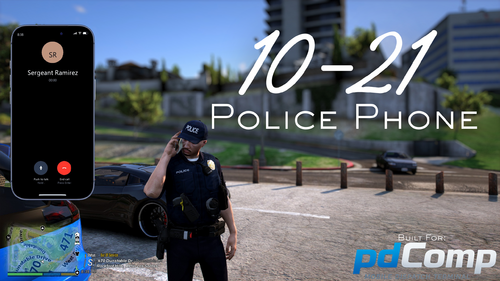 Congrats on the release! I’ve watched your demo videos, and the plugin looks really promising. I’d definitely love to see even more contacts to call added in the future. I’m going to give it a try now, looking forward to seeing how it develops!
- 46 comments
- 10 reviews
-
-
- 2
-
-
-
After testing several of the callouts, the pack unfortunately feels very incomplete and unfinished in its current state. There seem to be fundamental issues with both the spawn logic and the actual flow of many callouts. For example: Peds who flee do not properly trigger a pursuit. Welfare Check can spawn the subject randomly in the middle of the road. Traffic Accident can spawn in locations where the scenario makes little sense. Wanted Person Spotted can spawn the suspect directly on the road without any proper scene setup. Robbery Reported can also spawn directly on the road. The robber may simply stand there looking in a random direction while the victim is kneeling on the ground, with little to no meaningful interaction or clear progression of the callout. These are not just minor bugs or polish issues. They affect the basic functionality and immersion of the callouts and, in several cases, make them feel unfinished or practically unplayable. I also do not really understand the decision to add such a large number of callouts at once when many of the ones I tested still have major issues. In my opinion, it would make much more sense to start with fewer callouts, make sure each one has reliable spawn logic, a clear scenario flow, proper interactions, pursuit handling, and appropriate locations, and then gradually expand the pack with additional well-developed callouts. Having a large number of callouts sounds good on paper, but quantity does not add much value when the individual scenarios lack basic functionality or proper scene design. I would much rather see a smaller selection of polished and reliable callouts than a very large selection where many feel incomplete. The concept of the pack has potential, but in its current state it feels like many of the callouts were added before they were actually finished and properly tested. I get random italian messages with the high speed pursuit callout, also there is no Pursuit activated. I'm trying to give you helpful feedback, if you have any questions feel free to contact me
- 59 comments
- 8 reviews
-
-
- 1
-
-
- it
- us
- lore
- lspdfr callout
-
Tagged with:
-
-
Whats the Point of releasing a new Update and then link to your Site? Why Not just updating it here and uploading a new file?
- 59 comments
- 8 reviews
-
-

-
- 3
-
-
- it
- us
- lore
- lspdfr callout
-
Tagged with:
-
Hello, thanks for the reports I will try to fix them in Version 1.5.0.7. And @Sergeant Jones could you please provide me with your log
- 204 comments
- 16 reviews
-
 Wirklich krasser Release! Freue mich schon wenn ich es selbst testen kann. Danke für deine Arbeit
- 22 comments
- 2 reviews
-
-
-
- 2
-
-
-
-
Hello! If you want to use ChillLSCallouts with NPCAI, I strongly recommend setting this to false. I am currently working on a fix or a workaround.
- 204 comments
- 16 reviews
-
-
- 1
-
-