


Darkangel
Members
-
Joined
-
Last visited
Everything posted by Darkangel
-
I'm going to add this in before it comes up if you are using ELS cars and you can't handle the lights being slow and give off no light around them you need to go edit your ELS config file to this. Ai_ELS_SP = 1 // Toggles ELS on/off for AI in SP Ai_ELS_MP = 1 // Toggles ELS on/off for AI in MP / Not recommended with other players Will want to make sure AI police are off when you play online or this will become very laggy for every one. Should be fine if you turn off Ai police oh almost forgot need to sync your lights and siren together with ALT-T or it will still be slow if you just have the lights on...
-
-
1.) make sure vsync is off that's only for higher end computers 2.) If you have it on steam do a Verify integrity of game cache must faster than reinstall as it finds files that shouldnt be there ( such as modded cars and what not) and deletes them. Pretty much like a fresh install with out the 5 hour wait this takes about 35 minutes.
-
If you do delete that every now and than when the siren plays it will have no sound. You will have to replace it with a .WAV file you want to use....
-
Ok kind of point less, as long as you have your siren on it will work ( that's hitting J before or after you put your siren on....) aslong as you have the Ai_ELS_MP =1 enable ( you don't need the police on when you play online) For it to work you have to have your siren on or it will be slow to other players......
-
Me and my friends fixed it, this is what your ELS config settings file needs to look like FlashDelaySP = 0 // Flash speed delay for ELS lights in SP (in milliseconds) / higher is slower FlashDelayMP = 0 // Flash speed delay for ELS lights in MP (in milliseconds) / higher is slower Ai_ELS_SP = 1 // Toggles ELS on/off for AI in SP Ai_ELS_MP = 1 // Toggles ELS on/off for AI in MP / Not recommended with other players The AI ELS MP needs to be enable this is how we go it to work.... Also the lights and the siren need to be on if its just the lights it will be slow. Also the LCPDFR num / key works to just make sure you use ALT-T Here is the Proof http://www.youtube.com/watch?v=kbiI6M5bWbM&feature=youtube_gdata Here is more proof http://www.youtube.com/watch?v=FQXhkspPnnE&feature=plcp Would like to thank Petroph and Dimondlight for there help in finding this fix.
-
-
-
A police chase fail.... WARNING THIS IS VERY VERY VERY VERY FUNNY http://www.youtube.com/watch?v=78kuT_Q05hM&feature=plcp YA YA YA this is my 100posts!!!! Also forgot to thank DimondLight and Petroph for being in the video. Petroph is the one that got hit by my charger, DimondLight crook trying to escape....
-
Could download steam it downloads the games right onto your computer. ( you will have to buy them again) But steam is kind of crappy if you ask me they try to fix things but only make it worst. For this one game there are 11,000 tickets open for a issue with playing online and steam thinks all 11,000 are telling a lie... Also steam its legal as you need to buy the game and that like 80% of the money goes to the company that made the game.
-
I heard when they turn off the cleaning servers there going to be a massive attack but MSN does lie
-
Not old news any more, as the massive attack is post to happen Monday....
-
THE FBI has put up a program to check if you have this computer virus. Follow this link and click the URL that best suits you if its green your ok. If its anything else your in trouble as sources has leak that by Monday any one who has it computer won't connect to the internet anymore. This virus can not be pick up by normal anti virus if you think i'm BSing you check out the link posted below. If you have the virus REPORT it to help the FBI catch who ever is making this virus. You don't have to download anything. http://www.fbi.gov/ http://www.cnn.com/2...?iref=allsearch This link is to check your computer to see if its invested https://forms.fbi.go...using-rogue-DNS This computer virus is world wide every one needs to check.
-
There is a thread for this
-
-
It works to a certain point but we are getting closer...
-
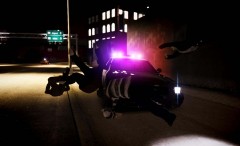 ROFL!!!!!!!!!
 -
Ya we are trying that now I will come post back if we get it working so every one who tries this can get it working.
-
Not trying to argue or any thing, but than how did they do it in the video? Just not that one video either there are a lot on you tube of it. If its a data thing would being on a program like tunngle help as that links computer together?
-
Not that I heard of that can do the things that you just said.
-
Looks good you guys are doing really good work on it...
-
Whats your budget? This is just from what I saw no one really buys used PC's so not much...
-
This is going to sound silly is NUMLOCK on. If not you need to turn NUMLOCK on... Also have you tried re installing SNT?
-
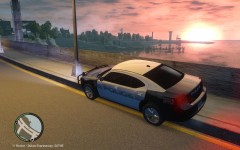 https://rapidshare.com/#!download|116p11|436129945|gtxd.img|28536|0|0
 -
Hello every hope you are having a good day. So i'm in the middle of making my own MP role play server. Today we were testing some things out when we saw the ELS lights are really really really slow. I went into the ELS config file to look for enable in MP but there isnt any thing this is the file that comes with V6 of ELS. [ GLOBAL VALUES ] Resolution_W = 1920 // Your game resolution width -- Default 1920, do not alter Resolution_H = 1080 // Your game resolution height -- Default 1080, do not alter DisplayLocation = 2 // 0 Off / 1 Only on with info. panel / 2 Always on when in a vehicle Range_LightsF = 7 // Range of headlight environment lights Intens_LightsF = 9 // Intensity headlight environment lights Range_LightsP = 90 // Range of primary environment lights Intens_LightsP = 2 // Intensity of primary environment lights FlashSoundFx = 1 // Enables or disables ticking sound when lights are active FlashDelaySP = 0 // Flash speed delay for ELS lights in SP (in milliseconds) / higher is slower FlashDelayMP = 0 // Flash speed delay for ELS lights in MP (in milliseconds) / higher is slower Ai_ELS_SP = 1 // Toggles ELS on/off for AI in SP Ai_ELS_MP = 0 // Toggles ELS on/off for AI in MP / Not recommended with other players Should we use a different version of ELS or what. Also we have tried the ALT-T thing still they are really slow. Any one know how to fix this? I would like it to look like this

