




Charlie686
Members
-
Joined
Everything posted by Charlie686
-
Glad to hear, enjoy!
-
Thank you! Please remove ScriptHookVDotNet related files & retry.
-
Hey there, Please attach your RagePluginHook log - a text document found in your main directory. Thank you.
-
Hey there, Please attach a screenshot of your main directory so I can check a few things. Thanks! 🙂
-
Hey there, In order to look into this further, please attach your RagePluginHook log - this is a text document found in your main directory. Thanks! 🙂
-
Hey there, Please rename your mods folder to _mods & retry. This is a diagnostic step that will temporarily disable your mods folder. Let me know how it goes. 🙂
-
LSPDFR uses GTAV's native phone notifications. Ensure phone notifications are enabled within the GTAV settings. 🙂
-
When you create a forum post, you've got a description section. It would be great if you could use this to describe your problem and provide additional details. Thank you. 🙂
-
Hey there, Please install a custom gameconfig, such as the one found here, and try again. Let me know how it goes. 🙂
-
Please screenshot your main directory & attach your RagePluginHook log - a text document found in your main directory (GTAV folder). Thanks!
-
Because you aren't supposed to load LSPDFR plugins from the RPH Console. Let's see if we can get my callout pack working for you. In order to assist me, please attach your RagePluginHook log -> a text document found in your main directory.
-
No problem. Let me know if you need anything else! 😄
-
Hey there, I'm just curious; how would you plan to do this in a way that doesn't infringe the copyright of respective plugins & modifications? Considering robots.txt disallows access to downloads, I'm afraid I don't think this is possible.
-
Hey there, Are these LSPDFR Plugins? If so, they shouldn't be showing up in RAGEPluginHook. LSPDFR Plugins are different to RAGEPluginHook plugins. RAGEPluginHook Plugins (GTAV/Plugins) : Loaded by RAGEPluginHook. Can load on startup or through the RPH Console. An example is LSPDFR. LSPDFR Plugins (GTAV/Plugins/LSPDFR) : Loaded when you go on duty with LSPDFR. Examples include callout packs & Stop The Ped. I hope this helps. 🙂
-
Hey there, It looks like Radio Realism FR (formerly known as OfficerPorciPlugin) is crashing when checking the peds in a pursuit. You may want to consider removing it until an update is released resolving this issue. @Officerporci Hey - this is an issue you'll want to look into. 😄
-
You should attach the entire log.
-
NVE can cause issues when LSPDFR is loading the multiplayer map, as evidenced in your log. I believe there is a compatibility patch included in the NVE download so you can try installing that if you haven't already. However, it isn't an issue with LSPDFR, so your best option is reaching out to them.
-
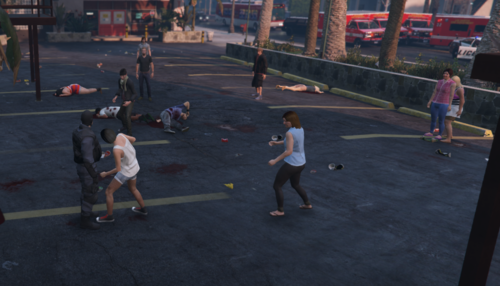 Hey there, I'm curious - what does this mean? 🙂 How is your plugin influencing the physics / AI of GTAV? Sounds interesting for sure, but not sure what it means.
- 11 comments
- 1 review
-
-

- 1
-
-
No problem, enjoy!
-
Hey there, If you'd like to use the audio hash, you can use the following: <audioNameHash>BUCCANEER</audioNameHash> I verified myself that it worked, so hopefully it does for you! 😄
-
Could you screenshot this please? Are you sure the sequencer value is 0? 🙂
-
Reverse? Please try installing it into: GTAV/mods/update/x64/dlcpacks/patchday10/dlc/x64/models/cdimages/weapons.
-
You need to update RAGENativeUI.
-
Please attach an updated log for me.
-
Glad to hear, enjoy!

