


Bojan
Members
-
Joined
-
Last visited
Everything posted by Bojan
-
Jesus, you can run GTA IV on Intel HD? I've got it too, but I've also got a discrete, much more powerful graphics card that I play on. When I run it on Intel HD gfx, I'd get like 12 FPS. Yet running it on my other GPU gives my like 30. Dunno how you guys manage to play!
-
There use to be free trial versions of Photoshop, not sure what happened to those.
-
Derp, told you I'm tired lol. Heres the PNG: https://mega.co.nz/#!s9di0DbA!KYlyXA8-vJBt3FO4ZpLc_yEn2qd9lSWEblHPOQGjjtM
-
Since the model is a bit inaccurate, I couldn't get a spot on recreation of that picture. Also, since one side is different from the other side (one has a door, while the other doesn't) the textures for each side are slightly different. Lastly, there was a shortage of pictures for the back and top, so I sorta just winged it :P Hope you like it: https://mega.co.nz/#!s9di0DbA!KYlyXA8-vJBt3FO4ZpLc_yEn2qd9lSWEblHPOQGjjtM PSD: https://mega.co.nz/#!8pdzzTYD!O_OgGAokojgPgUeav4BoaFgO841d_1hjGB97KtrAvnE I also feel like a missed a few things, but I'm too tired to tell. Message me if you need anything fixed on the texture.
-
If you can find me a model that includes a template, I'll be happy to.
-
I had the same problem but for the life of me I can't recall how I fixed it. If I remember I'll be sure to tell you. Edit: I think the length of the file names had something to do with it. I think that when I shortened the filename it worked.
-
Fully uninstalling the game then re-installing should fix it. It is most likely a missing font file.
-
Haha :P If there are any problems with it feel free to PM me and I'll fix it quickly. I haven't actually tried the skin out, so I wouldn't know. Or if you have Photoshop, you can fix it yourself. Heres the PSD file: https://mega.co.nz/#!Zxs1xDqI!LvMj7XMIPyx-iTKrwc5BFU3SmGU2fb7rSjwJLJRBj5w
-
Photoshop CS6
-
That'll do just fine.
-
I put together a quick skin for the Boston FD: '?do=embed' frameborder='0' data-embedContent>> Skin: https://mega.co.nz/#!Qs1V0DSI!ZMk8W3w9i4Il1S9Yw32aoDEM8bJPJwlPAVbX5feKo-8]https://mega.co.nz/#!Qs1V0DSI!ZMk8W3w9i4Il1S9Yw32aoDEM8bJPJwlPAVbX5feKo-8 Have fun!
-
Not to mention:
-
I think it's good that you stopped that download. Theres no way you coulda played it ;(
-
That train kill was awesomeeeeeeeee
-
Often the best way to play multiplayer with other LCPDFR users is to join a clan and play with them. Check out the groups tab at the top.
-
At least now they can't say they didn't see the car when they get pulled over.
-
Nope, you can go for a ride along with York Regional Police. http://www.yrp.ca/forms.aspx Scroll down to Ride Along Application
-
-
I played the game through on a friends PS3, and although the gameplay was great, I really only played it for the story. Definitely the best, most emotional, and most captivating story I've ever played through.
-
Its probably a steam sale only - as most of them are.
-
STOCKS BRO. YOU CAN BUY FUCKING STOCKS. ERMG.
-
http://www.gta4-mods.com/vehicles/gpm-pack-v01--german-police-polizei-pack-f19437 I believe that is German.
-
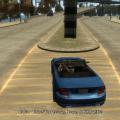 I suggest making the font a bit smaller, and putting it a little more out of sight. It's a great tool for multiplayer, but it's a bit too big for me.
- 30 comments
- 30 reviews
-
A fellow Windows Phone user! Woo!
-
Nokia Lumia 710 (Windows Phone ftw?)


