




brenden.iannetta
Members
-
Joined
-
Last visited
Everything posted by brenden.iannetta
-
First, download this: https://github.com/alexguirre/RAGENativeUI/releases/download/1.9/RAGENativeUI.zip. Drag and drop RAGENativeUI.dll from the downloaded .zip file, into your GTAV root folder. If the above doesn't work, go to: Grand Theft Auto V > lspdfr > lspdfr.ini then change Main.DisableGameBlipHiding to true Let me know if this works.
-
Launch LSPDFR and immediately hold shift. Change Plugin Timeout Threshold to 60000.
-
You might want to start from scratch to be honest. I think one of the mods you installed is conflicting with your game, and I can't really pinpoint it. Since you installed a graphical mod like QuantV, i'd recommend starting from a clean game.
-
Nah that wouldn't affect the in-game services; LSPDFR runs normally. Can you send me a RAGEPluginHook.log file so i can look at your versions? The file is in your GTAV root.
-
No problem! Just mark my comment as a solution 🙂
-
Then you need to follow this:
-
Try deleting the update.rpf AND update2.rpf inside of your mods folder. Make a backup of them on your desktop first.
-
Try loading w/o your mods folder. Rename it to "_mods".
-
What happens when you add back the mods folder?
-
Which is what? I'm making sure please give me a list.
-
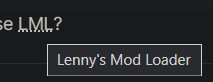
Lenny's Mod Loader. It's alt-texted in.
-
Try restarting PC. If this doesn't work, you need to launch GTAV, and while its loading, launch RAGE.
-
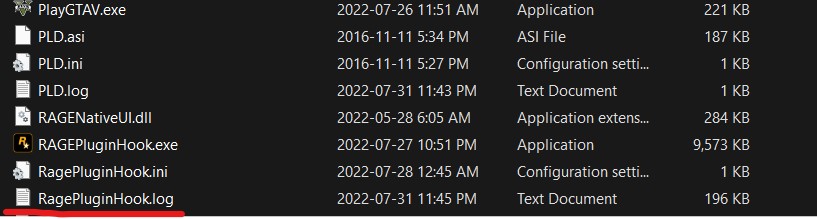
Try launching RAGE and then when it crashes it should generate one.
-
Great! Just mark it as solved.
-
In your GTAV root, there should be a .log file called RAGEPluginHook.log.
-
? What do you mean. Did you follow my solution?
-
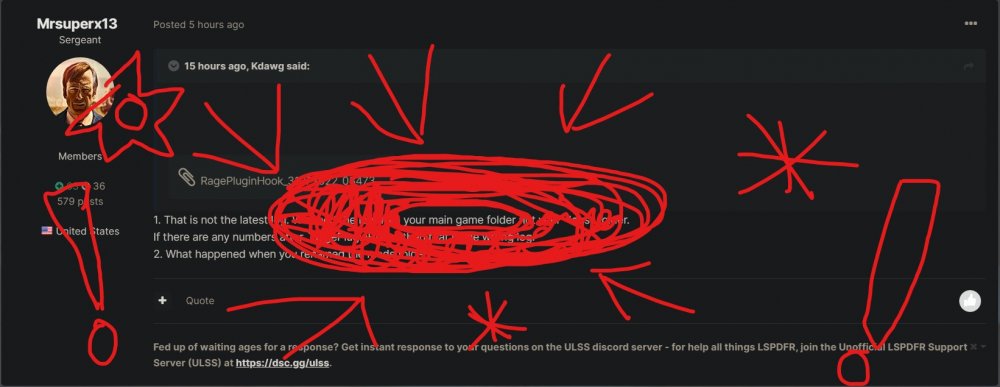
It's in your main game folder. Please try to follow my solution though, it's harmless.
-
It does work. I've been using the combo myself for the longest time. This is just an issue on your end.
-
Try installing all of these: https://www.gta5-mods.com/tools/heapadjuster https://www.gta5-mods.com/tools/packfile-limit-adjuster https://www.gta5-mods.com/misc/gta-5-gameconfig-300-cars If this doesn't work, please send a RAGEPluginHook.log file which is located in your GTAV root folder.
-
Try installing all of these: https://www.gta5-mods.com/tools/heapadjuster https://www.gta5-mods.com/tools/packfile-limit-adjuster https://www.gta5-mods.com/misc/gta-5-gameconfig-300-cars If this doesn't work, try re-instaling LSPDFR.
-
Yep that's what I was going to advise. See if that works.Do you use any sort of Antivirus?Do you use LML?Have you added any mods?

