




brenden.iannetta
Members
-
Joined
-
Last visited
Everything posted by brenden.iannetta
-
Send a RAGEPluginHook.log file, which is located in your GTAV root.
-
I've noticed ever since this update, probably 100 people have mentioned their issues regarding infinite loading screens. Before you cloud the forums up with the same question, please follow this tutorial. Make sure to read all of the instructions, and follow them to a tee because it will fix most of these issues. There is a video tutorial if my instructions aren't good enough. Link: darkvypr.com/irls (It's hosted on my own domain due to formatting and cleanliness.) If you need extra help, just ask! Also if any mods want to clarify/discuss something, or people want to add certain things, just reach out to me. 🙂
-
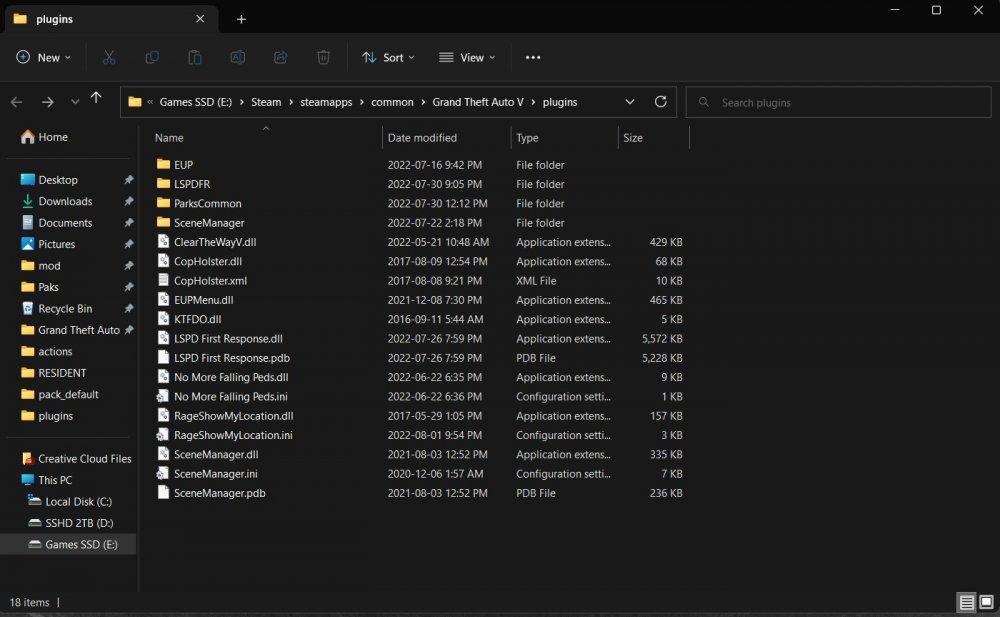
Can you send a screenshot of this directory exactly please.
-
From the other thread you started, you didn't install LoreCallouts right. Please re-install it, and make sure to put ZPhDevs.Common in your GTAV root.
-
What are your problems?
-
There should be instructions on them. The HeapAdjuster goes in the same place that the Packfile Adjuster goes.
-
Yep. Try installing these: https://www.gta5-mods.com/misc/gta-5-gameconfig-300-cars https://www.gta5-mods.com/tools/heapadjuster https://www.gta5-mods.com/tools/packfile-limit-adjuster
-
Do you still have your custom gameconfig installed? Try re-installing this one because you may have wiped it in the process: https://www.gta5-mods.com/misc/gta-5-gameconfig-300-cars
-
No, you can drag and drop the file here:

-
When you replace update.rpf, you lose your dlclist.xml. This is why I mention to make a backup of it. Go into the backup (if you made one) and extract your dlclist.xml. Use this backed up dlclist and place it in GTA > mods > update > update.rpf > common > data.
-
Before you do this, Follow this tutorial: darkvypr.com/irls Reason being because deleting your WHOLE mods folder is sometimes going unnecessarily too far. When GTAV updates, it essentially renders your update.rpf (which is located in your mods folder) useless. The reason why renaming your mods folder does the truck is because it makes your mods loader "invisible" to GTAV. In many cases, the mods folder does not have to be completely replaced, just the update.rpf. Annnnnd to the second page this goes.... So long for exposure.
-
Yes; That's why I am suggesting it.
-
Go to the folder where your GTAV is installed, and upload the file called RAGEPluginHook.log.
-
Try re-installing them.
-
You might have to just reinstall LSPDFR. Weird issue you're having.\ Just read the post again... I'm not sure about this issue. Good luck in finding a solution.
-
Install all of these: https://www.gta5-mods.com/misc/gta-5-gameconfig-300-cars https://www.gta5-mods.com/tools/packfile-limit-adjuster https://www.gta5-mods.com/tools/heapadjuster Also i'd recommend just uploading your RAGEPluginHook.log file directly to here. The file is located in your GTAV root folder.
-
Send a RAGEPluginHook.log file located in your GTAV root.
-
darkvypr.com/irls
-
darkvypr.com/irls Weird that this is happening on a fresh install, but try it anyways 😛
-
darkvypr.com/irls
-
Damn 6 months? That's dedication.
-
Try downloading this: https://www.gta5-mods.com/scripts/open-all-interiors
-
You can't AFAIK.
-
You have a broken LSPDFR install as far as I can tell. Try replacing some of the LSPDFR files you have with the ones from the Manual Installer.
-
Send a RAGEPluginHook.log please. I think I know what is wrong. If there is no RAGEPluginHook.log, update your RAGEPluginHook.exe file. Tutorial: https://i.darkvypr.com/update-rph.mp4 Lastly, if this doesn't work, try disabling your GeForce Experience overlay through GeForce Experience > Settings.



