




brenden.iannetta
Members
-
Joined
-
Last visited
Everything posted by brenden.iannetta
-
Description: It was late at night, and I forgot this guy had an expired licence and insurance. At the beginning of the stop, I thought I observed Alcohol Intoxication from StopThePed. Turns out he was just nervous. That's why I did the FST lol. Don't pull people over while you're tired.
-
Looks like you have issues with your EUP MENU installation. Please try re-installing that, making sure to make a backup of your current wardrobe.ini if you have made any changes to it. Please also update RAGENativeUI.dll. Download it from this link, then place RAGENativeUI.dll from the .zip file into your GTAV root.
-
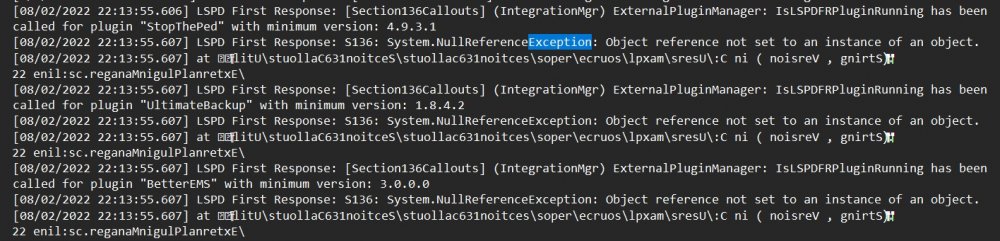
So I'm kinda stumped on why I just had a crash. This happened right after I played through a Traffic Stop Backup callout, and made a Traffic Stop. I was playing, and then accepted a callout from SuperCallouts (Ambulance Escort). My game crashed, and game me kind of a useless stack trace. Im wondering if it was a one-off because after rebooting and forcing the callout, I was able to complete it fine. I've also ruled out BetterPresence as a conflict, because I tried the callout with and without BP. I noticed earlier in the log that there was some exceptions with Section136Callouts, but was unable to pinpoint any issues with that plugin as it looks like a fourth grader scribbled in the lines. I've since deleted RAGEShowMyLocation because it is pretty useless to me, so y'all can disregard that. I really can't decipher the issue, which is why I think this is a one-off. Thanks for your time in advance! RagePluginHook.log
-
Nice. Just mark the issue as solved.
-
Log please.
-
Grand Theft Auto V\plugins\LSPDFR
-
There was an update but it was released about a week ago. If you freshly downloaded the game, this doesn't matter. You might have had some files left over from when your mods folder was broken. Try renaming your mods folder to "_mods".
-
Wrong screenshot.
-
Try re-downloading it. Might be a small bug. https://www.bejoijo.com/post/compulite
-
I'm not familiar with iZip so it is probably an issue with your file archiver (iZip). Try using 7Zip.
-
There one million percent is. Look closer.
-
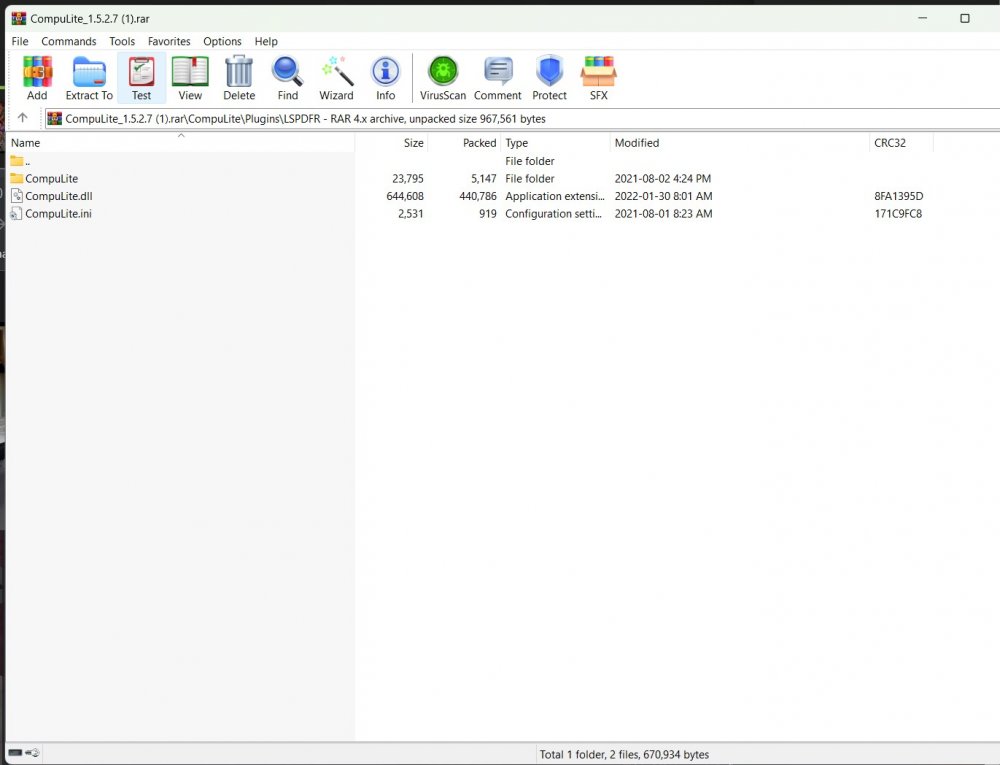
You are missing the INI file for CompuLite. Please re-install the mod.
-
Not sure what you are talking about. What does this mean?
-
Have you edited the dlclist.xml in update.rpf?
-
Send a RAGEPluginHook.log file of when it crashes. It's located in your GTAV root folder.
-
No problemo
-
Try verifying your game files. Also make sure that you update all of LSPDFR and RAGE.
-
WHY ARE YOU YELLING? Anyways, try all of Bejoijo's plugins. https://www.bejoijo.com/ If you want a realistic radar, use: There are tons of cool plugins if you browse through downloads!
-
It looks like the files that this OIV package is trying to modify are being used. Try closing GTAV first. If this doesn't solve it, restart your computer. This will kill any rockstar services that may be tripping OIV. BTW: The reason why EUP worked is because it probably wasn't loaded in-game.
-
Hey i'll take that. 😶
-
Oh my... Welp this definitely slipped my mind lol! The old brain isn't working too well today as you can tell. 🙃 Hopefully this comment fixes your issue. @NotJosh
-
Try verifying your game files. It appears as you are missing an interior.
-
Oh my bad. Can you try updating RAGENativeUI.dll? Download it from this link, then place RAGENativeUI.dll from the .zip file into your GTAV root. https://github.com/alexguirre/RAGENativeUI/releases/download/1.9/RAGENativeUI.zip
-
Yea I guess I worded it pretty poorly lol. I think I was trying to say disable it (to see if it would cause a difference) but said remove instead. Changed the reply. My bad 😅
-
Eh maybe. You could try a fresh install.



