


Bossnix
Members
-
Joined
-
Last visited
Everything posted by Bossnix
-
![New LCPD Skin Pack [WIP] (Skin 1)](//s3-gallery.int-cdn.lcpdfrusercontent.com/gallery/album_1302/sml_gallery_23070_1302_582976.png) I really like them!
I really like them! -
This happened to me before (I do not know if it was the one you are using, I forget), and I had to revert back to my backup.
-
You should go work for the ASPCA or something.
-
Well I am sure if I was in this situation and an angry dog is coming after me because I have his owner in handcuffs and then he lunged at me, I would've shot him to. Also could you please elaborate on the other ways of handling an angry dog coming to save his owner from your possession?
-
I have to agree with Harper. I don't see why they had to arrest him but if I was the officer that was about to get bit, I would've shot the dog to so I think the officer did a really good job!
-
Hey Wade, thank you for your comment and your support. To be honest for you, all I did was go to google images and searched for "sheriff cars."
-
Whenever the story from the Sentinel is up, do you mind posting it? I am curious to see how they responded to this.
-
I'm sorry, I am in the wrong here. If the vehicles.ide doesn't work then I wouldn't know. Again, I apologize.
-
The big one under cars. Should look something like this: police, police, car, POLICE, POLICE, VEH@STD, VEH@STD_RI1, 100, 999, 0.2345, 0.2345, 0.2, 2, 1.0 ,1, ext_requi+ext_strong+livery
-
No it won't, it will fix the view. To change the handling of the car, you go to handling.dat. If you do not believe me just make a backup but I am sure that it will work.
-
Go into your vehicles.ide and copy and paste the polpatriot line to the stockade lines. GTAIV > Common > Data > vehicles.ide
-
-
Yeah Photoshop is very cool. Very useful if you do not know the fon or cannot find a similar one.
-
It's called modeling or modding with zmodeler, something you have to be good at first before even thinking about modeling stuff.
-
You can try this:http://www.dafont.com/bebas-neue.font
-
Yes you should do that, it really helps just didn't pop up in my head to do that, but yes it really does help.
-
Title says it all but here is the video I made: http://www.youtube.com/watch?v=0TSDzSeuJ8M If this helped please subscribe or give it a like. I hope this helped some people at least. Thank you, Bossnix
-
-
That is the wrong GTA. Those vehicles don't work for IV. I would suggest searching this site for vehicle models or searching gtapolicemods.com
-
What you can do in Photoshop though is select the word Police in a region then do LeftCTRL+C then go to your template and do LeftCTRL+V and that will paste it. Or you can use the magic wand to select the wording itself then do the same steps so you don't have the background in there.
-
http://www.gtaforums.com/index.php?showtopic=500899
-
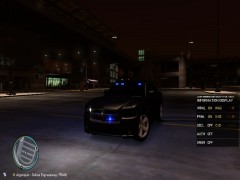 Release!
 -
Its the sound board or you can just play them through your mic from a YouTube video.
-
Well in a clan you usually have all the same mods (cars and scripts) and same version of LCPDFR. The mod works the same in Multiplayer as in Singleplayer. BTW where you at in NC? I live in NC as well.
-
Definitely North Carolina State Highway Patrol. I like the grey and black. Just my thoughts.

![New LCPD Skin Pack [WIP] (Skin 1)](http://s3-gallery.int-cdn.lcpdfrusercontent.com/gallery/album_1302/sml_gallery_23070_1302_582976.png)

