
Faya
Members
-
Joined
-
Last visited
Everything posted by Faya
-
This is the only american_rel.rpf I could find: Grand Theft Auto V\update\update2.rpf\x64\data\lang\american_rel.rpf Keep in mind its update2.rpf It's been almost a month, but I hope I've been of some help. Btw if you ever need to search for a file you can also press CTRL + F3 in OpenIV.
-
Correct, this only allows the player to cuff the dead ped, AI officers will remain how they used to be.
-
 Yes, that's correct.
 -
Hi everyone, please report issues in my private messages or through Discord since I won't be checking all the download pages often. And also: I'll be working on a new callout pack after this, I'm looking for some beta testers who are willing to test it. Testing will probably be ready somewhere in January/February. The Discord server link can be found above.
-
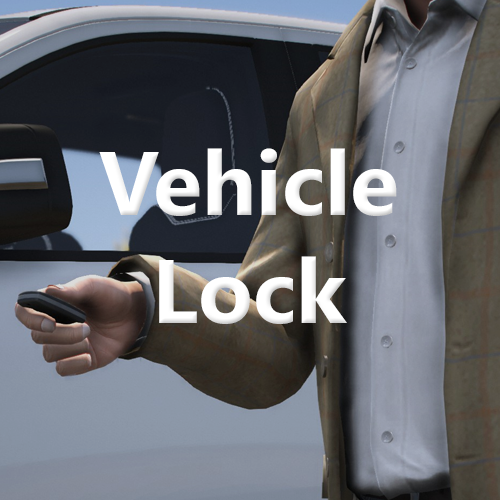
Vehicle Lock for Grand Theft Auto V Copyright © 2025 Faya. All rights reserved. Discord Server / Installation / Progress Board Vehicle Lock allows you to lock your vehicle to prevent it from being stolen and prevent you from being pulled out of your car. When locking your vehicle while being on foot you will use the key fob to lock it. if you are already in your vehicle and want to lock it, you are simply turning on the central locking. Use Left Shift + Y to lock or unlock your vehicle, You may customize those keys in the settings. ⚠️ Note: There has currently only been one issue found, it is an issue where if you load LSPDFR, emergency vehicles will unlock. (Re-enter the car to fix) ⚠️ Note: Using Traffic Policer? Set AutoVehicleDoorLock to false to fix the Vehicle Lock not working. Additional features: - Walk-away auto lock: If you're at a certain distance and haven't locked your vehicle, it will automatically lock - A locking animation - Multiple locking sounds you can choose from Settings: - LockKeyModifier - LockKey - AutomaticProximityLock - LockStatusNotification - LockingAnimation - LockingSound Installation: Just drag the 'plugins' folder into the Grand Theft Auto V folder. If you encounter a crash, details of that crash are automatically reported to the developer, you may disable this in the Vehicle Lock.ini. ⚠️ Please request support in private messages or through Discord, I can't check every single download page of mine : )
-
-
-
 Hi, I put it in the description but I'll link it for you here: Model: link, Texture: link My bad, I forgot to update the readme sorry about that. I'll look into that despawn issue, thanks for telling me.
 -
There isn't supposed to be one. If a user wants custom bicycles they can find them on LSPDFR.com or GTA5Mods.com. The model I use in my thumbnails is this one and the texture I use is the one I made.
-
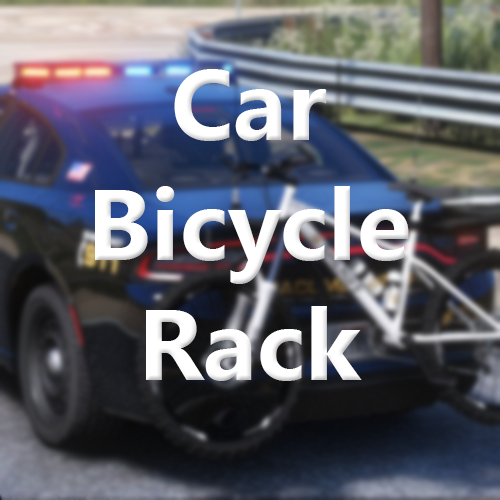
Car Bicycle Rack for Grand Theft Auto V Copyright © 2024 Faya. All rights reserved. Discord Server / Installation / Progress Board Hold X + 2 to open the menu to spawn your bicycle and access other features. The model I use in my thumbnails is this one and the texture I use is the one I made. Did you ever want to do a quick patrol with a bicycle at the beach or on a trail? Perfect, then this plugin is for you. Spawn your bicycle on your vehicle, fine-tune its position if required, and then start patrolling with the bicycle attached to your vehicle. When you want to patrol with your bicycle, pull over, and walk up to your bicycle, you'll get a prompt to detach the bicycle, after that, you will be carrying the bicycle in your hands, put it down in a good position, and start cycling. To re-attach, pick up the bicycle with E, go back to the rear of the vehicle, and attach it back onto the vehicle with CTRL + E You can also choose to instantly spawn or store your bicycle in the menu, go to the "Placement" submenu, then on the "Instant Actions" button you have 2 buttons, select either "Spawn" or "Store". Plugin Features Bicycle positioning Custom presets Custom bicycle models and change names Bicycle colors * changing bicycle colors may not work on some models Manual retrieval Instant spawning and storing Blips for car & bicycle so you don't lose them Customize bicycle positioning This feature can be used to move your bicycle to a position you want, like a truck bed or you may even have a roof rack on your vehicle where you want to put the bicycle. | X-Axis: Left and right | Y-Axis: Front and back | Z-Axis: Up and down | Custom presets & saving When a bicycle is spawned, the preset will be set to "Rear" by default, if the bicycle is clipping into the vehicle or you want to position your bicycle elsewhere, you can create a custom preset for this vehicle; you can do this by going to the "Placement" submenu and then going to the "Positioning" submenu. Spawning/retrieving You can either choose to manually retrieve the bicycle by walking up to it, or instantly spawn the bicycle by using the menu, instantly spawning is mainly used when your bicycle is in a truck bed or on a truck roof, places where it's weird to try and do it manually. If you encounter a crash, details of that crash are automatically reported to the developer, you may disable this in the plugin .ini file.
-
 Tried to install this on my toaster, and now it demands I drop the bread and step away with my hands above my head?! bro what?
- 47 comments
- 10 reviews
-
-

- 3
-
-
 Very nice job, I might even make some custom extra callouts for it, who knows 🤷♂️
- 503 comments
- 33 reviews
-
-
 Fixed in v1.0.7, thanks for the report.
 -
 I love the work, keep it up. The liveries look great, and so does the ELS pattern.
- 110 comments
- 39 reviews
-
Hi @Hitchh, please note that you will only start bleeding again in the same limb if your health is back to 100HP after you applied the tourniquet. So if you get shot in a limb and you bleed, after applying the tourniquet, you will have to call EMS to get you back to 100HP in order for you to be able to bleed again on that same limb, the health being back to 100HP basically enables the plugin again. You likely bled once and didn't call EMS, meaning the rest of the time you were getting shot was intentionally ignored by the plugin.
-
The only thing Tourniquet has to do with damage is that when you bleed, your health will start to lower a bit every second.
-
I tested this and it doesn't seem to crash for me. No, it shouldn't conflict, but using Deadly Weapons along with Tourniquet is not recommended since there is a significant chance you will die, since Deadly Weapons already increases the damage done toward the player. You can only apply a tourniquet when you bleed, you would have to be shot or stabbed in either the legs or arms, and then when you do get shot in those areas, that still doesn't guarantee a bleed, since there is a chance you will bleed. You will know when you are bleeding by the screen effects and UI cues.
-
Useful if you don't want the ped to follow you and if you don't want to have the player manually kneel the ped while in your callout. For example, I am having players arrest a ped in a callout, after the arrest I need the suspect to stay near an officer, otherwise, the ped will follow me while I take statements from the callers, which looks odd. Having the ped kneel via code is the required fix for that. Parameters: (Ped ped, bool active)
-
Hi, can you send me a DM with the log file? You'd have to load the plugin and after the crash send the log file to my DMs after it crashes so we know it's the one with the crash in it. (Path: Grand Theft Auto V/RagePluginHook.log)
-
The cheat menu does not do anything with the plugin itself, Tourniquet uses the ` key to stop your bleed, but this is also the same key as GTA's cheat menu so we decided to require the user to use a modifier key in order to use the cheat code menu, which is the Left Control key. (So Left Control + ` opens the cheat code menu) In order to use Tourniquet you must be having a bleed somewhere first, you have a chance of bleeding by being shot or stabbed, after you start bleeding you are able to apply the tourniquet with the ` key. (The ` key is located under your 'Escape' key.) I hope this answers your question.
-
Tourniquet for Grand Theft Auto V. Copyright © 2024 Faya & Echooo. All rights reserved. Faya's Server / Echooo's Server / Installation Did you get shot? Take cover and apply your tourniquet before you bleed out. If you get shot in a limb, there's a chance you'll have a bleed on that limb, and you'll also have an injured walking style, to get rid of that you'll have to be treated by paramedics or heal yourself. ⚠️ Important if you're updating!!! Replace "DamageTrackerLib.dll" and "DamageTrackingFramework.dll" (They require an update) To use the plugin you would have to bleed first, there is a chance that you will bleed when you get shot or stabbed, once you start bleeding you can press the tilde key, which is under your 'Escape' key. After you finish applying the tourniquet you will still have the injured walking style, to get rid of this you must be fully healed. ⚠️ Important to read - Vari's Damage Tracker Framework is required for this plugin to work! (Comes included) - It is vital to load both Tourniquet.dll and DamageTrackingFramework.dll, otherwise, the plugin will not work. - You can only bleed a second time in the same limb once your health is back to 100%, otherwise, the rest of the bullet impacts for that limb are ignored! - If you encounter a crash, details are automatically reported to the developer, you may disable this in the Tourniquet.ini. Remember to load the DamageTrackingFramework.dll! (Check here how) Features Actual bleeding, including visual blood Multiple effects to make it look immersive Injured walking style until you get medical treatment Health ticks down as you bleed until you apply a tourniquet Future A dedicated applying animation Actual tourniquet props you'll see on the affected limb Important Load the DamageTrackerFramework plugin, it is required for this to work. You must be bleeding to apply a tourniquet. Hold Left Control and press ` to open GTA's cheat code menu. Please note that there is a chance that you'll bleed if you get shot in a limb, so you won't always bleed. The injured walking style only gets reset if you're fully healed, so get treated by paramedics or heal yourself. Using 'Deadly Weapons' makes surviving harder since you are likely already close to death in the first place. (The DamageTrackerFramework plugin is already included in the download folder, make sure to load it with F4>LoadPlugin "DamageTrackingFramework.dll") Please read the description in its entirety to fully understand the plugin before commenting for support!
-
Hi, I'm assuming you don't have any mods installed since this is probably your first time, so let's first delete everything in the GTA folder until you have this left. then make sure your game files are all good and working, so open Steam, right-click Grand Theft Auto V and click 'Properties', then select 'Local Files' and then press 'Verify Integrity of Local Files'. After the files have been verified, start up the normal GTA, so not via RagePluginHook and see if it works. Now exit GTA and re-install LSPDFR, but download the 'Manual Installation' version. Then drag all those files into the GTA folder and launch RagePluginHook. I'm 99.9% sure you can now successfully play LSPDFR. After that you'll probably go downloading mods, just make sure you don't add too much new mods into the 'mods' folder(if you have one), since for some reason if you throw them all in at once there will be crashes and corrupted files. Have a nice day 👋 Oh and by the way, watch out which category you put posts in, since this is the LCPDFR support category, not the LSPDFR one. (Don't worry, moderators will move the post)
-
-
I merged it into Plain Sight, you can disable the other features if you want to.