



Faya
Members
-
Joined
-
Last visited
Everything posted by Faya
-
When i accept the callout, it just ignores me and acts like i never got a callout. I tried: Spawnpoint = Suspect.Position; Also tried: Suspect.Position = SpawnPoint; I also tried without it but still the same. What it looks like: public override bool OnCalloutAccepted() { Ped Suspect = new Ped("a_m_o_tramp_01", SpawnPoint, 10f); SpawnPoint = Suspect.Position; I need the suspect to be in the callout area but i can't find anything else in object browser. RagePluginHook.log
-
I'm familiar with the XML's but it's not implemented. However i'm sure this would be possible, there is just no support for it.
-
I need my callout to be at a random location, just like any other callout. How do i do that? (It currently spawns in front of me) What i currently use: SpawnPoint = World.GetNextPositionOnStreet(Game.LocalPlayer.Character.Position.Around(250f)); Do i have to use alot of different coordinates or is there a feature for minimum callout range in the reference. My last resort is going around the map collecting coordinates. I manage to do everything succesfull besides this haha
-
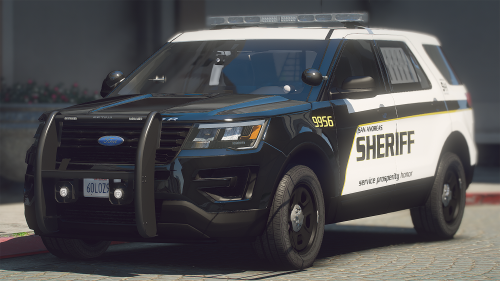 Looks great, It's very rare for me to find good looking skins so this is good.
- 53 comments
- 5 reviews
-
-
-
I accidently replaced the meta not in my mods folder, if someone could send me it that would be great, it's this meta: Grand Theft Auto V\update\x64\dlcpacks\mpheist\dlc.rpf\common\data\levels\gta5 just put it in a .zip and send it.
-
Let's say i delete visualsettings.dat, when i validate my game files, does it just add it back in? and if i change something in that file, wil it replace?
-
thank you
-
So i have "Rusty Brown's Regular" I have no idea what that means, is there a page i can go to so i can see all the ranks? I can guess all the other ones but this one i can't seem to figure it out.
-
This is a plugin that causes that i don't know if it's a bug or feature, if it happens every minute it's not a feature. try taking your plugins folder out of the gta directory(do not delete) and test if that solved the issue, if it did you should find out which plugin and replace it.
-
It reduces lag for most people. if you set it to false it's only gonna load what's near you, if you set it to true, it loads the entire map at once is gonna be loaded, and that means it has more files loaded. if you have 16gb of RAM, setting it to false is probably best, since it can pull files from a directory faster and more at once.(every file being pulled = more ram)
-
In Grand Theft Auto V folder, there is a map called installers you can download it through there, rockstar games launcher is required btw, so make sure to have that too. (you can download that too through "installers" folder)
-
.Net Framework 4.8 is out btw, it's a big improvement.
-
go to Grand Theft Auto V > lspdfr and open lspdfr.ini copy and paste this under the last line Ambient.DisableEscapedSuspectEncounter = true the suspects being chased are suspects that have gotten away from you, lspdfr 0.4.7 adds a feature "to encounter lost suspects" annoys me too.
-
nvm, just saw you fixed it.
-
also set Main.PreloadAllModels to false, helps for me atleast. copy this line: Main.PreloadAllModels = false
-
For the arrest at gunpoint you need to double tap "E" the suspect should go on their knees instead of on their belly.(knees=STP) I know a 100% that would be a fix for the gunpoint issue. btw, download StopThePed's new update, just replace the .ini and .dll(some new bug fixes) If after that, can you send me your keys.ini (just put it in a .txt) maybe i can see the issue from there.(i have some fixes in mind) and never uninstall gta 5 for mod related issues, only if you messed with the update and x64 in root(not mods)
-
it's missing FLAG_EMERGENCY_SERVICE Don't forget both vehicles. If that doesn't work:
-
there are 2 types of popular lighting systems, ELS, and non-els. ELS is a mod Non-els is not a mod. ELS Capabilities: Non-els Capabilities: you can find ELS or NON els cars by using the filter system at the vehicle model download page. If you need other help you can always message me.
-
Then it's likely the model or reflective livery. 1. Open the .YTD and search "spec" and remove it(make a backup just in case) otherwise download another model(i recommend BXBugs123)
-
put the PluginTimeoutThreshold to 60000 (shift hold RagePluginHook.exe until a menu pops up)
-
shift hold RagePluginHook.exe and set the PluginTimeoutThreshold to 60000 if that does not work, get the plugins folder out of the GTA V folder, if that stops it from crashing we know it's one of those plugins it's probably policesmartradio or traffic policer since these are both old plugins. also go to advanced settings, and make sure disable custom loading screen is ticked off, the logs say that it is specified twice.
-
go to gtav>lspdfr and open lspdfr.ini set Main.PreloadAllModels = true to Main.PreloadAllModels = false
-
no problem keys.txt

.thumb.png.2cbf62193142ca8a09f9b3fa2a052a52.png)
