



Faya
Members
-
Joined
-
Last visited
Everything posted by Faya
-
 Check Your Ammo for Grand Theft Auto V Copyright © 2025 Faya. All rights reserved. Discord Server / Installation / Progress Board Hold R to check for the remaining bullets in your magazine, in the bottom-right you will see a number showing you how many bullets you have in the magazine. Features - Hold a customizable key for a bit to check how many bullets are remaining. - While checking, it shows the amount of loaded ammo in the bottom-right of the screen - If the player is too low on ammo, the player reacts to that with a voice line - First and third person animations - Customizable keybinds A preview of the plugin's third-person animation: How it works in real life: What each UI indicator looks like: The plugin's features are inspired by Escape From Tarkov Asking for support in a review is not allowed. Message me here instead.
 -
Hi, I am (very likely) no longer creating plugins after October 1st, 2022 for at least 6 months, I'll only be updating my current plugins. The plugins below are the ones wanted to create, but I don't have time or motivation for these: Evidence Locker: go to the trunk and you'll have a prompt where you can type in evidence and add it into the trunk, then you're able to deliver it to a police station. (Relatively easy to create) Surrender Chance: A chance of the suspect surrendering when he's in a firefight. Updated fuel mod: I was asked many times to create this because the old one is outdated, buggy, and had performance issues. (According to server members) Animations menu: have a menu where you can quickly select an animation, add some animations to a 'favorites' list and also have the option to create hotkeys. (Please include the hotkey customization through the menu) If you have some more suggestions for other developers, leave them below. There is still 1 plugin incoming which I've been working on with someone else, so there is still one new plugin coming.
-
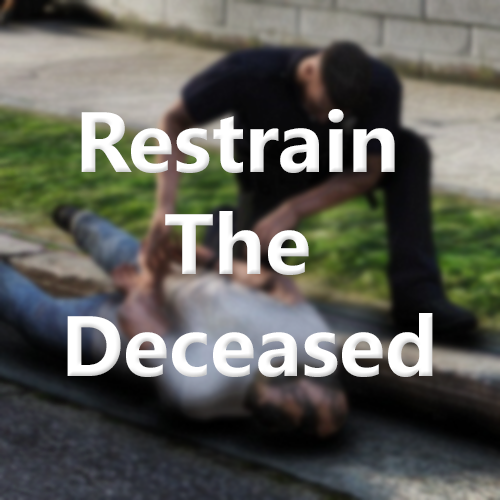 Restrain The Deceased for Grand Theft Auto V Copyright © 2025 Faya. All rights reserved. Discord Server / Installation / Progress Board When Law Enforcement Officers or military personnel kill suspects, they often handcuff the person for safety reasons when the suspect's death isn't confirmed yet; the suspect might be unconscious or pretending to be. You may restrain dead people you or someone else killed. If you don't want to do so, you can hide the restrain prompt and continue handling the scene. TL;DR: Why bother to restrain someone dead?: In-game, a person lying on the ground is considered dead, however not in real life, the person could be unconscious or pretending to be dead. Law Enforcement does this all the time. Hold T or DPad Right to restrain the ped. Press H to ignore the ped, meaning the prompt will be removed for that certain person. Features - Restrain any dead ped - Controller support - Ignore ped feature - Hide the restrain prompt Inspired by a feature from Ready Or Not. A preview of the plugin: The prompt: (Low FPS is due to GIF format) ------------- 🔗Join the server -------------- Asking for support in a review is not allowed. Please message me here instead.
- 37 reviews
-
-

-

-

- 43
-
-
 Handbrake for Grand Theft Auto V Copyright © 2025 Faya. All rights reserved. Discord Server / Installation / Progress Board / Report Issues ABOUT THIS PLUGIN Handbrake allows your vehicle to roll down the hill if the handbrake is not engaged. You may also use the brake as an emergency brake for a very quick stop. You could still use the default handbrake, you can find how to do that below. Press Spacebar to engage the custom handbrake/emergency brake. Hold Left Shift + Spacebar to use the default GTA handbrake. With the UseModifierKeyForCustomHandbrake setting enabled: Press Left Shift + Spacebar to use the custom handbrake when the setting is enabled. Press Spacebar to use GTA's handbrake when the UseModifierKeyForCustomHandbrake setting is enabled. Features Vehicle roll: If you forget to engage the handbrake on a hill, your vehicle will roll down the hill and cause issues you'll regret. If you engage the handbrake while driving, your vehicle will come to a very quick stop, which might save your life. A setting where you can use Left Shift + Spacebar to use the custom handbrake instead of simply the spacebar Handbrake includes custom audio files to make it feel realistic; you could disable that if you want. You may disable the custom handbrake when holding Left Shift and then pressing Spacebar, while holding the keys, you would be able to drift or do a quick U-turn. Asking for support in a review is not allowed. Message me here instead.
 -
Hello all, I noticed that there is a lot of space for more contributor names on the download page, if it gets extended, the contributors' names would be more visible and definitely won't go unnoticed for other users. It would look like this: Let me know what you think. Have a nice day 👋
-
This post is ridiculous, the LSPDFR mods still have actual real life things and jobs to do. Once you actually get a 9 to 5 job you'll get to judge. Sam has not even visited the site since December of 2021. No news, no updates..... You're naming one out of three developers, it's not like they are going to spend the rest of their lives working on this, their first GTA mod was almost ten years ago, imagine how tiring it can get. As far as I know there are currently 3 developers, as you said, one has been inactive for a while, so you think that there are currently 2 active developers working on LSPDFR and RDRFR. (Just because one hasn't visited in a while it doesn't mean they stopped developing, but it is likely.) Your post does not make sense.
-
Great idea for a plugin, I'm developing it right now.
-
There are not enough details, in what function is this code/where are you using it exactly? I'm pretty sure the code is only running once but I can't tell until I see the code around it.
-
 'Engine Failure' Plugin for Grand Theft Auto V. Copyright © 2022 Faya. All rights reserved. IMPORTANT: If you are updating the plugin, the keybind to manually repair the vehicle has been changed to Left Shift + H The plugin name has been changed from "Realistic Engine Failure" to "Engine Failure", there is no other difference besides the name. ------------- 🔗Join the server -------------- 🔗 Discord Server 🔗 Progress Board 🔗 Bug Report Form 🔗 Installation Guide Welcome, first of all I want to thank Jordi for suggesting this to me, he is a developer on one of the FiveM servers I played in, Jordi has helped me with this. ABOUT THIS PLUGIN If you crash and the impact is very hard, your vehicle's engine will most likely be destroyed and you'll be out of commission until it's fixed. You could repair your vehicle with the manual repair feature, once your vehicle is broken you'll have the option to go up to your bonnet and mess around with the engine. You may try to repair it again if you've failed, but only for a few times. The number of times that you may repair your vehicle is customizable in the settings, be careful though, one small bump after reparation may destroy your engine again. Once your vehicle has successfully been repaired, your vehicle won't magically be brand new, it will only fix the engine, not the visual damage. So you'll have to replace your vehicle at the police station. Enabling the setting 'FullRepairAfterRepairing' will fully repair your vehicle The plugin currently does not support AI vehicle damage but I'm working on that right now. Features ◆ Engine destruction on hard impacts ◆ Manual Repair ◆ Repairs may fail ◆ Customizable repair key + modifier ◆ Customizable damage threshold ◆ Customizable chance of a successful repair ◆ Choose how many times you're able to try and repair the vehicle What is a bonnet? A bonnet is the metal cover over the engine at the front, for some vehicles it may be at the back, it depends on where the engine is located. Asking for support or bug reporting in a review is not allowed. Message me here instead.
 -
 Crouch converted by Faya (OC: BaziForYou) Discord Server / Installation / Progress Board / BaziForYou With 'Crouch', you can crouch and move around while still being able to aim and shoot. Use Left Ctrl on the keyboard or DPad Up on the controller to crouch or stand up. These keys can be customized in the settings. Notes: There are no movement bugs, such as automatically standing up, unlike in FiveM. Full credit goes to BaziForYou, a well-known FiveM developer who allowed this to be converted into an RPH plugin. Asking for support in a review is not allowed. Message me here instead.
- 16 reviews
-
-
-
- 18
-
-
When a developer has enabled "Disable comments and full reviews" on their download page, people are still able to select "Did you find this review helpful?", which leads to most people selecting "No" on that question. This is obviously a minor problem, but it is still a problem and I have nothing else to do anyway besides reporting this.
-
 Great plugin! I'm surprised this hasn't been created before.
 -
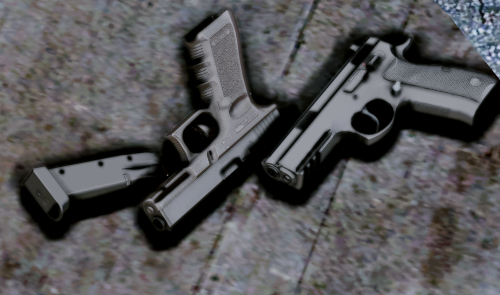 The Glock 17 with the GL21 VIS Lam and dark slide texture looks so awesome. This is the best handgun pack on LSPDFR for sure. Well done!
- 68 comments
- 15 reviews
-
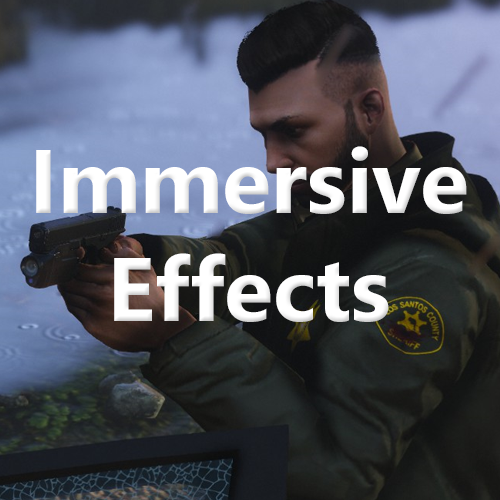 Immersive Effects by Faya Discord Server (Fixed link) / Installation / Progress Board (Revamped) Personally, this is my best and favorite plugin. If you fire your weapon, there will be a small camera shake each time you fire, simulating a recoil effect. A heartbeat will play when you're in a firefight, aiming at an armed person, if you've been injured, or even when you're being chased by a dog. The camera shake is also used for other features, such as a big car collision, loss of health, and more. Below is a list showing all features. If there is a feature you do not want, each one can be disabled individually in the settings. Click here to watch a preview of some of the v1.3.0 features. ⚠️ The changelog is pretty big. I recommend you read it. Visual Effect Triggers - Firefight - Vehicle Collisions - Loss of health - Reloading - High-speed emergency braking - Handbrake - Jumping - Falling Audio Effect Triggers (So far, only hearbeat effect) - Firefight - Aiming at an armed person - Hand-to-hand combat - Severe injury Menu - Camera shake intensity setting - Weapon recoil intensity setting - Audio effect toggling - Save, revert, and reset feature Use X + 3 to open the menu, where you can change the intensity of the camera shakes or disable any audio effects.
- 28 reviews
-
-
-
-
- 57
-
-
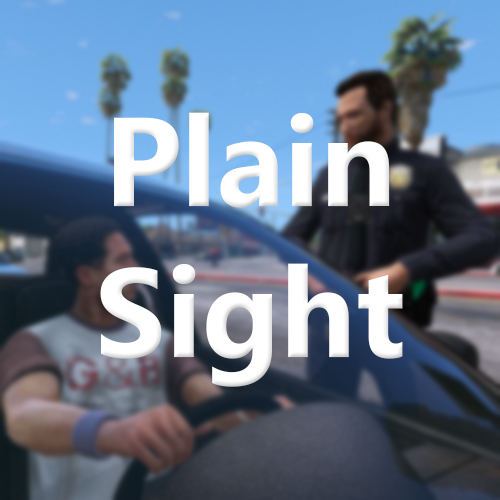 Plain Sight for Grand Theft Auto V Copyright © 2025 Faya. All rights reserved. Discord Server / Installation / Progress Board If you approach a detainee on a traffic stop, you could observe some things such as him or her not wearing a seatbelt, some alcohol containers on the passenger seat, or their side mirror might be broken. You'll get a notification when you encounter one of the observations. OBSERVATIONS - Seatbelt - Open Container - Broken Side Mirror - Narcotics If you encounter a crash, details of that crash are automatically reported to the developer, you may disable this in the Plain Sight.ini. ------------- 🔗Join the server -------------- Asking for support in a review is not allowed. Message me here instead.
 -
Once you arrest or kill the suspect, the callout ends, but if the callout ending after the pursuit could be optional, this would open up many possibilities for developers. If this is added the developers can add a dialogue in the end which would be a very realistic addition to a pursuit. I personally could use this feature a lot for future callouts and I'm sure most developers would use this too.
-
(I am aware of the 'Disable comments and full reviews' option, but it can't be used post-upload) Currently all of my or others plugins' comment section is always obscured by people who leave support questions even though in the pinned comment it's said that they shouldn't do that because it just clutters the comment section with all the quotes. Ofcourse I'd like to help those people but if other people look at the comment section to see what people think before they download they'd have to go through a lot of pages in order to find some useful information. Maybe add a prompt if they clicked on the "Leave a comment" button that contributors can customize the text that for example says: "Please do not ask for support in the comment section, send me a private message instead" What sometimes happens is that there is an issue and there have to be a lot of questions to figure out what, why and where the issue occured which again, shows quotes that can take a fifth of the comment page. I first thought it's a good idea for file owners to be able to remove comments, but that can be abused(e.g. someone stole a file and someone calls them out on it)
-
 I'm creating a bigger plugin with all kinds of observations. It will be released May 1st.
- 44 comments
- 68 reviews
-
-
- 2
-
-
Yeah well my beta testers didn't find anything and for me it worked fine, so I decided to release it, I obviously wouldn't update a plugin with a broken feature. But I will revert it to v1.2.0 since you do have a point.
- 44 comments
- 68 reviews
-
I know, since there is no way of preventing the exiting with a fastened seatbelt I made it so that it's a bit smoother so that it's still a bit realistic. The setting is for people who prefer that. I tried contacting the owner for multiple plugins but they have yet to respond.
- 44 comments
- 68 reviews
-
This is impossible, Seatbelt has nothing to do with textures, it doesn't change or show any. If you could explain the issue in the PM's I might be able to resolve your issue👍
- 44 comments
- 68 reviews
-
This could be useful for multiple small things for developers. For example I'm facing an issue where the player's 'cop' walking style disturbs an animation by the hands going to the waist from the walking style, which is annoying but can be fixed by using GetPlayerWalkStyle and some code.
-
When you press Q when nearby a handcuffed ped, he kneels. There is no function to check if that ped is kneeled. I recently came across a situation where I need to use this, I know it's a very small thing but I hope this gets added.
-
Hi, controller support is available in the v1.2.0 beta, that can be found in the discord server, link is on top of the page. Also thank you for the compliment 🙂 Hi, I actually got a suggestion for this once. I denied it but I will try this in the summer when I have more time and less features to add.
- 44 comments
- 68 reviews
-
Could you private message me? That way it can be solved if it was due to Seatbelt(Most people who came to me for support found out it was their mods folder)
- 44 comments
- 68 reviews



