
LostBoyLazarus
Friends of LSPDFR
-
Joined
-
Last visited
Everything posted by LostBoyLazarus
-
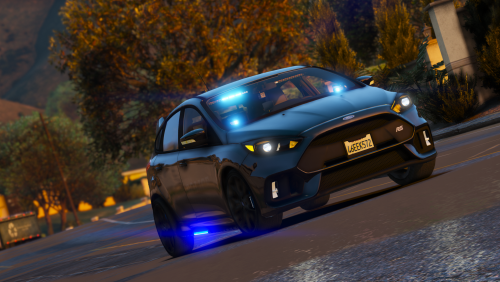 A very well designed vehicle that I loved using against organized street racers. The sound the car makes felt very real and I loved the functioning speedometer on the dash. This made driving in first-person that much better. The blue lights inside of the vehicle looked more white than blue but the side runners were perfect. I almost want to say I feel like it should have more lights, however I understand this is supposed to be an undercover racer. I did find that the collisions were off slightly and crashing resulted in cars, walls, barriers and other objects going into the car before the actual collision occurs. This is a minor annoyance however - after all, how often do you crash?
- 4 comments
- 3 reviews
-
Please upload your RPH crash log.
-
Please see:
-
Open the interaction menu (M key or back on a controller) and navigate to the 'Inventory' section.
-
From the album: My LSPDFR Experience
© LostBoyLazarus
-
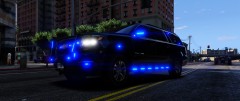
From the album: My LSPDFR Experience
© LostBoyLazarus
-
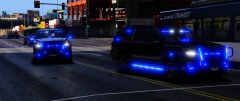
From the album: My LSPDFR Experience
© LostBoyLazarus
-
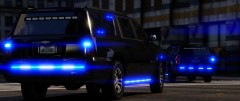
From the album: My LSPDFR Experience
© LostBoyLazarus
-
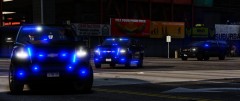
From the album: My LSPDFR Experience
© LostBoyLazarus
-
From the album: My LSPDFR Experience
© LostBoyLazarus
-
From the album: My LSPDFR Experience
© LostBoyLazarus
-
From the album: My LSPDFR Experience
© LostBoyLazarus
-

From the album: My LSPDFR Experience
© LostBoyLazarus
-
Are you referring to your spawn point on startup?
-
I use Easy Loadout. When installed, navigate to plugins\LSPDFR\EasyLoadoutContinued and open the file EasyLoadoutContinued. You'll then see: PistolAmmo = 48 MGAmmo = 0 ShotgunAmmo = 24 RifleAmmo = 90 SniperAmmo = 0 HeavyAmmo = 0 ThrowableCount = 0 part the way through (with different numbers.) All you want to do is to set those amounts to the amount of ammunition you want to have.
-
So, my settings are currently: PistolAmmo = 48 MGAmmo = 0 ShotgunAmmo = 24 RifleAmmo = 90 SniperAmmo = 0 HeavyAmmo = 0 ThrowableCount = 0 The numbers represent how much ammo you should have for that weapon class in game. So, in the case of the pistol, I'll have a magazine of 12 rounds loaded with 3 spare magazines. The shotgun has 8 shells loaded with 16 in reserve. Does that make sense?
-
I'm using a (white) Xbox One Wireless controller and have ha no issues myself, though it could also be down to which O/S you're using.
-
-
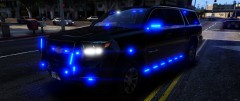
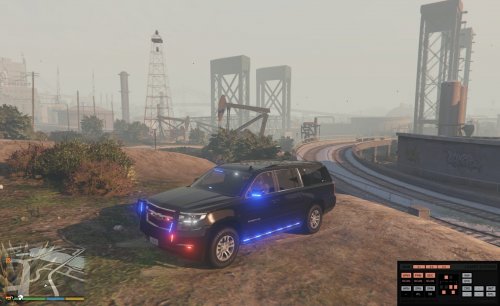 I updated my review with some images. Thank you again for an awesome vehicle!
- 87 comments
- 22 reviews
-
@CaptConfuzed, FYI.
-
I was hitting 45 - 120 FPS on a much lesser system in 0.4.1... Getting about the same with 0.4.2.
-
If you're moving from LSPDFR 0.4.1 to LSPDFR 0.4.2 you can grab the manual download and simply copy/paste the two files in the plugins folder into your own plugins folder. It will ask you to confirm an overwrite. Confirm and you're done. As for the missing badge, are you 100% sure it's not there? I.e you're looking in the action menu and not the inventory by mistake?
-
You forgot the only part of the update that really matters 😂 Brilliant! Ah, glad you have it fixed now. Happy gaming \m/
-
1. Which callout pack are the calls from? 2. The black cross is a suspect's last known location. You won't see a blip again until you - or another unit - has eyes on the suspect. There is a time frame where if you fail to locate the suspect, they successfully escape. When you get a message saying "suspects outstanding: 1" the notification is informing you that there is still one suspect on the run.
-
If you have the shield but not the badge then something is definitely wrong. If you can't see the shield either, I'd suggest re-installing 0.4.2. Try it out and let us know how you get on.