


Yard1
Friends of LSPDFR
-
Joined
-
Last visited
Everything posted by Yard1
-
No prob. Gimme a while. I'll send you a PM when I'm done. EDIT. Ok I've done it, but the head doesn't fit the body - it looks terrible.
-
Not to mention it would be helluva hard to code.
-
There is no video recorder that won't lag.
-
PM me.
-
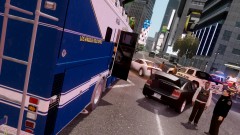 Los Angeles Field Office in NY?
 -
-
Did I say something like that? I just think it's not right, and it's my opinion. And also we should not take Bible literally - it's full of metaphors.
-
Guys, what's with all that Bible hate? Y'know, things were different back then, right? And IMO gay couples can marry, but they should not be allowed to have children.
-
PPM is rubbish. Real men use LCPDFR.
-
-
I'm not pro-Monsanto, but IMO GMO, after being perfected and tested, is the way to go. GMO plants don't need to be sprayed with chemicals (in most cases), and are more efficient and resistant. I think that only thanks to such plants we will be able to sustain growing world population. When we are sure that GMOs are safe, of course.
-
If the game will be modable, they will probably consider making such a mod.
-
Well, to be precise I didn't' modify the models themselves, only the textures (models are Custo's). You might be interested in F5544 model, I'll uploading textures (like in this mod) for it shortly.
- 18 comments
- 21 reviews
-
Thanks for pinning this. I'm really happy this works for so many people!
-
1. Yes. PPM doesn't work with LCPDFR. 2. No, it doesn't require it, but it's rather useless without LCPDFR.
-
GTA IV is a capricious game. I think you can only lower the settings and hope for the best.
-
I was offline, there was a 36 minute gap and only explained the thing you didn't know about. It doesn't count! *whistles innocently*
-
Hardcore mode makes you get more damage and stuns you when you are shot. It has nothing to do with the callouts. Try hitting Alt+F11 to force a callout.
-
ANNOUNCEMENT Due to the recent database error, most of my downloads were broken. Fortunately, thanks to the Community Team, all of them save for one are now fixed. The one still broken is Skin Pack for Abraxas PoliceHelper - http://www.lcpdfr.com/files/file/1232-skin-pack-for-abraxas-policehelper/. If anybody have the file, I'd be grateful if he/she could send it to me.
-
Only once. The LAA flag is patched into the executable and stays there as long as the executable is not deleted.
-
Wow, I didn't except that it would work so great for so many of you! Glad to be a service.
-
Well, two people are not a lot :) But thanks.
-
No, because it's LaunchGTAIV.exe business. The game itself it's GTAIV.exe (that's what should be patched with LAA).
-
For me it increased stability and get rid of texture loss and some FPS drops, but it didn't give me more FPS. The results well surely differ on each PC, though.
-
Hey guys, I don't know how many of you know about Large Address Aware - it's an application thanks to which programs can use more than 2 gigs of memory on x64 systems. Quote from original topic on techpowerup.com: So, how does this apply to GTA IV, you ask? Wonderfully! After applying the LAA flag to GTAIV.exe, my game is much more stable. It might be just a placebo effect, but it feel smoother, textures pop up faster and it crashes less (from 15 mins. to about 30 - 45). Link to the application and instructions how to use it are here - http://www.techpowerup.com/forums/showthread.php?t=112556. It also works with other games! Just remember, you must have x64 Windows to use it. Try it out and let me know if it worked for you!


