


Yard1
Friends of LSPDFR
-
Joined
-
Last visited
Everything posted by Yard1
-
What command prompt? And please post a diag log from G17 Media Diagnostic Tool (in Downloads section).
-
Make sure you that you read all pinned topics, follow the troubleshooter and use GTA 4 version 1.0.7.0. Also, no cracks. We don't support cracks. And aren't you too young for GTA? At least don't tell this on a public forum, you know.
-
That's an awesome looking car. I wonder what will it be used for?
-
-
Dat signature.
-
Oh boy. You know what, I'll help you free of charge. PM me for more info, as I don't want to use steam.
-
1. To disable missions in LCPDFR press F7. 2. Are you pressing F10 after you've arrested the person? 3. That's normal GTA 4 AI, but they should shoot perps who are attacking you.
-
Only xliveless. You don't need them both, but I think it should not cause any problems if you have them both.
-
That's strange. Could you reinstall LCPDFR again, but with xliveless option this time?
-
GTA IV - Asi loader installed: False GTA IV - Asi loader: GTA IV - Asi loader valid: False This is a problem. Could you check if you have dsound.DLL in your GTA folder?
-
Try to redownload and reinstall LCPDFR. If problem persists, post a diag log from G17 Diagnostic tool (in Download section).
-
Also make sure you are running the game as admin.
-
Try to redownload, or skip the whole login/password screen. You can add that later via a configuration file.
-
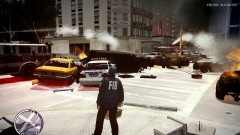 I wonder why...
 -
Well, I'd recommend you to delete your save file and if that doesn't work, reinstall.
-
9 times?! Wow.
-
Diag log would be nice.
-
That is a lot of information. I'm sure we will be able to help you.
-
Nice! I think I'll reinstall EM4 to try it out.
-
Reinstall LCPDFR and run the diag log again.
-
Run a G17 Media diag tool from our download section. And with the screen going blurry, it's because P is a key for changing the pseudo-antialiasing thing (blur) in GTA 4.
-
We have a beautiful tutorial section that can help you.
-
No. You have to buy a PC version and install it on a computer that can run GTA 4.
-
Really? You don't know what GTA 4 is? Oh god... It's not like you can use google right? To find out things like it's a video game you buy at your local game store or on Steam (google it too)? Because it's not free? PS You need a PC version and a computer that can run GTA 4.
-
And if you have issues with it, disable the SNT key bindings.


