


Yard1
Friends of LSPDFR
-
Joined
-
Last visited
Everything posted by Yard1
-
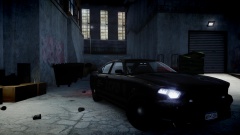
From the album: Skins
Screenshot by SharpCommand, livery by Abraxas modified to fit Buffalo2. -
-
-
-
-
Lt.Caine's ELS Buffalo modified to non-ELS configuration with a FS Vison by Lt.Caine & Sam, 5 new liveries made using Abraxas's source files from his vdH Mega Pack, correct badges and a pushbar that appears 50% of time. It's compatible with textures for Buffalo 2 Vector-Type (ELS) R01 (BUF2 V1.8) (by Lt.Caine) (liveries from that mod included as optional). -------------------------------------- New version uploaded 17.02.2014 - Fixed the lightbar not appearing sometimes -------------------------------------- Installation: - Use OpenIV to replace the corresponding files within vehicles.img with the .wft and .wtd files provided in this package. - Open the vehicles.ide file in your Grand Theft Auto IVcommondata folder, find the lines beginning with the names of the appropriate models, and at the end of those lines add +livery. -------------------------------------- This download is exclusive to LCPDFR.com. Model provided unlocked - there is no need for my permission when fair credit is given to me and other authors. Huge thanks to ineseri for beta testing and screenshots. Made by Rockstar Games, m4k3, Yohsuke, SkylineGTRFreak, Lt.Caine, Sam, Abraxas Edited by Yard1
- 13 comments
- 4 reviews
-
-

- 1
-
-
I bet it's a texture. The tricky part is finding it.
-
From the screen shots it seems like the lightbar is bugged - blue lights on the red part and red lights on blue. You may want to fix this.
- 12 comments
- 2 reviews
-
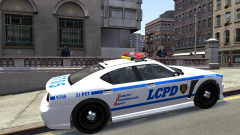
From the album: Skins
What do you think guys? I still need more liveries, but the model is complete :) Huge thanks to Ekalb for his unlocked 1st gen Buffalo models! -
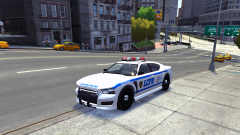
From the album: Skins
What do you think guys? I still need more liveries, but the model is complete :) Huge thanks to Ekalb for his unlocked 1st gen Buffalo models! -
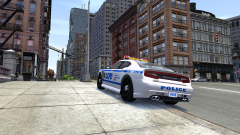
From the album: Skins
What do you think guys? I still need more liveries, but the model is complete :) Huge thanks to Ekalb for his unlocked 1st gen Buffalo models! -
FYI you don't need to put credits for the model if you are submitting a skin.
-
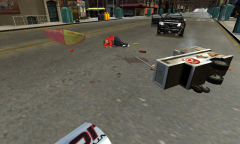 It seems that hotdog stand... *takes off glasses* ...was his last stand. YEEEEEEEEEEEEEEEEEEEEEEEEEEEEAHHHHHHHHHHHHHHH
 -
I could see that ORNGE company fit in GTA IV universe as ORGY or ORNGY hehe.
-
-
-
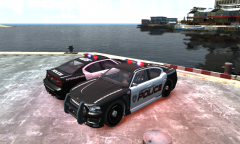 Hey, could you send me the model? I want to see how good my skin looks. If it's good, I'll send it to you!
 -
You should move the lightbar closer to the front. Use Skyline's GTA V Buffalo as a reference. Is there a template available? I could make a skin real quick :)
-
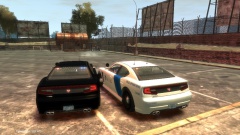 Nice! Any chance for a non Els version?
 -
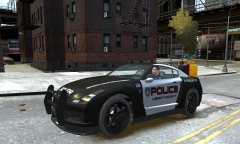 What a beast!
 -
Simply select the GTAIV.exe in your GTA IV folder with the LAA program, check the box and save. If the box is already checked, you don't need to do anything else.
-
Welcome! Welcome to LCPDFR. You have chosen, or been chosen to relocate to one of our finest remaining subforums ... © by Custo (Witamy!)
-
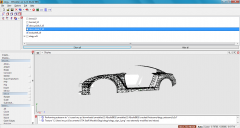 I did it, I know how to UV map, but even with it it's extremely frustrating, because I either left out a couple polygons, mapped the wrong part or fucked up the template.
 -
How many virgins have you sacrificed yet?
-
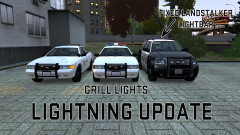
From the album: Skins
I am going to upload it lighting fast!

