


Creators: Due to background reprocessing of files, approvals and file security checks may be delayed. Thanks for your patience.


MattCC16
Members
-
Joined
-
Last visited
Everything posted by MattCC16
-
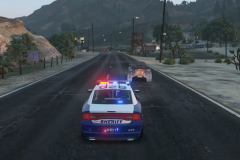
From the album: MattCC16's LSPDFR Collection
-
-
-
 I'm real sorry, I guess I misinterpreted you. I thought you were acknowledging that it was never a feature in first person, which is what I was asking.
- 168 comments
- 35 reviews
-
It does work, only manually. I thought it should turn on automatically when going to first person, with the option of having it on in third with the manual key. Sebo told me in Discord that automatic in first person was never a feature, which confused me because I’m sure I’ve seen videos of it turning on automatically.
- 168 comments
- 35 reviews
-
-
-
.png.0e29d3f80323bcc011e073c8cff8a9d2.png)
From the album: MattCC16's LSPDFR Collection
 Good callouts. I just think the dialogues need to be changed and more need to be added, same for SuperEvents.
- 1,020 comments
- 63 reviews
 Very cool callout pack. I enjoyed playing as a firefighter/EMS for a change. The added menu in addition to the saw is awesome, great work!
- 365 comments
- 19 reviews
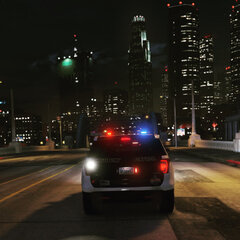
From the album: MattCC16's LSPDFR Collection
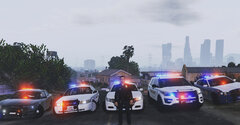
From the album: MattCC16's LSPDFR Collection
From the album: MattCC16's LSPDFR Collection
 Immersive and detailed. Well done!Try a different ELS car and check keybindings. Check the .ini. Last resort, reinstall ELS.This. THIS IS AWESOME!!! Are you posting these on YouTube?
 Have the same issue. My player will do the seatbelt animation outside the car. Also, I feel like the motion to put the seatbelt on should be a little faster, cause with it enabled it takes a while to get out of the car.
- 262 comments
- 21 reviews
-
-

- 1
-
 Why are there unmarked cars in the photos? I was trying to find out if they are included.
- 276 comments
- 45 reviews
NoThanks!

.png.0e29d3f80323bcc011e073c8cff8a9d2.png)


