Creators: Due to background reprocessing of files, approvals and file security checks may be delayed. Thanks for your patience.


MattCC16
Members
-
Joined
-
Last visited
Everything posted by MattCC16
-
-
No problem!😀
-
-
Galls Street Thunder
-
Get OpenIV. You use this program to install car mods, sirens, weapons, and other game files. You need to make a "mods" folder. Otherwise an error could ruin your base game. Watch these videos by Benzo. He explains everything very well (for installing OPENIV, mods folder, and cars). He has other helpful tutorials too. Download cars and other mods from this site.Basically every Bejoijo mod. He is one of the best if not the best LSPDFR modder. Stop The Ped is amazing and it has so many features. So, so so many. Includes stopping people, moving them, drug/alcohol tests, drug tests to do on scene with your car, searching vehicles and peds, arresting peds, stopping traffic, calling prisoner transport or taking suspects to the station yourself, calling animal control, coroner, tow trucks... and taser lasers in the latest update) Ultimate Backup is also fantastic. You can call backup and they will stay on scene, you can tell them do stuff for you (with Stop The Ped), you can get partners, get realistic traffic stop and felony stop backup, you can dismiss certain officers or all of them, and during a pursuit you can request spike strips or roadblocks. He also has 2 callout packs and ALPR Lite and SpeedRadar Lite, both of which are great to use for traffic related things. Compulite is also a great police computer. https://bejoijo256.wixsite.com/bejoijo/home/ As for other mods: There are a ton of callout packs... you can choose which ones you would like. I use both of Bejoijo's callout packs, Assorted Callouts, Super Callouts, United Callouts, PeterUCallouts (this one is amazing). Traffic Policer is a plugin with ambient traffic related events, as well as a few calls, and other features (traffic cones, barriers). Police Smart Radio is also pretty nice to have. You can quickly run plates and ped names. It has integration with lots of other mods, like Bejoijos for panic buttons for example. A few other mods are good to have, like Force a Callout, Rich's Police Enhancements... I know, there are a ton of plugins alone. There are even more to choose from but these are some I would recommend to first time players. Hope this helps! Have fun playing LSPDFR!
 Ok, good. Like I said before, you can disable the the ambient pursuits in the lspdfr.ini.
- 391 comments
- 30 reviews
-
-

- 1
-
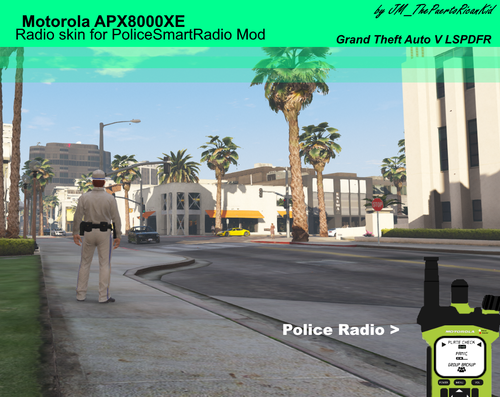 Still does not look good. You need to recenter the screen buttons and other things and smooth out the edges, especially the left side and top.
You mean the BOLO alerts? Those can be turned on and off... but by default they are off in the .ini. I think you are thinking of another mod. Maybe the ambient pursuits with LSPDFR 0.4.7... those can be disabled and the frequency can be adjusted in the lspdfr.ini. If you have any other issues, you can contact Rich on Discord.
Still does not look good. You need to recenter the screen buttons and other things and smooth out the edges, especially the left side and top.
You mean the BOLO alerts? Those can be turned on and off... but by default they are off in the .ini. I think you are thinking of another mod. Maybe the ambient pursuits with LSPDFR 0.4.7... those can be disabled and the frequency can be adjusted in the lspdfr.ini. If you have any other issues, you can contact Rich on Discord.- 391 comments
- 30 reviews
-
-
- 1
-
No problem!These are the ambient pursuits that occur with LSPDFR 0.4.7. You can disable them in the lspdfr.ini, or lessen the chance of them happening. I wish they only occured with suspects I actually lost in a pursuit. Ambient.DisableEscapedSuspectEncounter = true this will disable them Ambient.EscapedSuspectEncounterInterval = 45000 time in miliseconds that they will occurTotally agree with you. I have two ideas. Auto Siren Cutout can have AI move around a vehicle with lights on (not perfect though). Traffic Policer has road management where you can place cones etc, but sometimes AI does not move around, they just sit.
Yeah it could be annoying, but maybe Just for one suspect like the driver. And for the dispatch acknowledging stuff, that wouldn’t be too annoying.- 391 comments
- 30 reviews
Love the pursuit updates! Two suggestions: dispatch audio that reads the updates. (Example: Dispatcher says, “suspect/target one is heading north on Power Street”). The frequency could be configured through the ini file. Also when officers in a pursuit say stuff (suspect on foot, in a car, on/off freeway) dispatch can acknowledge it by repeating what they say or by saying “10-4” or something. I think these enhancements (which would be ini configurable) would make the game seem more realistic. Thanks- 391 comments
- 30 reviews
Exactly! Being able to add what mods we want to LSPDFR is what makes it so great. We have this website for a reason... to collaborate, share, comment on each other’s mods, be able to share mods etcThe LSPDFR team works very hard and the mod is amazing as it is. Making mods is not easy. I did not have the same issues that you were having when I first played LSPDFR 0.4 alone. I highly recommend Stop The Ped, Ultimate Backup and all of the other mods Bejoijo has developed. They are excellent. Arrest Manager is not needed when you have Stop The Ped. The point of this LSPDFR community (and modding in general) is to allow players to customize their game to their liking. Remember, these are mods, and it is beyond amazing that we can even do such things with them. We really should be grateful for the people that make these mods. Pointing fingers and blaming won't solve anything-it will just cause more trouble. Really good! The questions are really thought out and make the game more immersive!
- 184 comments
- 72 reviews
Has some impressive features that have been missing from LSPDFR. Miscellaneous compilation mods like these are amazing, because they add to realism and make LSPDFR an overall more polished experience.- 391 comments
- 30 reviews
-
-
- 1
-
Hi! This looks so cool! Would you be interested in doing dispatch pursuit audio, where dispatch gives updates on the suspect location (direction and street name)? Early versions of LSPDFR had this and I loved it. Thanks!- 391 comments
- 30 reviews
-
-
- 1
-