


MattCC16
Members
-
Joined
-
Last visited
Everything posted by MattCC16
-
Thanks!! Will look into it.I have been having trouble finding Ultimate Backup and LSPDFR EUP AI officer uniforms that work. Officers always have the wrong agency uniforms or are wearing "pilot" police uniforms. I have tried many mods but I think a lot of them are outdated or do not work with each other. If anyone uses a specific mod that works for both LSPDFR and Ultimate Backup configs, I would appreciate suggestions! Thanks!My collection of screenshots from LSPDFR. https://www.youtube.com/channel/UC-SfXsCGtG2Ry_239bQjEzA
-
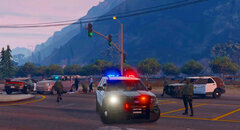 83F4AC2B-A872-428E-8124-AB3C3AD00E2E.jpeg
-
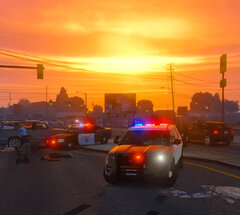 D7D78BB8-00A4-485B-9CF2-5E23A30C52FD.jpeg
-
.png.42a69a45aa2d746011832003e0b7fcbb.png) LAPD K9 Unit
LAPD K9 Unit
-
.png.431086fa7d75469b55bd526f2d4dfd3e.png) Sunsets In Sandy Shores
Sunsets In Sandy Shores
-
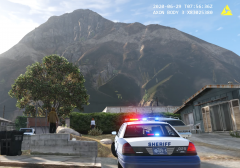 Views In Paleto Bay | Sheriff BodyCam Shooting
-
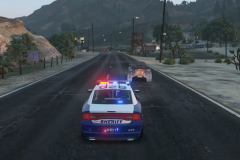 Grand Theft Auto Suspect Pursuit
-
.png.0e29d3f80323bcc011e073c8cff8a9d2.png) LSPD BodyCam Shootout
LSPD BodyCam Shootout
-
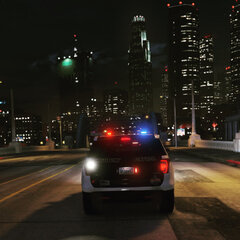 SAHP Supervisor Responding
-
 LSPDFR Episode 6
-
 LSPDFR Episode 5
-
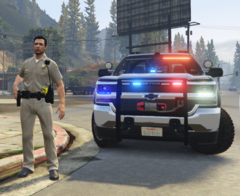 LSPDFR Episode 4
-
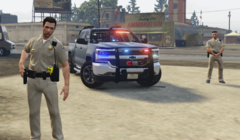 SAHP Commerical Vehicle Enforcement
-
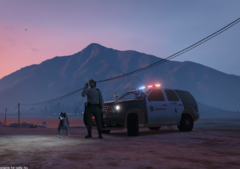 LSPDFR Episode 3
-
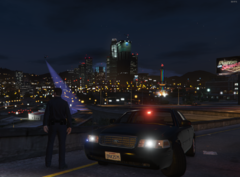 LAPD Gang Unit
-
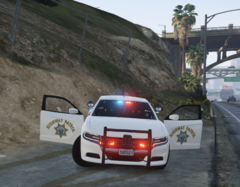 LSDPFR Episode 2
-
.png.e326423db86b033a1f68d2a57037bdfd.png) LSPDFR Episode 1
LSPDFR Episode 1
From the album: MattCC16's LSPDFR Collection
From the album: MattCC16's LSPDFR Collection
Video:Works great! 🙂Love the look of the site. One suggestion: maybe bring back the star ratings for downloads on the download pages? To see the ratings you have to click on the file to see it. You can see the number of likes and comments from the download pages still. Also, when I enlarge images, I cannot click on the arrows to change the picture because they fade away when I move the mouse towards them, and the "X" in the upper right corner doesn't work for me.It looks great!!Make sure you are using the right keys; check the ELS documentation for controls. By default on an Xbox Controller for example, left d pad turns on lights, down on the d pad turns on the siren, B changes the tone, left stick the horn. Also, make sure you installed the ELS xml's correctly for each vehicle.Try using a different car pack. Make sure you are installing the XML's and naming them correctly. For the Glock, it seems like you installed the model incorrectly.If you are referring to the ambient pursuits, you can disable them or limit them in the lspdfr.ini. Try setting the backup to drive in "tracking mode" during pursuits. Self Radio is not related to LSPDFR, I actually never got it to work either. I've used other police scanner mods.Thats really weird. Are you sure you dont have other mods conflicting?If you want to access the scanner audio, you can go into openIV and find the audio there. If you hear different radio playback/chatter than the vanilla audio, someone is either using custom radio sounds from a scanner plugin like XScanner, or some people edit their GTA 5 car radios to make them play police chatter. Hope that helps!Increase the timeout in Rage to 6000, or try loading LSPDFR from the Rage console in game.thumb.png.31a1a0f7456f4ec57f4c85ba155ee3b7.png) This is a great idea!No problem :). You guys are seriously underrated and deserve the praise.😃I am running the new version of LSPDFR, and it is working perfectly. Bejoijos mods aren’t updated, but they didn’t interfere with my game. If the game doesn't run or if it crashes, It is standard procedure to remove all plugins and test LSPDFR by itself, at least for me anyway. Or, disable your mods folder or reinstall everything. I know I probably say this in every post like this, but I am beyond grateful to be able to enjoy these mods from all developers and mod creators. Thank you so much for the time and effort. Thank you to all of the developers and troubleshooters above. I’m going off on a tangent, but I’m humbled to be able to play GTA with the best mod out there. At the end of the day, LSPDFR is a mod, mods in general are not perfect. Let’s not go blaming people and instead let’s work together. I felt so inspired to write this :).
This is a great idea!No problem :). You guys are seriously underrated and deserve the praise.😃I am running the new version of LSPDFR, and it is working perfectly. Bejoijos mods aren’t updated, but they didn’t interfere with my game. If the game doesn't run or if it crashes, It is standard procedure to remove all plugins and test LSPDFR by itself, at least for me anyway. Or, disable your mods folder or reinstall everything. I know I probably say this in every post like this, but I am beyond grateful to be able to enjoy these mods from all developers and mod creators. Thank you so much for the time and effort. Thank you to all of the developers and troubleshooters above. I’m going off on a tangent, but I’m humbled to be able to play GTA with the best mod out there. At the end of the day, LSPDFR is a mod, mods in general are not perfect. Let’s not go blaming people and instead let’s work together. I felt so inspired to write this :).


.png.42a69a45aa2d746011832003e0b7fcbb.png)
.png.431086fa7d75469b55bd526f2d4dfd3e.png)
.png.0e29d3f80323bcc011e073c8cff8a9d2.png)
.png.e326423db86b033a1f68d2a57037bdfd.png)


.thumb.png.31a1a0f7456f4ec57f4c85ba155ee3b7.png)
Account
Navigation
Search
Configure browser push notifications
Chrome (Android)
- Tap the lock icon next to the address bar.
- Tap Permissions → Notifications.
- Adjust your preference.
Chrome (Desktop)
- Click the padlock icon in the address bar.
- Select Site settings.
- Find Notifications and adjust your preference.
Safari (iOS 16.4+)
- Ensure the site is installed via Add to Home Screen.
- Open Settings App → Notifications.
- Find your app name and adjust your preference.
Safari (macOS)
- Go to Safari → Preferences.
- Click the Websites tab.
- Select Notifications in the sidebar.
- Find this website and adjust your preference.
Edge (Android)
- Tap the lock icon next to the address bar.
- Tap Permissions.
- Find Notifications and adjust your preference.
Edge (Desktop)
- Click the padlock icon in the address bar.
- Click Permissions for this site.
- Find Notifications and adjust your preference.
Firefox (Android)
- Go to Settings → Site permissions.
- Tap Notifications.
- Find this site in the list and adjust your preference.
Firefox (Desktop)
- Open Firefox Settings.
- Search for Notifications.
- Find this site in the list and adjust your preference.