


Creators: Due to background reprocessing of files, approvals and file security checks may be delayed. Thanks for your patience.


MattCC16
Members
-
Joined
-
Last visited
Everything posted by MattCC16
-
-
-
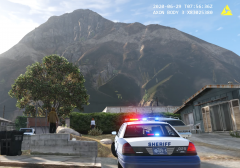
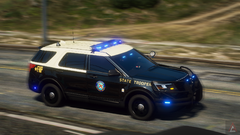
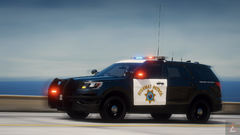
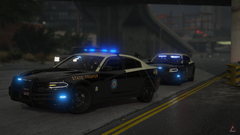
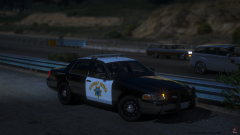
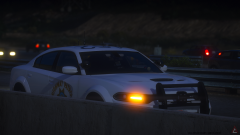
From the album: MattCC16's LSPDFR Collection
Read more -
.thumb.jpg.00cbb288f98e6e56aca462aed6e6bca7.jpg) You could also say “everyone ignore player” in Simple Trainor, but this is a more specific fixI just noticed those are different cars. It’s possibly how the creators designed the headlight projectors.They do work. Some people have had bugs etc though.Does this happen randomly or at certain distances?All Bejoijo plugins from his site. Hands down the best plugins for LSPDFR. Stop The Ped alone has a TON of features. https://bejoijo256.wixsite.com/bejoijo/home/ Albos mods (Traffic Policer, LSPDFR +, Assorted Callouts), are great and work but are old and cause FPS loss. Richs Police Enhancement and his new Scene Manager are great too. I recommend going through the Plugins tab are checking mods out since there are many!
You could also say “everyone ignore player” in Simple Trainor, but this is a more specific fixI just noticed those are different cars. It’s possibly how the creators designed the headlight projectors.They do work. Some people have had bugs etc though.Does this happen randomly or at certain distances?All Bejoijo plugins from his site. Hands down the best plugins for LSPDFR. Stop The Ped alone has a TON of features. https://bejoijo256.wixsite.com/bejoijo/home/ Albos mods (Traffic Policer, LSPDFR +, Assorted Callouts), are great and work but are old and cause FPS loss. Richs Police Enhancement and his new Scene Manager are great too. I recommend going through the Plugins tab are checking mods out since there are many!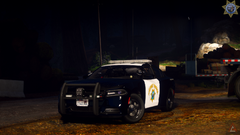 Nice cars! Are the LAPD cars going to go public? EDIT: Just saw your comments! Cant wait for the release! 🙂
 Great high quality plugin. This has seriously increased realism for me. Great job!
- 237 comments
- 24 reviews
-
-

- 1
-
 Callout ideas are great. However, there are quite a few bugs. On the homeless callout, the texts are not timed correctly and they only show up for a split second. On the Bar fight, the suspect is frozen and any animations you try to do (Stop The Ped arrests, walk and turn tests) don’t happen.
Yeah. You said you want this to be an LSPDFR plugin, but then you said having too many crashes LSPDFR. Regardless, I bet the crashes will probably get fixed in the future. I haven’t had any as of yet.
Callout ideas are great. However, there are quite a few bugs. On the homeless callout, the texts are not timed correctly and they only show up for a split second. On the Bar fight, the suspect is frozen and any animations you try to do (Stop The Ped arrests, walk and turn tests) don’t happen.
Yeah. You said you want this to be an LSPDFR plugin, but then you said having too many crashes LSPDFR. Regardless, I bet the crashes will probably get fixed in the future. I haven’t had any as of yet.- 237 comments
- 24 reviews
? You just contradicted yourself 🤔 Personally, I prefer it as a Rage Plugin. It can be used for other things and roleplay purposes.- 237 comments
- 24 reviews
-
-
- 1
-
I saw this and I went crazy. This is AWESOME! Finally, better traffic control!- 237 comments
- 24 reviews
-
-
- 1
-




.thumb.png.9d0943161b37f863c291d6d6664edefb.png)

.thumb.jpg.00cbb288f98e6e56aca462aed6e6bca7.jpg)












Account
Navigation
Search
Configure browser push notifications
Chrome (Android)
- Tap the lock icon next to the address bar.
- Tap Permissions → Notifications.
- Adjust your preference.
Chrome (Desktop)
- Click the padlock icon in the address bar.
- Select Site settings.
- Find Notifications and adjust your preference.
Safari (iOS 16.4+)
- Ensure the site is installed via Add to Home Screen.
- Open Settings App → Notifications.
- Find your app name and adjust your preference.
Safari (macOS)
- Go to Safari → Preferences.
- Click the Websites tab.
- Select Notifications in the sidebar.
- Find this website and adjust your preference.
Edge (Android)
- Tap the lock icon next to the address bar.
- Tap Permissions.
- Find Notifications and adjust your preference.
Edge (Desktop)
- Click the padlock icon in the address bar.
- Click Permissions for this site.
- Find Notifications and adjust your preference.
Firefox (Android)
- Go to Settings → Site permissions.
- Tap Notifications.
- Find this site in the list and adjust your preference.
Firefox (Desktop)
- Open Firefox Settings.
- Search for Notifications.
- Find this site in the list and adjust your preference.