




Yasd
Community Team
-
Joined
-
Last visited
Everything posted by Yasd
-
Just try the LoadPlugin command.
-
Check your graphic settings. Post FX & Shader Quality has to be on high or above.
-
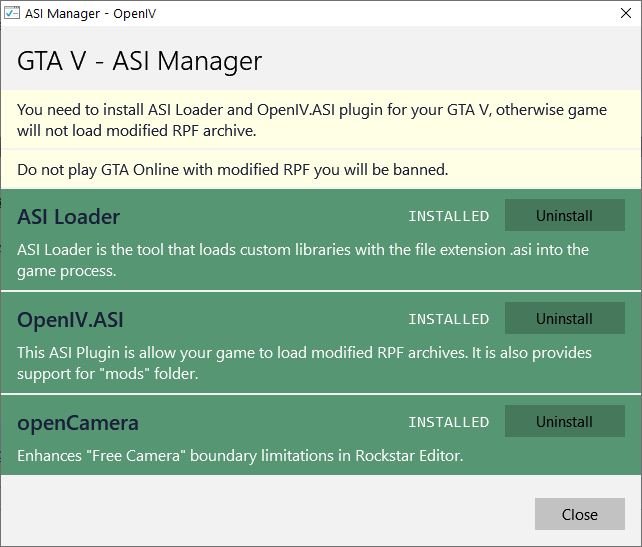
OpenIV öffnen -> ASI Manager -> ASI Loader & OpenIV.ASI de- und wieder installieren -> PC neustarten -> fertig!
-
So if there is no key in the ini files for it, you cannot change it.
-
why do you wanna change the enter key?
-
uninstall it 🤣
-
Do you have a legal copy of the game? Provide more information. Specs, patches, mods, OS etc
-
@Arslan078 You need to update RAGE Plugin Hook to the newest version, v1.87.1293.16190, and GTA to version: 1.0.2372.2 Pirated copies of the game are not supported. @MICROJERK774 try to locate where the error is coming from -> disable all your callouts (f.e. rename the whole folder) -> disable all plugins except for lspdfr -> disable mods folder etc. in your log is no crash.
-
How could you read that out of the log?
-
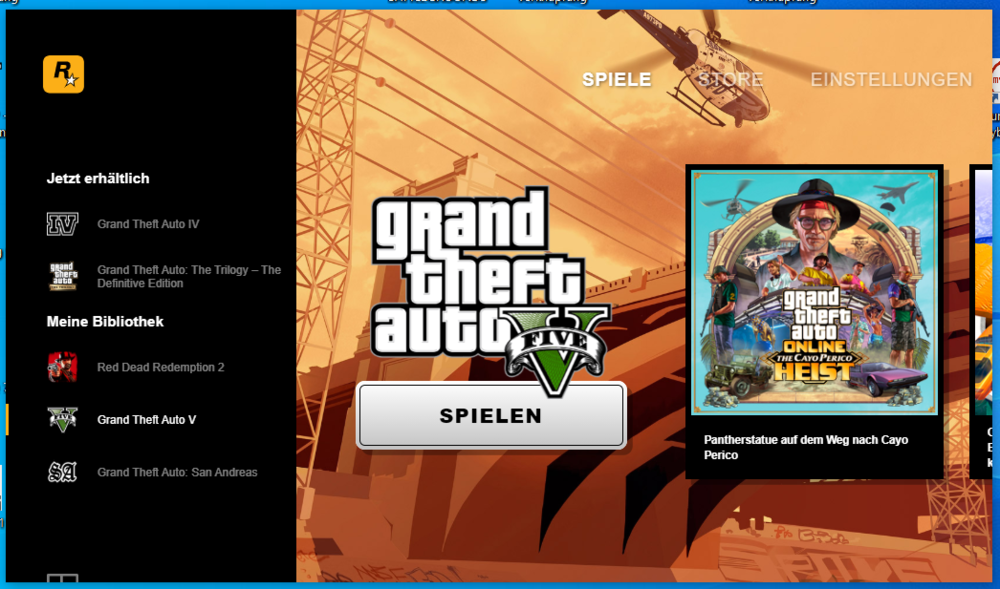
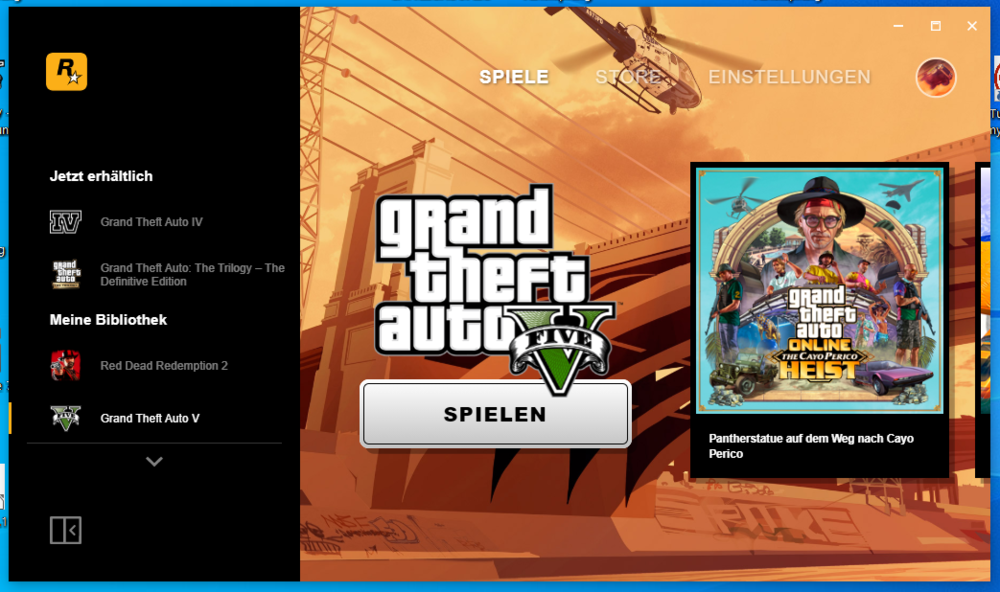
Hello everybody, I have a problem. If I start the Rockstar Launcher, there is no cross in the upper right corner. If I adjust the window size smaller or bigger, the cross in the upper right corner is visible. Attached files: Launcher screenshot without cross Launcher size adjusted now with cross Thanks in advance Chris
-
So your key to open CompuLite is "E"? Thats the same key as honk to signal the stopped vehicle to pull over a bit further. The key to open CompuLite by default is "Q". Change the key.
-
Exception type: System.AccessViolationException Thats a sign for your antivirus blocking gta. Do you have an antivirus software installed? if yes, add C:\Program Files\Rockstar Games\Grand Theft Auto V to exception list. if not, you have to add an exception to windows standard antivirus. tutorial: https://support.microsoft.com/en-us/windows/add-an-exclusion-to-windows-security-811816c0-4dfd-af4a-47e4-c301afe13b26 let me know how youre doing.
-
try to uninstall all enb files, to see if that crashes your game.
-
post your ragepluginhook.log
-
post your ragepluginhook.log.
-
post your ragepluginhook.log
-
Restart your pc. First, start steam, then gta.
-
Some plugins are outdated, first, rename the callouts folder to anything, so that the callouts will not load. start your game and see, it its working now. if its working now, you have to find the broken callouts: try removing them: Arrest Manager, will never be updated LSPDFR+, will never be updated PoliceSmartRadio, will never be updated Traffic Policer, will never be updated still not wokring? try removing this: tacco_highway_callouts, last updated 2019 Agency Callouts, last updated 2017 let me know how youre doing.
-
By default, the fib and ambulance have different sirens. just read the description of that ambulance siren. thats the path.
-
Tritt der Crash bei einem bestimmten Callout auf? Wahrscheinlich ist ein Plugin der Grund dafür.
-
OK, maybe that link is broken, but you need to search manually for whatever the game says you need, maybe microsoft visual c++ or simular.
-
System.AccessViolationException Try to add C:\Program Files\Rockstar Games\Grand Theft Auto V to an exclusion for windows antivirus. tutorial: https://support.microsoft.com/en-us/windows/add-an-exclusion-to-windows-security-811816c0-4dfd-af4a-47e4-c301afe13b26 StickyWheels: StickyWheels Encountered an error: Operation is not valid because the specified Rage.Ped is invalid. maybe thats another error. if the above does not work, try to remove stickywheels.
-
The file is not available, pls post it again.
-
Install RadianceV.
-
When try to frisk them, make sure you stopped the Ped by holding E. After that, make sure you stand behind them and no vehicle or wall is nearby. You can change the keybins under: C:\Program Files\Rockstar Games\Grand Theft Auto V\lspdfr\keys.ini



