




Yasd
Community Team
-
Joined
-
Last visited
Everything posted by Yasd
-
strange, other users reported the same issue i have. but by reinstalling, it works now...


-
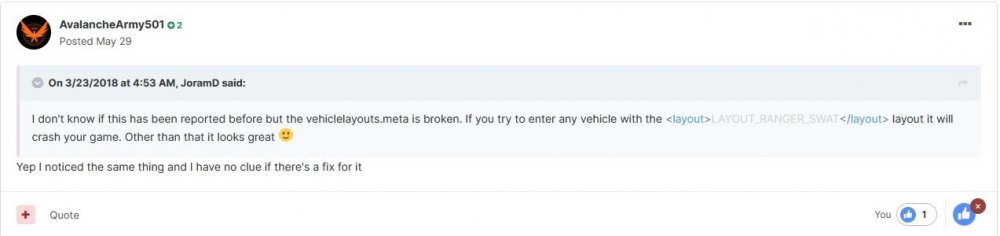
nevermind, i found it. it was the file vehiclelayouts.meta, which is under mods - update - update.rpf - common- data - ai - vehiclelayouts.meta. i installed it for riot - swat car i try to recreate the crash. (trying to be professional lol)
-
its not the vehicles.meta either... i replaced it with default🥲 i try change the vehicles meta from fbi2 & sheriff2 to handlingid from police nope, still crashing, im searching now for files i could have edited and replace them with default ^^
-
i am not exactly sure what i did to cause this, but im sure it was after i installed vehicles and changed meta files for that vehicle. The vehicle causing this are fbi2 and sheriff2, they using the same handling.meta, i think, so they are somehow connected.
-
i replaced handling.meta with default file, but still crash. renaming mods to _mods -> no crash -> what else could it be?
-
by the way i am having the same problem (game crash). removing the vehicle files (now using the default sheriff2) doesnt help. maybe I have broken any meta files?
-
Add E:\GTAV to you antivirus exception list. -> If you don't have an antivirus, you still have to add it to default win10 antivirus. tutorial: https://support.microsoft.com/en-us/windows/add-an-exclusion-to-windows-security-811816c0-4dfd-af4a-47e4-c301afe13b26 -> If you have one, add it there.
-
https://www.avira.com/en/blog/exceptions-avira-antivirus-3-steps
-
can you show me a screenshot of the main directory of your gta folder?
-
That support by Charie686 tough. Everyday xD
-
TRAFFICSTOP_INTERACT_Key=None ---> you successfully disabled the default menu. Pls show me the folder C:\Program Files\Rockstar Games\Grand Theft Auto V\lspdfr and the ragepluginhook.log too.
-
what did you change since last time?
-
start your game, but do not type in that stupid command, and post your ragepluginhook.log. its propably the caused the game to freeze, you are stuck in the loading screen, where it says loading lspdfr... set the time to 60000.
-
You are using an outdated game, rph and lspdfr 0.4.8 version, but thats not the reason for crash. WARNING! Plugin "LSPD First Response" was terminated because it caused the game to freeze Set the time to 60000, thats the max. time plugins are allowed to load.
-
ok so you do not have a mods folder? then remove your plugins and callouts except for lspdfr and check if crash still appear.
-
Could not load file or assembly 'Stealth.Common, Version=1.6.0.1 Install Stealth.Common
-
Looks like a problem with police vehicles. have you installed any?
-
EXCEPTION_ACCESS_VIOLATION if you have an antivirus, add E:\GTAV as an exception. if you dont have one, you have to add an exception to default win10 antivirus. tutorial: https://support.microsoft.com/en-us/windows/add-an-exclusion-to-windows-security-811816c0-4dfd-af4a-47e4-c301afe13b26
-
Install RageNativeUI. Download: https://github.com/alexguirre/RAGENativeUI/releases
-
what solution do you wanna hear? remove it.
-
Pls post your ragepluginhook.log. I think that file is created when you start lspdfr once. Maybe its an antivirus problem. Try to add gta as an exception. If you have a antivirus software, add 'C:\Program Files\Epic Games\GTAV' as an exception. If you dont have one, you have to add an exception to default windows antivirus. tutorial: https://support.microsoft.com/en-us/windows/add-an-exclusion-to-windows-security-811816c0-4dfd-af4a-47e4-c301afe13b26
-
Try rename your mods folder to _mods and check if your game runs. Otherwise, delete all callouts/ plugins and check the same, where the crash is coming from.
-
start gta and wait till its loaded until the sirens in the laoding screen appear. then alt+ tab out and start rph.
-
god bless you. try in english and post your ragepluginhook.log from your main directory.
-
No crash in the log. First, I would recommend to rename your mods folder to _mods. Try now and see if your game still crash. Otherwise, remove all callouts in plugins - lspdfr and try again.



