




Yasd
Community Team
-
Joined
-
Last visited
Everything posted by Yasd
-
post ragepluginhook.log
-
i got an similar isue with aparment crash, its whenever i try to move near the garage to the default offduty vehicle.
-
its actually 60000ms.
-
looks like this: be aware that you have to update this to play. All files you installed there are gone and you must reinstall them, if needed. For example gameconfig RadianceV etc.
-
i cannot tell what causes this from here. remove all files temporary except for lspdfr and rph.
-
pls do that
-
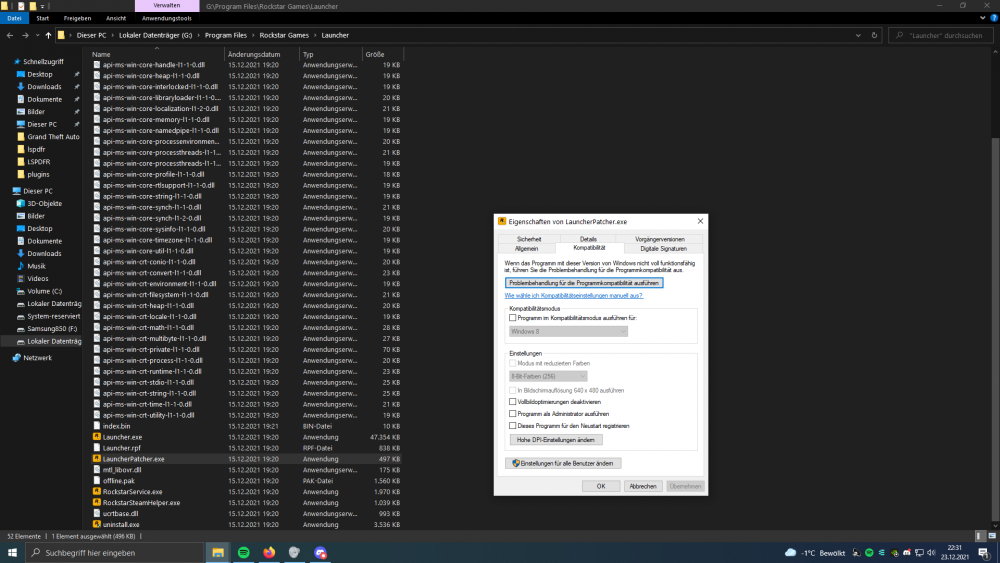
A basic plugin would be StopThePed. Basically, you need to drag and drop the files to your main directory. Nearly always, there is a readme file included in every download, thats tells you, where and how to install. You can search Youtube for basic tutorials."EnhancedNativeTrainer.asi" failed to load Try to update the trainer. https://www.gta5-mods.com/scripts/enhanced-native-trainer-zemanez-and-others...HE does not have a mods folder, so unnecessary.Makiere doch meinen Post als Solution, sodass andere User mit dem gleichen Problem die Lösung schneller finden👍🏽I solved it by doing the troubleshooting, starting the program in win8 mode.
 maybe you can just disable the specific callout in the ini.Remove SimpleCallouts.you can remove this callout. post your ragepluginhook.log.post your asiloader.log, if the game creates one.you installed it via automatic installer? you can check the manual installation, and those files need to be replaced with default. or you delete your mods folder, then its gone, too.this is the tutorial how to install it correctly:that file does not work. post your ragepluginhook.log from the main directory.Do you always have crashes or was it just once?does starting gta only work?Update das Plugin StopThePed. https://www.bejoijo.com/post/stop-the-pedYou can try remove all files except for lspdfr temporary and check from what this is coming from. For example Trainers like ScripthookV, SimpleTrainer, mods folder etc.Its crashing before RPH can create a logyou only have default win10 antivirus correct? set the exception exactly like this: D:\GrandTheftAuto V\Grand Theft Auto V I havent seen your ragepluginhook.log, you can post that if rph creates one. by the way, there is a new little update for rph, you can get that by downloading lspdfr again. you can see the update, because rph is now version 1.89 instead of 1.88



