




Everything posted by Yasd
-
you have a problem with ForceACallout Requested value '<' was not found. This means if you edited anything in the .ini files you made a mistake by adding a < anywhere.
-
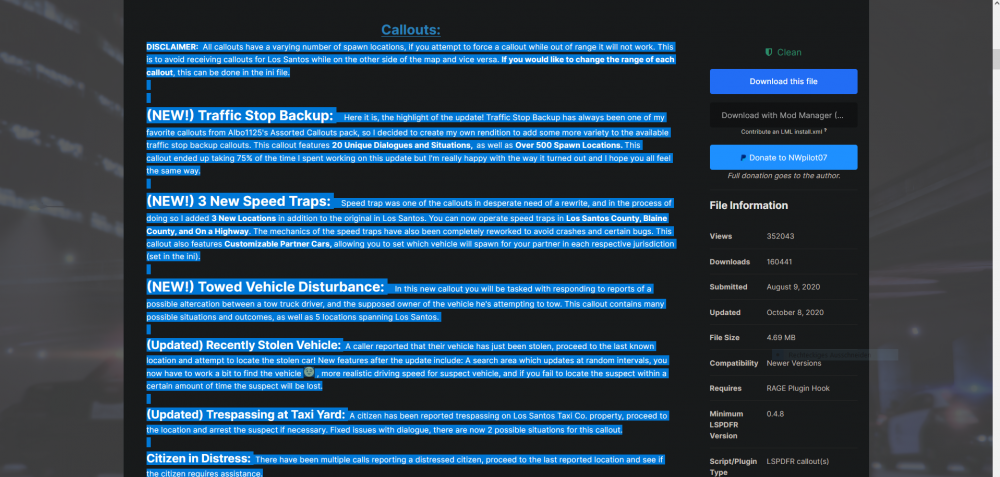
you can lookup the callout in your ragepluginhook.log. or you can search that on your own. search for the plugin name on google or lcpdfr.com and on the plugin download page there are the callouts listed. f. e. typical callouts:
-
the geforceoverlay is known to cause problems, specific to crashing gta right after loading / while loading or not even starting it.
-
update gta and lspdfr with rph to the newest version.
-
@ZACK.PORTER Simply update RageNativeUI from here: https://github.com/alexguirre/RAGENativeUI/releases @Idea this message is included in every crash. open your own thread.
-
So I installed the charges, and the charges are not there. In my Ragepluginhook.log I got the following error: [03.07.2022 18:10:43.829] LSPD First Response: CompuLite: Problem on Loading Charges.xml: System.Xml.XmlException: Ein Name darf nicht mit dem Zeichen '1', hexadezimaler Wert 0x31, beginnen. Zeile 236, Position 53. for translation: a name must not begin with "1", line 236, position 53. Also when opening file .xml file with firefox, it gives me the same error. something is wrong with this type of line. when removing this line, it shows an error with the next line, which has the same style. <Charge name="(F)Trafficking Codeine fine_k="10" probation_chance="5" min_years="3" max_years="9"/>

-
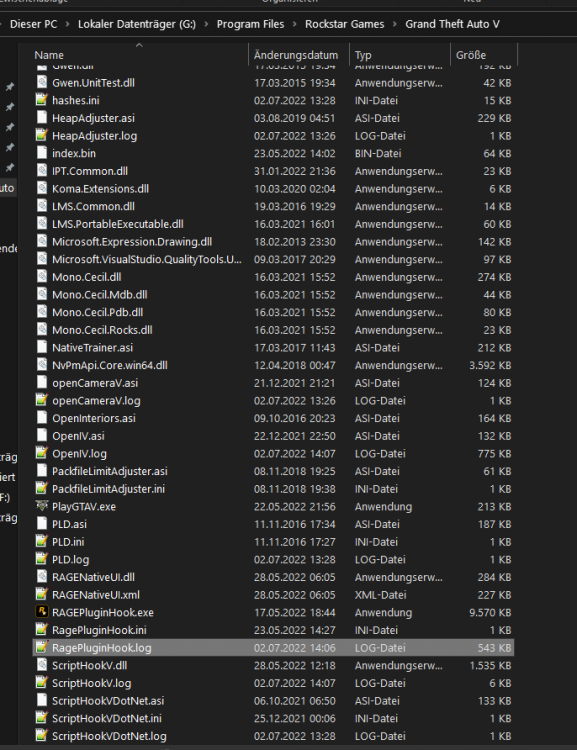
sry, the file is called ragepluginhook.log, a text file in your main directory
-
post your raepluginhook.log from the main gta folder👍🏽🥳
-
you can send the charges.xml file, i can install it myself and see, if it works.
-
do you have a mods folder? maybe there is sth missing. rename the mods folder to _mods and try again.
-
have you verified your game data?
-
empty message?
-
never heard of it, post a screenshot of it.
-
wrong file. post your ragepluginhook.log from the main gta folder
-
in your log is no crash. you can try to rename your mods folder to _mods, this disables the mods folder from getting loaded. what else have you installed except from lspdfr? any .asi software?
-
 Peace officer in the background 😄
 -
you can try to rename the mods folder to _mods . Im pretty sure its the mods folder again...
-
what mods do you have installed in your mods folder ?
-
Install Albo.common from TrafficPolicer or ArrestManager Download in the main directory. Be careful, Arrest Manager, LSPDFR+ and Traffic Policer may cause problems because outdated. Just saying.
-
Simply update RageNativeUI from here: https://github.com/alexguirre/RAGENativeUI/releases ah wait... im too lazy to search your error :DD
-
do you have a new mods folder? its the same error 😄
-
https://ragepluginhook.net/Requirements.aspx the site is currently down, so just wait 😉 directX is used, too.
-
yes, it has to do sth with the mods folder. what have you recently installed, after your game crashes?
-
set your rph loading time to 60000. post your ragepluginhook.log from the main gta folder, too.
-
post your ragepluginhook.log from the main gta folder



