Yasd
Community Team
-
Joined
-
Last visited
Everything posted by Yasd
-
the newest rph version comes with the lspdfr download. the newest rph is not available at the website, but there is no need of it.
-
post your ragepluginhook.log from the main gta folder. 👍🏽
-
glar to hear! 👍🏽😅🥳
-
remove temporarily dinput8.dll out of your game directory. this disables .asi software from loading.
-
You can use the vanilla backup menu, which is already included in LSPDFR. You might search for UltimateBackup, you can find it here: https://www.bejoijo.com/post/ultimate-backup
-
this is not allowed... you can copy the file from the original files to your mods folder.
-
Please install this (Microsoft Visual C++ 2010 Service Pack 1 Redistributable Package MFC Security Update): https://www.microsoft.com/en-US/download/details.aspx?id=26999
-
might help if you post your ragepluginhook.log, a text file, from the main gta folder.👍🏽
-
have you tried starting rph as admin? otherwise try the steps on page 4 on the faq: https://docs.google.com/document/d/1Hp2Qco0qsgKfohkhjYWUxTr2OF7NSCkp8uSZwWz6rRQ/edit also overlays live nvidia overlay can cause problems, try disabling that, too.
-
post your ragepluginhook.log from the main gta folder.👍🏽
-
rename mods folder to _mods and try again.
-
for now, the crash is caused by OfficerporciPlugin. better remove that. otherwise you are playing gta and lspdfr on outdated versions. you should update if you still have problems.
-
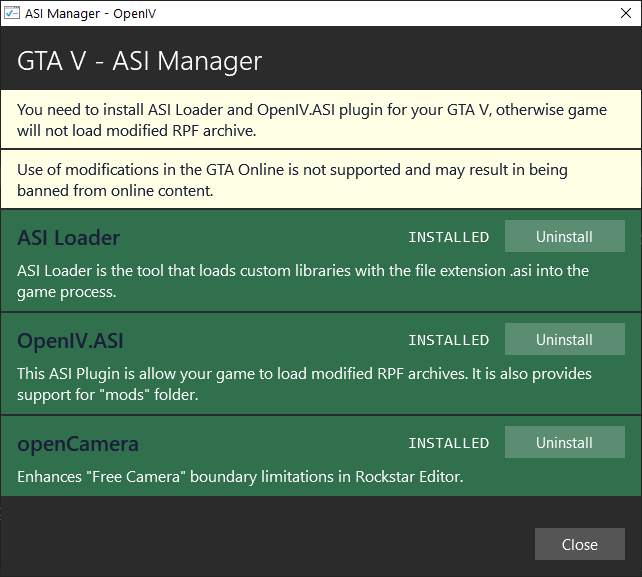
yes pls.it may be caused by broken vehicles, or what i assume, sth with ultimatebackup? do you use ultimate backup for calling backup? at which point does it crash, when opening the menu or when calling for a specific unit or all units?http://ntscorp.ru/ovi/setup/ovisetup.exeremove dinput8.dll, so that all .asi files are not loaded and try again.try this: https://de.gta5-mods.com/tools/openivlog looks good, try renaming your mods folder to _mods and try again.https://de.gta5-mods.com/vehicles/2015-skoda-superb-unmarked-kobre-police-addon-replace-els https://de.gta5-mods.com/paintjobs/unmarked-estonian-skoda-superbpost your ragepluginhook.log from the main gta folder. try renaming your mods folder to _mods and try again.first, post your ragepluginhook.log from the main gta folder.Accept callout: You have: ACCEPT_CALLOUT_Key=Z ACCEPT_CALLOUT_ModifierKey=Y This means you have to press Y and Z at the same time, to accept a callout. You can: change ACCEPT_CALLOUT_ModifierKey=None so you only have to press Z to accept. Be careful, maybe you have to press Y, because of Qwertz and Qwerty keyboard layouts. There is no Request callout shortcut, you have to press N for the menu then police radio and then request callout.post fx und shader quality müssen auf hoch oder besser eingestellt sein.1 mal posten reicht, du hast 2 mal den selben post erstellt. öffne openiv, öffne asi manager, und entferne asiloader und openiv.asi, und installiere sie wieder. danach pc neustarten!