
KLE0
Insiders
-
Joined
Everything posted by KLE0
-
 I have not started yet, I need to decide whether to work on the BCSO or LAPD first. 🙂 Thank you! The next update should bring the file size down even further as I am still not fully happy about it. As for trunk equipments, I am not sure they are worth the added texture and polys. I usually add stuff to SUVs but probably not too many people would ever open the trunk of a sedan. @Yoko Daisuke @adam enforcers, I will add the partition in the next update. Thanks guys for pointing out the omission. Also, does anyone know where does LAPD put the LoJack controller for cars equipped with LoJack? I can't find any reference images for the life of me so I didn't put one in. Would love to add it as well.
- 116 comments
- 13 reviews
-
-

- 2
-
-
He is waiting for Kane's update, too. It's going to be a HUGE update, but from what I heard it is pretty close to being finished.
- 116 comments
- 13 reviews
-
Haha hopefully most people will be fine with police2 slot 😄 Thanks, but Cj24 already has an amazing one that's work in progress: https://www.modding-forum.com/forums/thread/387-2016-ford-police-interceptor-utility-lspd-lapd-marked-and-unmarked/
- 116 comments
- 13 reviews
-
Features - Updated base model with improved exterior, completely remapped and retextured interior, and heavily optimized LODs. - Replicates real LAPD lighting patterns. - Digital speed display in the instrument cluster. - Breaking glass, working dials, pushbar collision, and bullet resistant windshield. - ELS Takedown with spotlight. - Authentic LAPD livery. - Accurate and beautiful environmental lighting with each light module featuring its own corona. Optional Equipment - Pushbar (extra 10) - LoJack system (extra 12) PLEASE NOTE that this is a ELS/non-ELS hybrid vehicle which means it requires custom carcols/carvariations for the lights to work properly. For ease of installation I've provided a DLC pack for replacing the police2 slot. The included vehicles.meta is also mandatory install for correct dashboard and extra spawning behavior. You're welcome to follow my WIP gallery where I'll be posting updates as I work on the vehicle. That should be it. Hope you guys enjoy the car as much as I did making it! Acknowledgements - See credits tab for base/parts used. - PNWParksFan for his Live Lights plugin which makes customizing and debugging siren settings actually fun. - LMS for his DevHelper (part of LML), which makes developing vehicles immeasurably easier (countless of hours saved). - vladimir850 for his excellent LAPD graphics template. Permissions - You MAY NOT upload this mod to other websites or redistribute via other channels without my permission. - You MAY NOT, in any circumstances, use this model for your financial gain in any way, shape or form.
- 116 comments
- 13 reviews
-
-
-

- 45
-
-
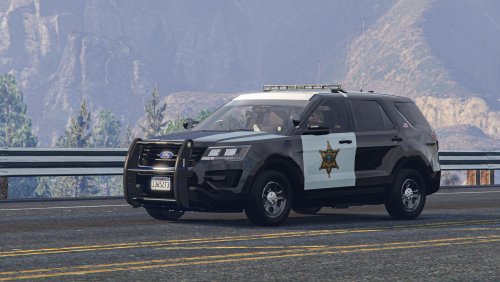 Thanks! If you want steady burn you can change the ELS WRNL light pattern to 1. I'll include an ELS config for this in the next update.
- 71 comments
- 16 reviews
-
-
- 3
-
-
-
Well, since you suggested it, and I figured that your opinion would be as valid as anyone’s. 😄 And yeah replace and add on versions will share the same range of options. What I’ve not decided yet is if it’s better to have the partition be there all the time, or associate it with an extra so it spawns optionally (e.g. only spawns along with the pushbar), to add some varieties.
- 71 comments
- 16 reviews
-
@Yoko Daisuke I've finally got around to look into the partition and I should be able to add one for the next update. Question for you: Would you prefer it to spawn all the time, or only as an extra?
- 71 comments
- 16 reviews
-
 Have you considered adding/switching to DLS for the update? It should support all ELS features (Including park & yelp mode), but with WAY better TA feature and will also allow correct corona and accurate environmental lighting. You also should be able to greatly simplify the light bar setup 😄
- 324 comments
- 53 reviews
-
-
- 1
-
-
Glad to hear you are enjoying the car. Kane is working on an update of the base model and I am waiting for it to drop before updating this car. I will include the replace package and a bunch of miscellaneous bug fixes for the next update. The partition and cage is still in my list, but I have not got a chance to look into it further since I am working on other projects right now.
- 71 comments
- 16 reviews
-
-
- 1
-
-
I see. I didn't consider DRLs continue flashing when the vehicle is in park. Thanks for looking into it!
- 324 comments
- 53 reviews
-
-
- 1
-
-
You are a wizard in terms of hacking ELS, I don't think anyone has done anything remotely as complex as you did and probably no one ever will in the future! For the DRL, I've got the wig-wags on the charger to work with sirens in my other projects. I don't know if you have other things going on in the DRL that further complicate things, but if you want any help troubleshooting I'd be very happy to. 😄 EDIT: BTW I just realized that I had a bunch of typos in my original post (fixed 'em). I meant to use setting 52 instead of 32.
- 324 comments
- 53 reviews
-
Hi, a few suggestions for the lighting pattern while you are working on an update: Have you tried pattern 52 instead of 32 for the primary lights on stage 3? We all know CHP pattern is slow but 32 is just too slow. I think 52 looks much more closer to real life -- it also adds the brief pause between flashing which is what the cars do too. I have uploaded a couple videos comparing the two patterns: Front, Back (For CVPI) ELS steady burn doesn't work for AI and as a result the steady burn red light in the liberty will be flashing, see video. I wonder if this can be fixed by using sirens (perhaps 7,8 together) so they are on all the time for AI? Pattern 52 doesn't work for the charger pack due to the way DRL and the steady burn lights are set up. This is because of the "gap" between flashing in pattern 52. Probably you can use siren 7,8 for these too? As an added benefit to the above point, it will desynchronize the DRL wig-wag from the lightbar, which is more accurate to real life. Here's a real life video for comparison: https://youtu.be/qnXqpgf9ftk?t=33 Let me know if anything is unclear.
- 324 comments
- 53 reviews
-
-
- 1
-
-
Don't get me wrong -- I know high speed chases are exciting, and I do enjoy them. However, every once in a while I want to play realistically and the pursuits are always immersion-breaking; car chases IRL do not actually reach 100mph all the time, after all. Plus, slower pursuits may be preferable given the limitations of the game: It's really easy to crash your vehicle when speed is too high, especially when using a more realistic handling. It's hard to do PIT maneuvers reliably at high speeds. The AI police car drives even worse and constantly crash into other cars creating chaos. They also miss turns, crash into each other at a stop, and drive into ditches. Of course not everyone's definition of "realistic speed" is the same and it may also depend on play style and handlings used, etc. So I think it's a good idea to add a slider which scales the pursuit speed down, which the users can adjust (or disable). I am a big fan of the pursuit style and "tracking mode" addition to the last LSPDFR update, and this will be a great complement. What do y'all think?
-
-
-
-
-
-
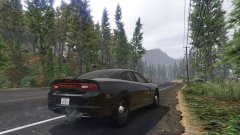
From the album: KLE0 W.I.P
New exhaust pipe/surround and taillights -
I’d love to, but there aren’t a lot of quality parts made to CHP spec, that’s why I am hesitant. If I do it I want it to be accurate. 😄
- 71 comments
- 16 reviews
-
-
-
Base is Kane104's. All screenshots are taken with vanilla graphics except for the very last one which uses VisualV. I do use Photoshop to perform some slight color corrections, though.
- 71 comments
- 16 reviews
-