




GTAIVCode3
Friends of LSPDFR
-
Joined
-
Last visited
Everything posted by GTAIVCode3
-
o i thought that they were testing it and then it was gonna be relesed. What does nightly builds do?
-
what is the progress now?
-
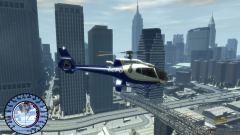 nice skin!
 -
like a license plate recognition system
-
hey Sam, do you play any sports? Do you watch any?
-
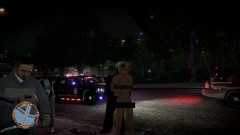 what the hell is that guy looking at? lol
 -
i use xlive and when i go into the save games in the game and i select it and it crashes
-
the are many on gta police mods. i can never get them to work the right way. (wheels are messed up)
-
if rockstar does thier sire file setup differently i want to see a manual q siren
-
or u could hit a button for pick up and 2 officers would come by in a car and the passenger would come by and get the car and drive it back to the station
-
-
Prob you casrs can not load any more cars into the memory. also els and modded cars are a problem
-
do you have patch?
-
that's cool that you guys have that. could he have rc2 and not rc2-2. Just a random idea
-
what about the road cones?
-
what about have the vehical towed
-
funny jack becasue i have not changed it and i do not have that problem
-
if you need to rewite lcpdfr for gta 5 will you stop making versions for gta iv?
-
just save reinstall the game and save the stuff u wana keep.
-
he got talking about the hub wich was taken down
-
-
maybe, right now i have nbvideogamevids and theaustin5000000 testing it
-
ok
-
cool
-
i have no clue. if anything maybe late winter early spring.

