TrentMU
Insiders
-
Joined
Everything posted by TrentMU
-
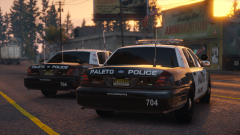 This is wallpaper worthy not gonna lie.
 -
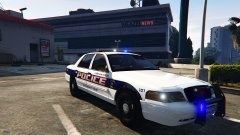 That is really nice !
 -
NYVES - Emergency Virtual Services Official Pictures of EmergeNYC
-
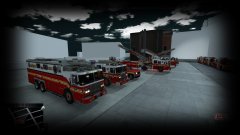
From the album: NYVES - Emergency Virtual Services
This is going to be an amazing game ! Preview of the rigs and there is more to come ! More featured content will be on my YT Channel regarding other info !© NYVES - Emergency Virtual Services
-
<requiredExtras /> alright so is there a code to use to spawn all extras with this or do I have to do <requiredExtras /> EXTRA_1, EXTRA_2<requiredExtras /> ?
-
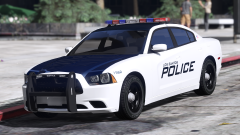 I always loved their light bar setup ! This is gonna be a nice pack !
 -
You mean for area flash? Just go to your ELS folder and change the PRML type to " drot " and it should give you the rotator effect
-
I have no idea why it autocorrected to that hahaha, I am using Bugs LAPD stuff and legit all the models are driving around with nothing on the model lol
-
Just seeing if there is a way to spawn all or all components on a vehicle for the AI to drive have since they all spawn in bare about 90% if the time.
-
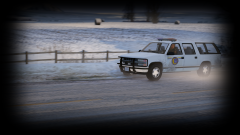
From the album: My GTA V Fleet
Throwback ! Subby on patrol! Model by Maurice97 ! -
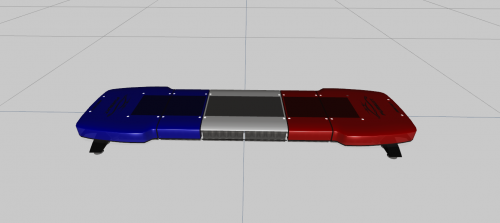 That's a very........interesting.
 -
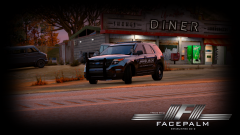 Yes boo? Message me on Skype
 -
From the album: My GTA V Fleet
Updated it from Los Santos County to San Andreas County ! Possibly gonna use a new fleet of vehicles soon, thoughts on what I should use?© FacePalm Studios
-
Well, before all the drama started with people in the community and I won't go into detail, back when we were all on the same FiveReborn server, Testers themselves were in there and told me about it so my source is kinda valid
-
No it doesn't because do you know how many times I have been told release dates on it? It being in dev for a year doesn't mean it'll be released soon.
-
Still, I am not holding my breathe on this coming out anytime soon since it's been in dev for over a year lol
-
You do realize ELS has been a WIP since last year lol, It was rumored to be out in August because they were at the same stage as it is in IV and it's still not released. I hear a lot of people saying car-cols is better than ELS
-
-
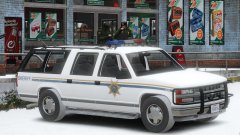 Can't wait for this to come out
 -
You are welcome, also make sure you download the latest ScriptHooks found here http://www.dev-c.com/gtav/scripthookv/
-
Well there is your issue, You need to update RPH since it's now on .47 https://ragepluginhook.net/GetDownload.aspx?id=132
-
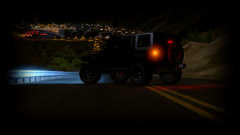
From the album: My GTA V Fleet
Just chillin' in the new Jeep Wrangler -
What version of RPH and GTA are you running?
-
What's going on guys ! Just here to post up some gameplays of LSPDFR on my channel ! I am trying to get it back to being as active as it was before the military so I figured might as well post some content here for you to see and hopefully some of you may end up liking it ! I will also showcase WIPs and Released models within the channel too ! Here is my most recent video ! I have 2 pending to upload so be sure to check the channel this weekend for new videos !