




TrentMU
Insiders
-
Joined
Everything posted by TrentMU
-
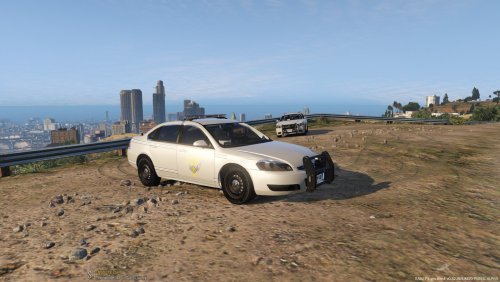 That is looking a lot better now that you fixed up those things! Keep up the good work!
 -
-
-
-
From the album: My GTA V Fleet
I'm not a huge fan of Dodge Rams but this one is mighty nice! I am having more fun driving around GTA in civilian vehicles rather than emergency ones. -
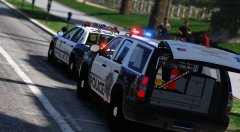 This look great! Good work Twisted!
 -
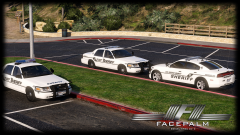 That's a solid copy, We still have active shots fired within the community, All units respond, over
 -
Guys, I am reporting we have an officer down.
-
I know right now the the fleet is still a WIP, There are still issues with them with lighting and what not that will need to be fixed up before they are complete! Hoping I will be able to bring more screenshots and videos of them soon so stay tuned!
-
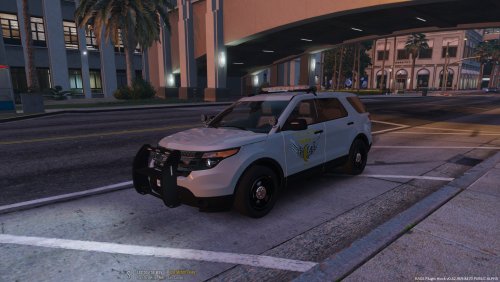 First off we know it's your first skin so good job but now comes the criticism: It looks like you copied and pasted the logo on the vehicles then wrote in State Trooper on the back of the cars. Font is wrong Missing the White and Gray Stripping along side of the vehicle Missing Decals/Lettering on parts of the vehicle. License Plates are also off. Fix up those issues and keep working hard and you'll progress and start producing more quality work!
- 4 comments
- 1 review
-
^^^ What he said.............Maybe soon it'll be released we never know :P
-
-
From the album: My GTA V Fleet
Early Morning Traffic Control -
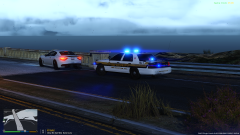
From the album: My GTA V Fleet
Early bird gets the expensive cars -
![[WIP] LFD Pack V2.0](//s3-gallery.int-cdn.lcpdfrusercontent.com/gallery/album_722/sml_gallery_3386_722_405374.jpg) I am 99.99% sure these have been terminated. At least he hasn't told me he finished them lol
I am 99.99% sure these have been terminated. At least he hasn't told me he finished them lol -
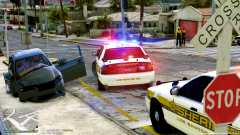 It legit got plowed into, idk how the passenger survived it haha
 -
From the album: My GTA V Fleet
LSSD Out on scene of a vehicle that was struck by a train! **Reason K9 is there is I was patrolling in the K9 Unit and witnessed the car get hit** -
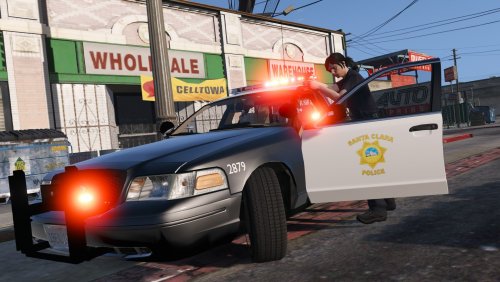 I legit thought there was nothing on the door in the first picture
 -
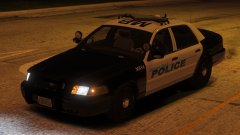 ooo la la I likey
 -
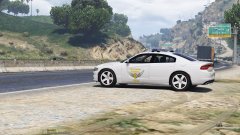 I drive 77,, 71,and 480 quite a bit and they all just sit in the open, I've never seen one hiding or atleast attempting too
 -
I died laughing when I saw the "How to hide like OSHP" It's so true, they don't ever hide anywhere
-
-
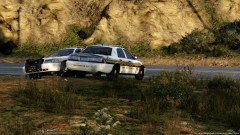 No clue what you said but the model is Bugs and the skin is getinmybelly's outfitted for the CVPI
 -
From the album: My GTA V Fleet
-
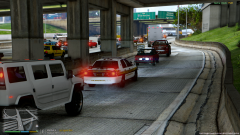
From the album: My GTA V Fleet
County Sheriff gets stuck in rush hour traffic!


.thumb.jpg.30de2cdd6bdce371d029c527c67ad196.jpg)
.png.65e32e8b3253e0c3138624a39f0ab76f.png)
![[WIP] LFD Pack V2.0](http://s3-gallery.int-cdn.lcpdfrusercontent.com/gallery/album_722/sml_gallery_3386_722_405374.jpg)

