


JBin818
Members
-
Joined
-
Last visited
Everything posted by JBin818
-
Your character there looks cool! Not sure about the gray hair but I can get used to seeing it. That looks like a motor cop uniform too. Tough lady.
-
Came across this short funny song. Don't know who it's by but it has a catchy tune.
-
No Worries. Yup, need to have that mods folder. You'll be up and running again in not time. I moved my game over to a new ssd for more space about a year ago. Had to reinstall all of it. Took time but it's good now.
-
You sure you don't have your Rage Log? Should be in your main game folder, scroll down to where all the RagePluginHook files are and it's a text document. Or in your game folder you should have a Log Folder, where all the past RPH logs are and get your latest one in that folder. Maybe install RPH again but that comes in the LSPDFR package so as long as you copied everything over then that shouldn't be the case. Maybe take a screenshot of your game folder.
-
According to this site front landing page, Alex Blade who manages SHV is in Ukraine and internet is off and on I guess. Bad place to be. I'm not sure if where he is is safe or not. But that could turn into a longer delay than usual to get updated. Hope for the best.
-
I did the same with the 25mb limit on vehicles when I was having texture glitches. There was one vehicle that was 39mb. That was the only vehicle over the 25mb. Textures started off fine but in 10 min would get worse. So I just got rid of that 39mb vehicle. It helped but still had texture glitches but not as bad. For me changing the Packfile Size fixed it. I don't know why but it did. In your game folder look for the PackfileLimitAdjuster ini. Open it and it will probably have the Packfile list size of 5208. I changed mine to 52080. Try that.
-
I've waited about 2 weeks at the longest. I think in another post someone said 3 weeks. I my experience, within 2 weeks.
-
Do you happen to have a Packfile Limit Adjuster in your main game folder?
-
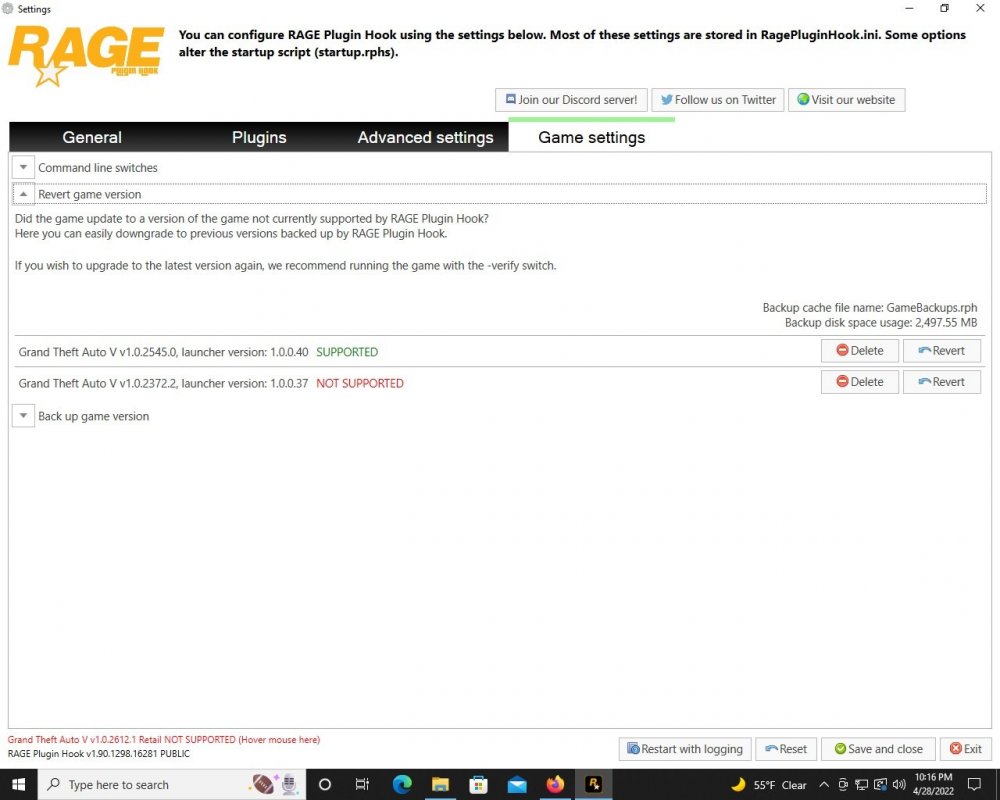
When you watch LSPDFR (on Youtube?) it is just going to make you want to play it, haha. When I first starting modding this, it was very frustrating. But, I really wanted to play it so I stuck with it. I spent a lot of time look for answers on Google because I wouldn't get all the answers here. Yes, there are other sites that reference LSPDFR that can help. I learned to install one piece at a time and before installing the next, play it to be sure it loads and works. Do that after installing GTAV, you also need to pass the first few missions before LSPDFR will work. I've had to completely reinstall GTAV a couple times, meaning having to have R* automatically install updates for GTAV and that takes me hours. Once I have a clean version of GTAV with all the latest updates, I make copies of the game folder for backups. That way I don't have do a complete reinstall if I screw up again. Takes time....and patience. I found that there a a few settings in Rage (check boxes) that may help. I remember briefly having that infinite loading of LSPDFR and something fixed it. I can't remember what. I'll take a look at Rage setting and see if I remember which ones I checked. A lot of those problems I had was in 3.0 and now we're in 4.0 and for some reason some of those problems got fixed without checking some of those Rage settings boxes. I did a complete reinstall when we switched to 4.0.Like Lithum said Alt+Enter to go Fullscreen. See what happens. In RPH, there is a Force Full Screen I think and I am wondering if that is what you are talking about when you said you selected that. I had to have Force Windowed Mode or the RPH wouldn't load. Once RPH kicks in and starts loading then I Alt+Enter to go full screen. Also, you said "when i select force fullscreen things get cut off". Things get cut off? I wonder if that is a screen resolution problem. Make sure your GTAV settings game resolution is the same as you computer.Probably means that you didn't backup your last game version through Rage. Another thing, after you have updated GTAV, when it automatically updates when you open the GTAV Launcher, I don't think there is any way of going back. So if GTAV is updated to the latest then you just have to wait LSPDFR if needed, Rage usually needed and Scripthookv which is usually the last to get updated and is updated within 2 weeks. These pictures are what I get so far with only GTAV updated. I haven't installed the Rage and LSPDFR updates yet.

 Re: 1.4.0.2 Fixed the release within 24 hours and contacted Malwarebytes to let them know? I don't use Malwarebytes, probably should but so I didn't have that problem. Point is you're awesome, a real go get it done person so we can keep enjoying this. Good luck on your exams. Being an old fart with no kids, I forget how between now and June is usually hectic and critical for students. Thanks for doing what you do.
- 319 comments
- 62 reviews
-
-

- 1
-
What mods did you try? Mods you downloaded from this site? If the mods are older then they might be outdated therefore, glitchy or not work at all. Maybe it is something else you're missing to make the mods work or maybe you didn't install the mods right. Let us know which mods you tired to use and we can help you out.Any OIV file you really should install with Open IV. Downloading and Installing are 2 different paths. Downloading is downloading on your computer and installing is where you would install it in the game. You said you don't have a plugin folder. The Plugin folder is automatically installed when you install LSPDFR. I suggest re-install LSPDFR. In the plugin folder there are 2 files that LSPDFR uses to run the game. You must have a plugins folder or LSPDFR won't run. The plugins folder is in the main game's root folder.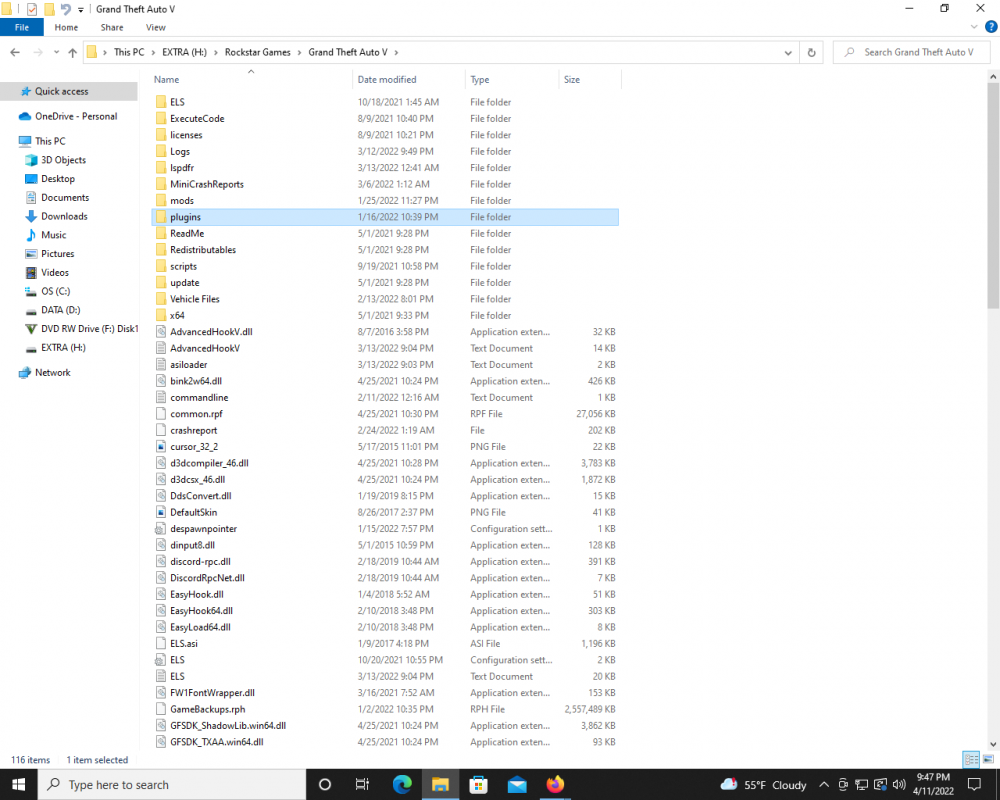 Do you have any Antivirus or Live Scanning protecting your computer? Some anti-viruses and "Live Scanning" will stop and delete the game files because it looks like a virus is in the files. Anything downloaded and installed from LCPDFR.com (this site) is safe. So the antivirus sees it as a False-Positive I think it's called. You wouldn't have to reformat your PC. At worse just reinstall the game and be sure you see where it installs. Do you have CD version or Steam version?I think, just thinking out load as they say, this would require LSPDFR staff and STP (Bejoijo) to adjust their mods so they do sync together. Bejoijo removed their mods from this site and put them on their own site (bejoijo.com) a while back for some reason that only a few on here know (bad blood, misunderstanding, whatever the reason(s) were). It would be nice if STP would sync arrest, shots fired, tickets, ect. with LSPDFR's Online stats for us but due to some differences between the two, don't expect that to happen anytime soon.As of now I currently play LSPDFR on Windows 10 and it runs just fine. The more advanced computer you have the smoother it should be. Of course, what LMS said is 100%.
Would you want to add some animal/wildlife callouts to this? Maybe if you're in the hills, L.S. County or Blaine County there is wildlife on the road or roadkill that we can call in. Would be a quick simple callout that is a bit different from the norm. I would like to call my Animal Control vehicle once in a while for that. All your others are great so I think you can come up with some interesting ideas for this.
Do you have any Antivirus or Live Scanning protecting your computer? Some anti-viruses and "Live Scanning" will stop and delete the game files because it looks like a virus is in the files. Anything downloaded and installed from LCPDFR.com (this site) is safe. So the antivirus sees it as a False-Positive I think it's called. You wouldn't have to reformat your PC. At worse just reinstall the game and be sure you see where it installs. Do you have CD version or Steam version?I think, just thinking out load as they say, this would require LSPDFR staff and STP (Bejoijo) to adjust their mods so they do sync together. Bejoijo removed their mods from this site and put them on their own site (bejoijo.com) a while back for some reason that only a few on here know (bad blood, misunderstanding, whatever the reason(s) were). It would be nice if STP would sync arrest, shots fired, tickets, ect. with LSPDFR's Online stats for us but due to some differences between the two, don't expect that to happen anytime soon.As of now I currently play LSPDFR on Windows 10 and it runs just fine. The more advanced computer you have the smoother it should be. Of course, what LMS said is 100%.
Would you want to add some animal/wildlife callouts to this? Maybe if you're in the hills, L.S. County or Blaine County there is wildlife on the road or roadkill that we can call in. Would be a quick simple callout that is a bit different from the norm. I would like to call my Animal Control vehicle once in a while for that. All your others are great so I think you can come up with some interesting ideas for this.- 319 comments
- 62 reviews
-
-
- 1
-
You said you don't use the Customs folder but when you install the EUP configurations and that is what it looks like you have then it automatically installs that outfits_lspd_eup in the customs folder. Maybe if it is installed wrong then it is taking the outfits from lspdfr in the lspdfr folder>data folder> then outfits.xml. This is how my customs folder looks and all those eup outfits were put in automatically when I install EUP Configs.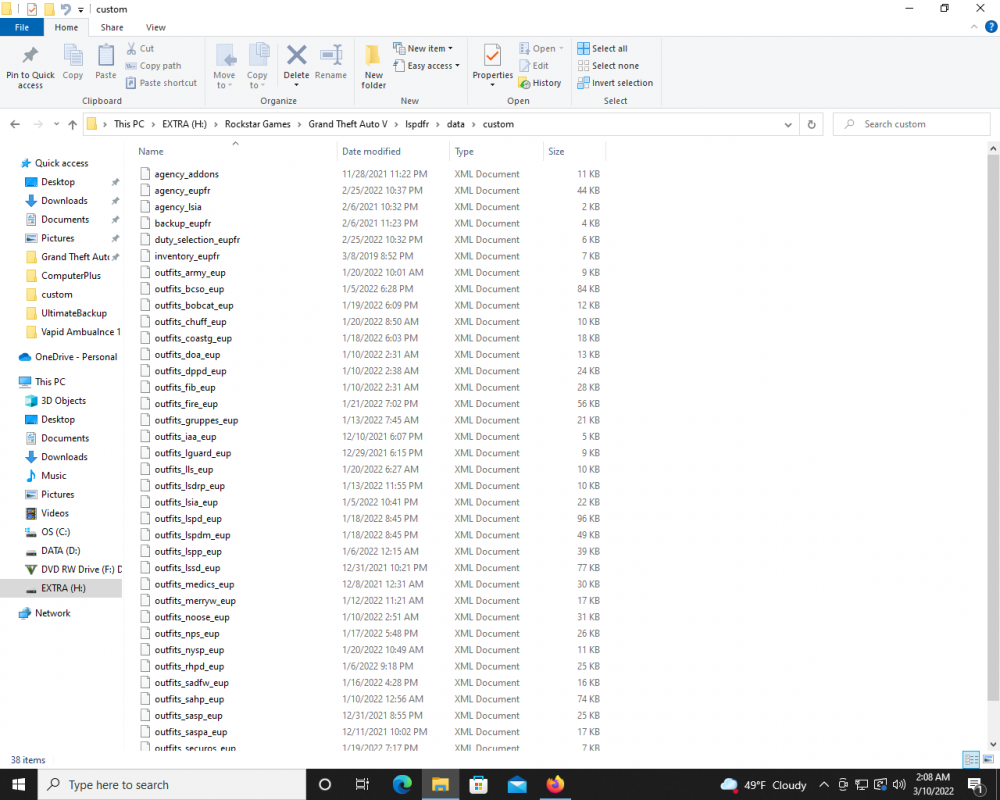 Did you add any uniform packs or any mods that changed the original uniforms?Looks like a Decal in the wrong spot. If you can wear that uniform then go into EUP Menu Wardrobe and cycle through the Decals. Probably Decal 0 or 1 would get rid of that.I'm not sure if it would be a problem but on the flags line there is 1-2 spaces before </flag>. Sometimes extra spaces and cause problems I found. Also on the first 3 vehicles there are 2 lines on the flags. You might backspace the second line so it meets with first so it's all 1 line. That's how mine are. Again, not sure if that would cause the problem but you might try it.I see a little skin in between the shirt and pants. The easiest way I correct that is to open EUP menu while you are wearing that uniform. Go to Wardrobe and I think it is an Upper Skin that you need to change. You just have to go through the Upper Skin numbers until you find the best one that hides the skin where it shouldn't show. If you customized that uniform then you would have to note that new upper skin number and then change that skin number in whichever uniform mod you used (EUP or LSPDFR). I would think you used EUP. If you used LSPDFR then I guess you might have made the uniform in your safe house closet.You need to update GTAV. Launch GTAV through it's Launcher, not Rage and it should automatically update to the latest version.




