


JBin818
Members
-
Joined
-
Last visited
Everything posted by JBin818
-
I think I'll finally try this but I don't remember what plugin mod it is. Where you can talk to dispatch to request backup, fire, EMS, etc. Is it voice dispatch, vocal dispatch or grammar police? I'm not sure which is which. Also, whatever other plugins for it that enhances it. I remember there being a few but I don't remember what. Thanks!
-
I had a Windows 10 update last night also but I just loaded LSPDFR and it went into game just fine. Did you make any other changes in the game files? Sometimes I have to try to start the game 2-3 times until it finally loads. Don't know why.
-
In the Original Police4 vehicle is a slicktop (no lightbar) type vehicle so if you install a vehicle with a light bar in the police4 slot then that vehicle would not have a working light bar unless that vehicle you downloaded came with a carvations or vehicle.meta or a carcols files. I'm not sure which. I think it is a carcols file that you need to make the police4 vehicle lightbar work and that would have come with the vehicle you downloaded. The police4 vehicle is a slicktop. So if you install a lightbar vehicle then it won't work unless something is changed in carvations, vehicle.meta or carcols. The ELS XML file that came with your download vehicle should be fine. Try installing that vehicle in police, police2 or police3 slot and it should work because those have a lightbar.
-
Could be a few problems. If the vehicle you pulled over all of a sudden goes straight in whatever then you probably have ELS and you need to open the ELS ini in your Main GTAV folder and change ElsTrafCtrlOn = false Yours is probably defaulted to true so change it to false like I have above. Traffic behind you would stay behind you in a traffic stop but sometimes they are anxious and go around you. Especially where you are on a narrow road. If the car doesn't pullover in a good spot then you can use Custom Pullover and instruct the driver where to pull over. That's a nice mod here. If these don't work then you could make a vid we'll see what's wrong. Your English is fine. I see more grammar errors and misspellings from people who do speak English who don't proof read before posting. I am at fault with that at times LOL. 😀
-
Do you only have LSPDFR installed or do you have Stop the Ped also. If you have Stop the Ped then you would have to disable lspdfr's arrest function. I have Stop the Ped and it works for me. Get close to the Ped and maybe double tap E. Either hold E or press E twice. Then you should hear your Officer character say something like "Stop right there". To test, go up to ped that is standing, not walking. get face to face and press E or hold E or double tap E to get the Peds attention. Then press E once and a menu should pop up. One of those should work.
-
Not sure what your problem is. You didn't mention RageNativeUI. Is that updated to 1.9? That is the latest version for RageNative. I would think it would have to be some mess up on something you installed in the game recently. Are you sure all your others are updated gameconfig and scriipthook? The scripthook.net, packfile, heap adjuster haven't been updated in a while but they still work. I have a lot of addon emergency vehicles and they all load.
-
There is no order under the mods/plugins folder where the RPH mods are located. Typically the first would be LSPDFR and then it is in whatever order you installed the rest of them. When I look up that folder in Windows, it is set up alphabetically so this is how mine looks. For me, everything works fine.
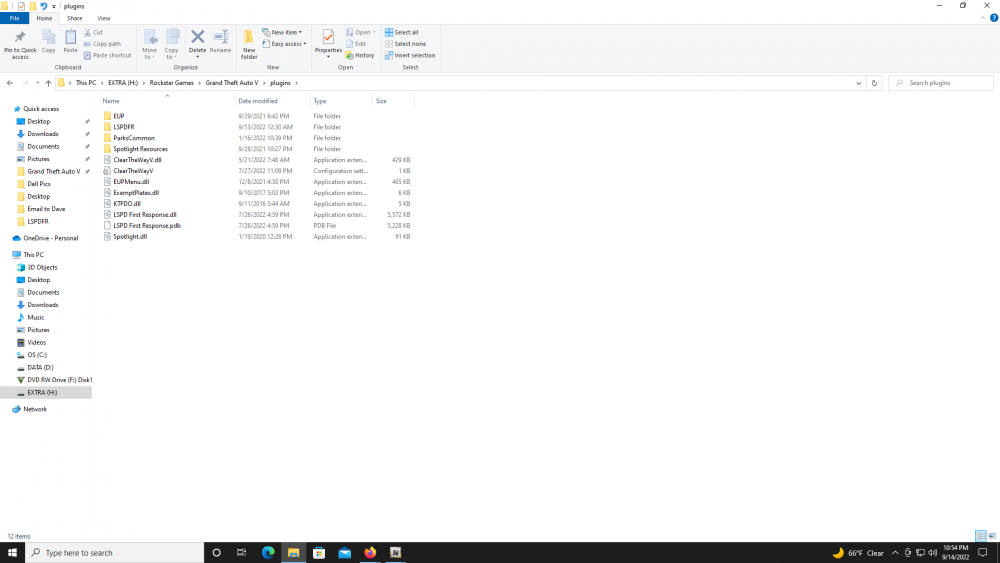
-
I've read some posts on here where some users are interested in a gas fill up mod. Yeah, lspdfr doesn't allow for you to use money, I think it is because that would be connected to your current character in story mode which is linked to GTAV and maybe that is too complicated to try to get to work, I don't know. I'm not really interested in the fuel mod but thanks for letting the rest of us know.
-
Over a month later but here it is. I think this is what you would need to do or if someone else has this question here it is. Use OpenIV and go into the mods folder, then update/update.rpf/common/data/levels/gta5 and open the vehicles.meta. Open to edit if you want to edit it. Look up your vehicle (police, police2, police3, policet ect.) or if you have an addon vehicles then look up that vehicle name. I use Albo's modding DLC for addon vehicles which the addon vehicles carvations and vehicle.meta is under Albo's modding folder and that is where i would have to make changes to addon vehicles. Most users use LML but I don't have that so I don't know that modding path. That is just something to keep in mind. MAKE A BACKUP OF THE VEHICLE.META FILE BEFORE EDITING. If you screw something up in this file it could crash your game so make a back up before editing. Open up the vehicle.meta and unfortunately you will have to look up each vehicle model for the emergency/police vehicles and look for; <rewards> <Item>REWARD_WEAPON_PUMPSHOTGUN</Item> <Item>REWARD_AMMO_PUMPSHOTGUN_ENTER_VEHICLE</Item> <Item>REWARD_STAT_WEAPON</Item> </rewards> I used the police vehicle Crown Vic look alike here as an example. Delete the items so it looks like this; <rewards> </rewards> That should prevent you from getting "rewards" for entering a police vehicle. As another example, when you enter an ambulance you you get full health and that is under rewards also and looks like this under the ambulance vehicle.meta; <rewards> <Item>REWARD_HEALTH_ENTER_VEHICLE</Item> <Item>REWARD_STAT_HEALTH</Item> </rewards> Hope this example helps.
-
Go to your main GTAV folder and click plugins folder/lspdfr/ then go to the Stop the Ped ini file. Open and find; [RealisticWeaponSystem] // Set whether you want to turn the realistic weapon system on startup (yes/no) EnabledOnStartup=yes Change that to no. Not sure if it is case sensitive. That's how you would turn off the Realistic Weapons System for STP.
-
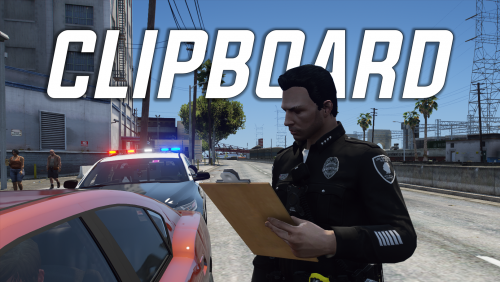 There are a few animations that I see when watching a video on youtube of players playing FiveM and they have these types of animations. This clipboard is one of them. I think there are some other animations that would be neat for your officer to have. Can't remember the others I've seen on FiveM. Thanks for making this. I'll check it out later.
 -
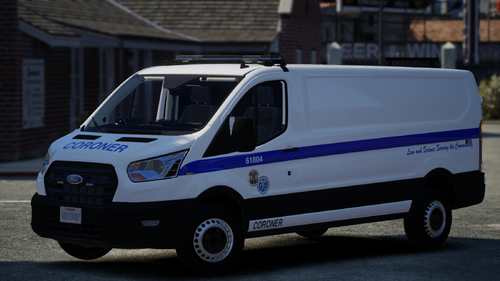 That looks really good. Do you just have the 1 livery? I would like to see a Blaine County version also.
 -
Oh ok. Thanks. Before I posted this I did a google search "What is mapped?" "What does it mean?" and similar wording and it come back with actual map links and how maps are made and stuff. Nope, that's not it, lol. I thought it did have something to do with vehicle textures, skins, liveries and compatibility with vehicles. Probably someone who makes vehicles/textures would know. There are some older vehicles that say mapped in the title or description but they don't say what it means. Those authors aren't really active on here anymore. I don't see that word anymore when someone releases a new vehicle. So I'm not sure. There were a couple older vehicles that say mapped that I was interested in trying but never did. That's why I had this question.
-
Can you take a screen shot of the patchdays you have?
-
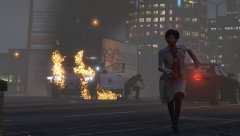 That's a nice shot. Looks like she's in office clothes. Must have had a bad day at work.
 -
Umm, I was sure that was it. Have you restarted your computer since that? There was something else I had to do but I think it was for another problem I had with rage and that is to click that gear icon when you launch rage to go into Rage settings. Then go under game settings tab then command line switches and check Force Windowed Mode. Click Save and Launch. See what happens. In the other antiviruse programs you have including and malware/spyware programs, put Rage as an exception. Or put that the whole gtav folder is an exception so your programs don't scan it. That's all I can think of. You're using steam and I have retail so I don't know if you have to do something in steam.
-
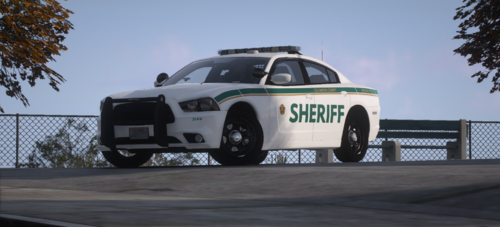 Yeah, I like that livery color for like Blaine County. Could you make a BC one? Also with that livery a mini pack would be cool. Maybe an Explorer, Tahoe, CV's are a little old school but they're cool to see.
 -
I see you have McAfee and I had that exact same problem with McAfee. Disable McAfee and all live scanning and anything else related to McAfee. Problem is you need to do that every time you try to load RAGE. McAfee is blocking it from loading and with my problem, McAfee was deleting the Rage application from in the main game folder so I would have to re-download Rage. It was a pain. It was seeing it as a false-positive or something like that. Basically, it was seeing RAGE as a virus and there wasn't much at all you could do. I disabled all McAfee stuff and it loaded just fine. Got rid of McAfee and went with another antivirus. McAfee came with my new computer at the time so I kept it until this problem. I am 95% sure that is your problem.
-
Does your anitvirus have any live scanners? I had an antivirus that I disabled but it also had a live scanning in the background. I had to disable that too because something wouldn't install. I also heard a simple Restart of your computer might fix it.
-
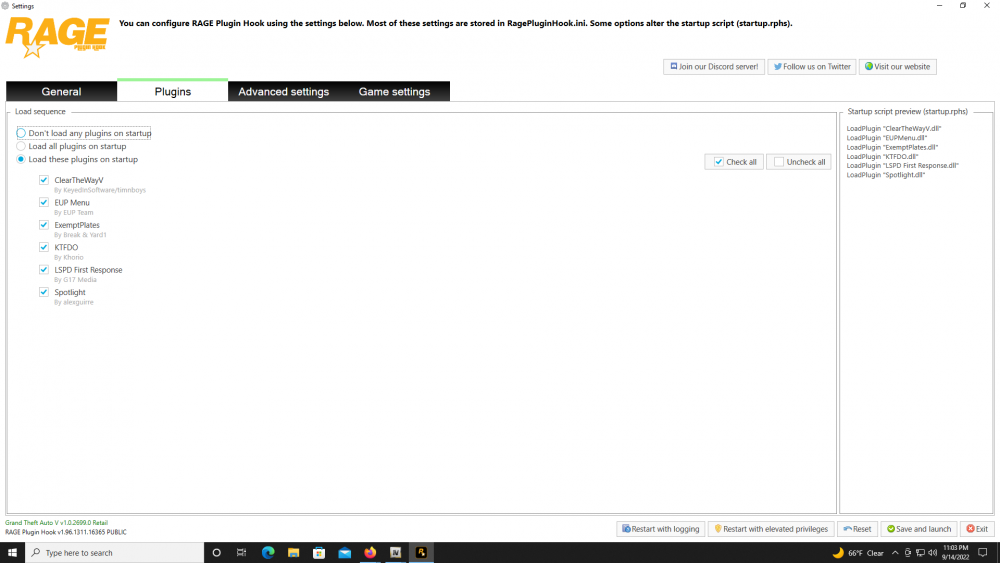
What other plugins have you installed? If some of those need Rage to load then make sure they are checked in the Rage settings, see picture. Maybe give us some screen shots of your main game directory and screen shots of where you installed those plugins.
-
I think it is comp_tasks="?" tex_tasks="?" . The question marks is for whatever number the armor is and the texture for that armor. Looks like you probably copied that from Ultimate Backup. The EUP is written different and LSPDFR Outfits is written another way. Here is an example for an LSPD Swat Officer since SWAT would have Armor on. EUP: Mask=1:1 UpperSkin=97:1 Pants=32:1 Parachute=49:1 Shoes=26:1 Accessories=111:1 UnderCoat=16:1 Armor=17:1 Says Armor so that would be my guess Decal=1:1 Top=221:1 Hat=751:1 Glasses=231:1 LSPDFR: <Component id="1" drawable="0" texture="0" /> <!-- beard --> <Component id="3" drawable="96" texture="0" /> <!-- uppr --> <Component id="4" drawable="31" texture="0" /> <!-- lowr --> <Component id="5" drawable="48" texture="0" /> <!-- hands --> <Component id="6" drawable="25" texture="0" /> <!-- shoes --> <Component id="7" drawable="110" texture="0" /> <!-- teeth --> <Component id="8" drawable="15" texture="0" /> <!-- accs --> <Component id="9" drawable="16" texture="0" /> <!-- task --> I think this would be for Armor <Component id="10" drawable="0" texture="0" /> <!-- decal --> <Component id="11" drawable="220" texture="0" /> <!-- jbib --> <Prop id="0" drawable="75" texture="0" /> <!-- p_head --> <Prop id="1" drawable="23" texture="0" /> <!-- p_glasses --> Ultimate Backup: comp_beard="1" tex_beard="1" comp_shirt="97" tex_shirt="1" comp_pants="32" tex_pants="1" comp_hands="49" tex_hands="1" comp_shoes="26" tex_shoes="1" comp_eyes="111" tex_eyes="1" comp_accessories="16" tex_accessories="1" comp_tasks="17" tex_tasks="1" I think this is Armor comp_decals="1" tex_decals="1" comp_shirtoverlay="221" tex_shirtoverlay="1" prop_hats="751" tex_hats="1" prop_glasses="231" tex_glasses="1"
-
Oh Ok. Yeah I use GTAV retail.
-
You said the siren sound cuts out emediately (immediately). Are you using Automatic Siren Cutout by Rich? When I leave my vehicle with the siren on, it stays on until I turn it off. I assume you have Automatic Siren Cutout for when you leave your vehicle it turns the siren off. Wish I knew how to do plugins or mods because there was this old callout that is outdated now but when you bring up that callout menu (it was either Law Callouts or LP Callouts) it would have a "request vehicle option". Select it and pick which vehicle you want, even your addons, as long as your addons were added to that callouts ini. xml. Then someone would drive to where you are with the vehicle you selected and get out and walk away. You just get in and take that replacement vehicle. I think it would just be a bit more realistic than spawning but that feature doesn't exist right now.
-
Yeah, I agree with that. With some mods you can have the doors auto lock and unlock when you are a certain distance and I've had peds run up to my car and try to open it. Sometimes I'll go up to them and stop them and question them. Maybe arrest them for attempted GTA if that is even a charge, no sure. I had my car stolen a few times in the past even with the door locks because the distance from me to the car was too great it didn't lock the doors. One time I had 5 peds in cuffs because they all ran up trying to open my door. That just happens a bit too much it gets ridiculous especially in the City. It would be nice for the game to blip the ped since they are or tried to take your Unit.
-
I think LMS means to rename your mods folder to whatever, just rename it. Simply mods_ . That will "disable" the mods folder and the game will use the game files in the main directory, like the update.rpf where the game config is. I also in the past, had to Open IV and there would be a banner on top saying that you have an outdated update.rpf in the mods folder and do you want to copy the new files over to replace. I haven't seen that banner after title updates since the last few updates. Not sure why OpenIV doesn't prompt that anymore, at least not for me. After a title update you will have and outdated update.rpf in your mods folder. OpenIV should tell you that but it doesn't.





