


JBin818
Members
-
Joined
-
Last visited
Everything posted by JBin818
-
About 21 years ago there was a huge shootout at a Bank of America in North Hollywood, CA. This is real Police Dispatch audio from the LAPD when it was happening. Intense stuff! There are some mods out where you can play police audio from your car radio of police dispatch chatter. If you are interested in playing this during your patrols then you can find a way to do it. If anyone isn't to familiar with this shootout then look it up on youtube. Scary what happened that day. North Hollywood Shootout
-
 Hi there Albo, when you get in your car maybe you want to change you ELS pattern or turn on/off the siren before you go and you probably need to press the E key but that brings up the look up box. I wasn't sure if the look up box was part of your LSPDFR+ or part of the main LSPDFR mod. How do others work around that? I installed ELS but haven't installed any ELS vehicles yet, I'm still using the default cruisers for a bit and the horn/siren/lights are E. I know once you start to go it won't pop the box up but I was just wondering if that look up key E can be reassigned to another key.
- 1,178 comments
- 137 reviews
-
 Ok, got it and it works. I'm slowly figuring out were game files need to be copied for some of these mods to work. The mods I've downloaded so far were easy enough (Albo's mods) and saw the first 7 of his vids but all he said at that point was to copy the x64 and update folders to the mods. Maybe he explained that in later vids that I didn't see. Anyway, I'm getting it. Thanks!
- 27 comments
- 22 reviews
-
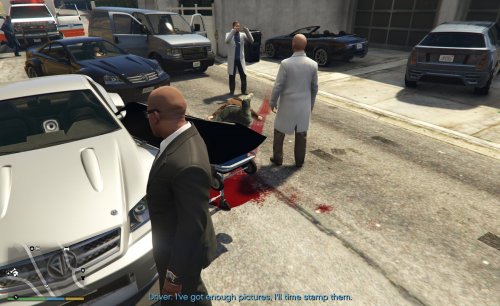
I downloaded the Body Bags mod and I don't quite get where the 2 files go into. The readme says Place the 2 files in x64c.rpf/levels/gta5/props/lev_des.rpf located in your mods folder. In my mods folder I have update and x64 folders. So where do I go from there? Also there is a PNG file but I don't think it is required to be put somewhere. It doesn't say to do anything with it. So do I not do anything with that PNG file? I'm kinda new to modding so this one I'm not quite getting where to put the files.
- 27 comments
- 22 reviews
-
Ok, here is a link to the motherboard I have. I have a Dell 9100. http://www.ascendtech.us/dell-5dn3x-studio-xps-9100-motherboard_i_mbdel5dn3xxps91.aspx
-
Hi Everyone, I downloaded the Body Bags mod and I don't quite get where the 2 files go into. The readme says Place the 2 files in x64c.rpf/levels/gta5/props/lev_des.rpf located in your mods folder. In my mods folder I have update and x64 folders. So where do I go from there? Also there is a PNG file but I don't think it is required to be put somewhere. It doesn't say to do anything with it. So do I not do anything with that PNG file? Thanks
-
I get back to you. I'll open the tower when it's powered down.
-
I've always like SWAT4. Check youtube for vids on that.
-
I've always liked Dell. They're decent enough. I always had desktops. I think the big thing is with laptops is the limited upgrading you can do. But if that's what you're comfortable with then stick with what you know. Alienware looks like a nice gaming computer. I've never had one because they are way too expensive. The computer I have now is about 8 years old and I spent about $1500 on it, Dell Dimension 9100. My setup isn't no where near as good as that alienware but it plays GTA/LSPDFR. Actually I'm trying to get more info on upgrading my vid card. Anyway if you got the cash then spend it wisely. Sorry can't help you more then that but good luck choosing.
-
I want to upgrade my desktop video card. I have a Radeon HD 5870 1GB GDDR5. It would be used for gaming. I would like to improve the look of GTA V and they recommend a 2 GB card. I'm just a little unsure about what would work in my system. My computer is about 8 years old, Intel Core i7 @ 2.80ghz, Win 7, 9gb ram and a 525w psu. So I would like to upgrade to a 2gb card, gaming card. I guess some cards are for gaming strictly and some aren't. I don't know the difference. So if you can give me your thoughts I would appreciate it.

