


Matosh
Members
-
Joined
-
Last visited
Everything posted by Matosh
-
-
-
-
-
-
-
-
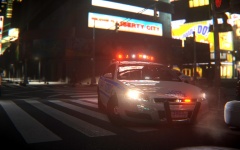 Very Low-End with depth of field effect.
 -
CryENB v2 - '?do=embed' frameborder='0' data-embedContent>>
-
-
2013 Chevrolet Impala LCPD by Bxbugs123 #2
-
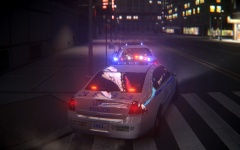 2013 Chevrolet Impala LCPD by Bxbugs123 #1
-
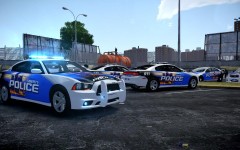 Blue lights and NickieB's Dodge Charger with Nutt's DPD-LCPD livery [Day] #4
-
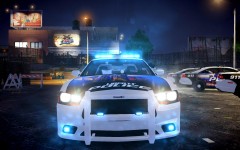 Blue lights and NickieB's Dodge Charger with Nutt's DPD-LCPD livery [Night] #3
-
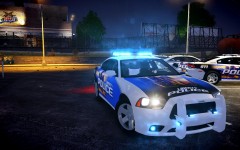 Blue lights and NickieB's Dodge Charger with Nutt's DPD-LCPD livery [Night] #2
-
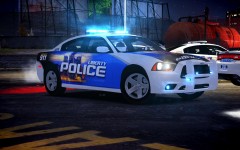 Blue lights and NickieB's Dodge Charger with Nutt's DPD-LCPD livery [Night] #1
-
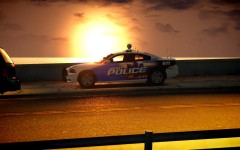 NickieB's 2013 Dodge Charger
-
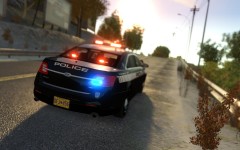 Cj24's 2013 Ford Police Interceptor with Federal Signal Valor #3
-
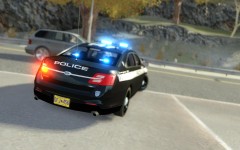 Cj24's 2013 Ford Police Interceptor with Federal Signal Valor #2
-
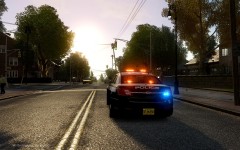 Cj24's 2013 Ford Police Interceptor with Federal Signal Valor #1
-
-
From the album: Screenshots
2013 Chevrolet Impala LCPD by Bxbugs123 - http://gtapolicemods...do=file&id=2610 -
From the album: Screenshots
2013 Chevrolet Impala LCPD by Bxbugs123 - http://gtapolicemods...do=file&id=2610 -
I would like to see customizable fines/citations in the .ini file.
-
Yes, you have to put it into command line text document. I don't know, but you should use those that match with your graphics card.
-
Try disabling the programs like MSI Afterburner, RivaTuner, Skype and etc.
-
Maybe by disabling DisableAtLstg3 will make secondary lights to work with that pattern ID?
-
Try these: -memrestrict 188743680 LOW TEXTURES (256 MB Video Cards) -memrestrict 209715200 -memrestrict 230686720 -memrestrict 262144000 MED TEXTURES (512 MB Video Cards) -memrestrict 293601280 -memrestrict 314572800 -memrestrict 629145600 HIGH TEXTURES (1 GB+ Video Cards) -memrestrict 650117120 -memrestrict 681574400
-
I am assuming you want to install RealityIV 2.0 Timecycle modification? Then you will have to extract the files into EFLCTBOGT folder and accept the file replacement option, and also make sure you replace those texture files from the TBOGTpctextures folder with the ones that were provided with the modification.
-
Re-install the game and install modifications one by one. At first you should only install ELS v8 and ELS vehicle, run the game and check if it's working. If it works then install other modifications too but one at the time so you can be sure what modification is causing the ELS lights to shut off. I had the same issue as you did but I managed to fix it by re-installing the game and modifying it one step at the time. Just make sure you install LCPD:FR v1.0c last.
-
What was the latest script modification you installed into your main EFLC folder?
-
-
Can you take a screenshot of your main GTA IV/EFLC folder?
-
What modifications do you have installed?
-
Custom made one which I don't have anymore.
-
http://www.gta4-mods.com/vehicles/2013-dodge-charger---code-3-rx2700-elsv7-f24178
