


Matosh
Members
-
Joined
-
Last visited
Everything posted by Matosh
-
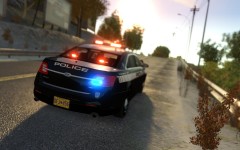 http://www.gtainside.com/en/download.php?do=comments&cat=371&start=&id=54536
 -
Private one which I don't have it anymore.
-
Yes, but not in the way you did in your second previous post.
-
Yes, you are entitled to have your opinion but that doesn't mean you have to always share one. Keep them for yourself. He probably spent a lot of hours or days of his free time to make this modification, so others like you and me can enjoy more while playing the GTA IV/EFLC as a police officer. And all he gets in the return is you and few others, whining on how this modification is an epic failure.
-
-
Have some respect! How can this be an epic failure? It's not easy to make a modification like this. He spent his own time to make this modification and all that for free. I'm sure he's working on it to fix the bugs/errors. The radar script detects speed and distance but it doesn't spawn the radar model. I tried to spawn the radar model (EPISODIC_24) with Simple Native Trainer but all I got is a pistol with one bullet. ScriptHookDotNet.log I also received some errors after I pressed ALT+S to turn on the spotlight. GTAPolicingTools.log
-
'?do=embed' frameborder='0' data-embedContent>>
-
http://www.lcpdfr.com/index.php?app=core&module=search&do=user_activity&search_app=downloads&mid=804 http://www.youtube.com/user/BritishPoliceMods/videos http://www.youtube.com/user/kinksta100/videos
-
'?do=embed' frameborder='0' data-embedContent>>
-
'?do=embed' frameborder='0' data-embedContent>>
-
The command lines -percentvidmem 100 and -availablevidmem 2.0 are contradicting each other, remove -percentvidmem 100 and set -availablevidmem 2.0 to 3.4. And I don't think that the ENB is causing the game to freeze every 10 minutes, especially Game4videos ENB.
-
Those are awesome! Especially the first one.
-
I agree.
-
Los Angeles Police Department Vehicle Pack - http://www.gta-modding-chest.com/database/242-los-angeles-police-department-vehicle-pack-els7/index.html New York State Police Pack [Work in Progress] - http://www.gta-modding-chest.com/board7-grand-theft-auto-iv/board10-work-in-progress/338-new-york-state-police-pack/
-
 Feniex Avatar?
 -
Launch the game in the Windows 7 compatibility mode, you can do that by going to EFLC root folder, right click on EFLC.exe, select 'Properties' then 'Compatibility' and enable option 'Run this program in compatibility mode for:', also make sure it's set for Windows 7.
-
Make sure that you are running the game with the administrative rights by going to EFLC folder, right click on EFLC.exe, select 'Properties' then 'Compatibility' and enable option 'Run this program as administrator'. Make sure that your EFLC root folder (and every subdirectory) is not set to "read-only" Ensure that FirstResponse.net.dll is in the SCRIPTS folder and that AdvancedHook.dll is in the EFLC ROOT folder. Ensure that ScriptHook.dll, ScriptHookDotNet.asi and Dsound.dll OR Xlive.dll are in the EFLC ROOT folder Ensure that there is a folder titled 'LCPDFR' in the SCRIPTS folder. Check that all the above files exist, if they do not, reinstall LCPDFR with the automatic installation. Ensure that you are using up to date versions of every LCPDFR dependency and LCPDFR itself. Install these: http://www.microsoft...9f-b21f31ab88b7, http://www.microsoft...&displaylang=en Run a diagnostic report (found here: title="">http://www.lcpdfr.co...agnostics-tool/) which will point any errors it can find and will be used later on if you need to post a topic.
-
'?do=embed' frameborder='0' data-embedContent>>
-
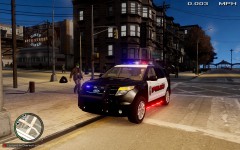 Mirror lights? Mapped headlights and reverse lights (because those lights tend to be very bright on some ENBs)?
 -
Do you have updated GPU drivers?
-
What operating system do you have and on what bit version (32 or 64) are you running it?
-
I have weaker AMD card and I can play GTA IV on medium-high settings with ENB and ELS just fine. There must be a reason why ELS is slowing down the game.
-
Do you have Internet Explorer 9 Beta or RivaTuner installed on your computer?
-
You can try and update Games for Windows Live (http://www.xbox.com/en-US/live/pc/downloadclient).
-
Lower the reflection values (http://gtabay.cba.pl/index_dokumentacja_gta4_en.htm).

