


0taku
Friends of LSPDFR
-
Joined
Everything posted by 0taku
-
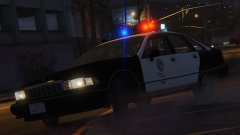 Smexy
Smexy -
Yeah I thought it would. What dose the material look like n zmod. which paint is it
-
By the looks of it. as far as I can tell right now the games loading a black paint. since I can see you have SNT installed have you tried changing the paint to a white
-
I'ts kinda hard to give support with out seeing whats wrong. some sreens might help
-
8.5 because its moving and also DAT FACE back at ya
-
Whats your Internet like. Becuase I've heard the sometimes slow Internet or packetloss can give the 'your computer is to slow' message. Happned to me a few times with IV and V and I can run thoughts at 30FPS
-
Looks nice, its works because LAPD use very little lighting
-
1. As far as I know no. Zmod3 is the only 3D modeling software to support the GTA V types as was Zmod2 with IV. 2. I dont know all the steps for this and where everything is but, its alot more then replace a texture, you also have to edit the corona colour entry so its flashes blue. Sadly I dont know where those entry are I hope this gives you some answers
-
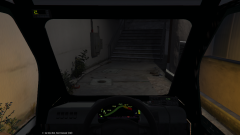 I think that has something to do with the Airtug handling and why it goes slow
 -
From the album: 0taku media
I've fixed most of the texts Issues on the dash and add a 'speed box' as to see how fast your going. so far the model is looking good, got alot to-do like: a few more texture fixes, add the move points for the boot. Fix any COL issues add the L1-3 as needed make a .Meta and handling for it so still alot more to do -
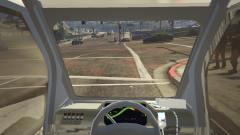 na I manage to fix the the 'shinyness' I was using a 'mesh' shader which was bad. going to go a little more work on the inside and post a new screen of it
 -
From the album: 0taku media
I'm also giving the Go-4 a good interior for first person, Although I still have to fix a few things like the game not loading the radio texture even though its in the frigging YTD. also given that the speed might be still covered when I replace the wheel with a better one I was thinking a adding one of those little 'speed boxes' in the top left. I also have to make everything less 'shiny' --------- -
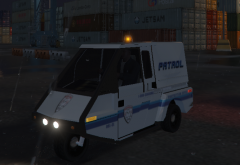 It their newer models that comes with the option of a 'van body'
 -
From the album: 0taku media
Merryweather LS is testing out a Go-4 as a new patrol car that have been shipped to them from Canada. and so far is seems like a good replace meant for the Dilettante. The LSPD is also looking into to getting some. __________________________________ There are still a fair few bugs I have to work out so I don't know how far away a release is -
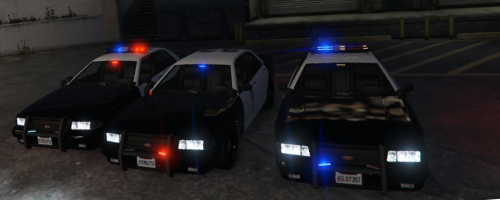 It uses the un UV mapped one, so you would have to remove the texuters form the VESHARE. I think, I have really messed around with textures much still learning alot
- 6 comments
- 3 reviews
-
-

- 1
-
-
This is the Stanier model using my customer 'Flare' products. File is the vanilla Stainer but feel free to edit over to other cars of your choice Also due to an issue with my Zmod and updates not installing right right now, glass dose not break but it has COL's File is brought to you by
- 6 comments
- 3 reviews
-
-
- 4
-
-
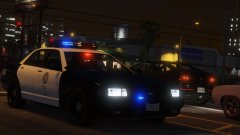 I made it, Lundy's testing it. It's based of the early 2000's-2012 lightbars that are used by that police over here which are a Code 3 Mx7000 body-shell with LEDs on the inside. I like the older colored lightbars and tried to make what could be a modern day version using LED's
 -
 Is It by chance using the exralight which the spotlight on police 3 uses
 -
 can a mod replace the second GIF with this one link didn't copy right
 -
A sort of what the three types will look like. there's still a few more little mapping fixes I have to do but that's mostly just making every light have it's own spot on a texture file. So yes you could keep the light bar red/blue and make the rambar lights red. as always here are the Gif's (sorry for how grainy they are but they were long) Should be all good for a release at the of the week, if I don't have anything that needs fixing
-
No bad for a first try, the first skin I did was shit. This is nice
-
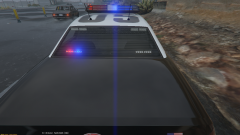
From the album: 0taku media
------------------------------ Along with Flare Response lightbar, the LSPD are all so trying out some Flare 4X's in the back to replace their old lights, The 4X thinner but they can be seen from a longer distance ---------------------------- GIF I'm still doing some work with texuters and there a bug I have to fix where the light bar glass is still there when you turn of its extra but other then that almost done -
I've released a fair amount of both locked and unlocked files. And I find that what people take is what they need. So if someone wants a 2015 charger they will find one and use it,even if the have to crack it. But we should be able to still have the choice to lock files. I know a fair few modders who have bought (my self included) 3d models hand covered them to gta, and who have spent ALOT of time getting working only to see it spam the downloads section (it dose happen, remember the Dodge dart?) I bought the go-4 model, which gave me the right to use it how I please (it did say it). Now when I make convert this for V I would like the option the lock the model if I want to. Both partys can be at fault here, we both need to change our attitude about how we look at the mods
-
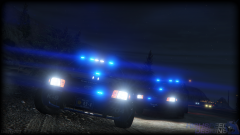 This will make the light making alot more easier. I for one might you this if it more like ELS 8 then 7.
 -
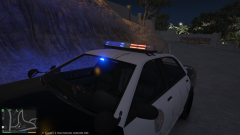 hopefully soon, I still have a few bugs to work out and I'm and going to have much time (if any) to work in Zmodler this week so I'm not sure how long away

