


Pengi
Members
-
Joined
Everything posted by Pengi
-
OH MY GOD. Huge earthquake in california!!! Its over guys. Game Over. See yah all in heaven. Oh wait I just farted on a wooden table and it amplified...
-
This seems more excessive than usual though...
-
If anyone is in the mood to play with a few guys hop onto this TS: 68.54.129.171:9987 Poke either myself or GraveKiller. We will get you all set up with our vehicle pack, scripts and all!
-
Got what I wanted! New wetsuit and a new PC! Just a few more days! Being to look a lot like christmas!
-
I mean that when you download spark from the internet, instead of opening the download file, click save. Then whenever you click open, it opens as a .zip file similar to the first time use when you click open.
-
GTACode3 means when it says "not responding" You may have the issue of it doing the windows error. I have that. What I do is I save the actual winrar .zip file and everytime I open the zip file and choose the .exe out of the zip file. Havent gotten an error since.
-
Download them all and try it out. Best way to learn :D
-
LOL. I went on youtube that night and almost threw my computer out of the window. Worst update ever. Takes me 20 mins to find videos uploaded by subs.
-
Compilation of different major hits of 2012 with the biggest hits of music in 2012: http://www.youtube.com/user/theyearinreview
-
After you download the game, save the setup into a folder. That way you never have to dwonload it a gain. You can just directly install it. Also, remember to backup your files this time. Whenever i mess something up, I just delete all my current files and then copy and paste the backup. Takes about 15 mins lol :) If my Post helped in any way, please press the green rep over there->
-
Uninstall GTAIV. Re-Install it with YOUR legal copy. Only way you can if you didnt backup. Unless of course your game is cracked, then you gotta figure it out.
-
Would love to but that looks awfully compliacted. We are backed up enough. Ceril, "wouldnt mind learning to convert", LOL haven't you been doing that the past week with the ford? ;)
-
NEVER heard of this. Try a new download of ELS? Or maybe restoring your files with a backup? Downgrading ELS?
-
The model submitted, does it have to be a model that will be released publically at some point? Or can my team release a vehicle that is being worked on for our online roleplaying stuff? Also, can we release it as a time or would we need to designate credit to one person?
-
Love this but hate the song. The artist of the song used to rap about how he wanted americans to die...
-
Instead of bumping your thread each time, just edit your original post.
-
Nice video! :D +1 rep!
-
The team was given a few days off for their hard work. We will be enjoying the holidays so there will be frequent breaks in the coming weeks. With that in mind, I do not have an update on your pack. Thanks for understanding and for your cooperation, Beckugan1
-
I currently have a laptop that runs an integrated graphics card that is so so. Does not run GTAIV very well. Got 400mb graphics space in game
-
You could make half of the red/red blue and then both will be red/blue I believe
-
Export the vehicle img files and put them in folders. Whenever you want to switch them around, just go to PC>MODELS>CDIMAGES and just copy and paste the ing
-
If anyone wants to hop on TS, I am finishing up a vehicle pack and we can patrol!
-
Also, you can use the radar script!!!!
-
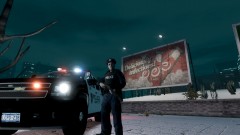 Link to ped?
 -
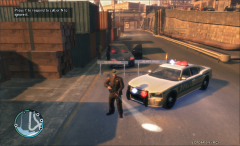 Link to gun?

