manu450
Members
-
Joined
-
Last visited
Everything posted by manu450
-
-
-
-
-
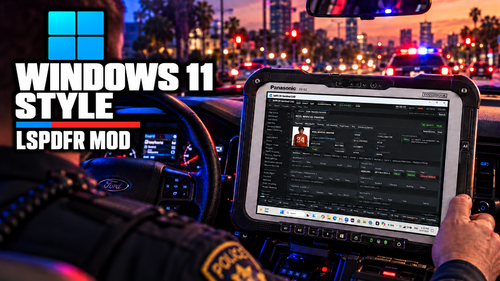 I have issues typing in any reports. It keeps kicking me out of my sentences and I have to re-click on the same line over and over to continue typing. Also, scrolling any drop box do the same. It closes the box and I have to click on the drop option again. The image also flickers a lot when you hover your mouse anywhere. Also, I don’t know where to change any of the settings, the menu key for example, I don’t know if there is, but it would be nice to have a in-game menu where you can set any setting or change any .ini option you like, like turning the ALPR on or off for example..
- 54 comments
- 4 reviews
-
-

- 1
-
-
The arrest report should also list items found in the vehicle. Charges are a bit hard to find; the menu is also a bit hard to understand. I like the court system; it's realistic, but not everyone likes that. Maybe add an option to tone it down, like showing in court, answering questions, etc. Make it a toggleable option, maybe. I have to be honest, though: this is by far the best MDT available. Not to bash down PdCom or Nexus MDT, because both are amazing too, especially PdCom, but it is really on point and realistic. Had to give you a 5-star because I know you worked really hard to bring it to this level. I am sure it will be even better in a few weeks, given time. If you could also have it integrated with BlueLine Realism Dispatch.
- 54 comments
- 4 reviews
-
-
 Thank you for downloading this to Lspdfr. I would've loved the full version, but that's where we are at.
- 45 comments
- 2 reviews
-
-

- 1
-
-
-
 Works as intended. We all hate these coyotes. 😂
 -
 Thank you for this mod. I downloaded it; I can't play without it now. It makes patrols very interesting and realistic.
- 18 comments
- 1 review
-
-
- 1
-
-
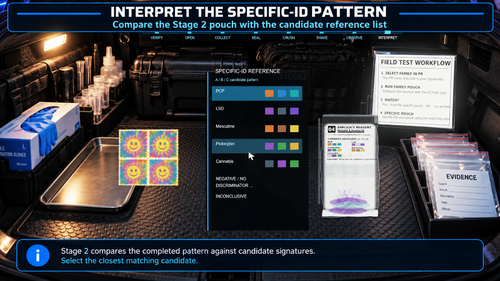
It's innovative plugins like these that make LSPDFR a wonderful experience. I played with the mod and tested several contraband items, and it works like a charm for me. If you have difficulties, follow the video. Kudos to this developer for providing us with a free, useful mod that works.
- 18 comments
- 1 review
-
-
- 1
-
-
-
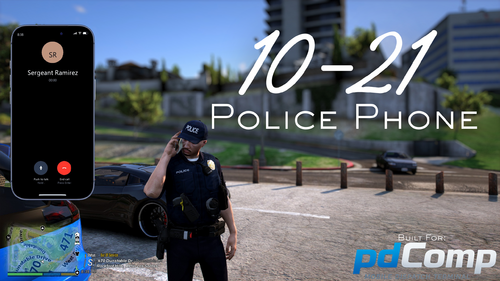 An absolute genius mode. Being a LEO myself, it is so realistic to have to call your supervisor for advice. It works so well. I also want to put out there that this developer has given so much to this community so far and has chosen to let us use his mods for free. It shows that he has a passion for the game and wants to bring the experience close to a real-life counterpart. I really encourage everyone to support him through his dedication. 👍👍👍👍👍👍
- 50 comments
- 10 reviews
-
-
-
 😒 Really want this to work. I wonder if it's because I am accepting calls via AI Dispatch for PR.
- 216 comments
- 21 reviews
-
-
Yes, it is. I can talk fine to peds, and they answer me. They have no context for the situation or the call in question. Do you need to say something to them to start the context, or by just speaking to them they should know why I was called there?
- 216 comments
- 21 reviews
-
I am actually using all the updated versions of all the mentioned above. All prompts are also the original from the download. Here is another log. I really don't know why it's not working. RagePluginHook.log
- 216 comments
- 21 reviews
-
So this is the garbage collection callout. Nothing is happening. The second one is the parking dispute. I go there and show up on the scene. They both look at me, and when I speak, they say they were enjoying the night. RagePluginHook.log RagePluginHook.log
- 216 comments
- 21 reviews
-
I will. I’m gonna play a few hours today and hopefully we can fix this. Looks like most likely, the problem is on my end. You think that because I have a different Gemini prompt install from the original could be the issue? I am also running the on the old GTAV, LSPDFR and RPH version.
- 216 comments
- 21 reviews
-
I am getting an inconsistent scenario when using NPCAI, and I really don't know why. Peds when on scene don't have a clue what is going on. Is there an order of things I need to do before starting to talk to the ped, coz I did 5 parking disputes in a row and none of them said they called or were aware of any disputes? Sometimes bam it works. Especially on a new loaded game.
- 216 comments
- 21 reviews
-
-