manu450
Members
-
Joined
-
Last visited
Everything posted by manu450
-
 How about the vehicles involved in the pursuit? If the driver runs away, will the vehicle persist?
- 21 comments
- 1 review
-
-

- 2
-
-
-
 Maybe I did not used it properly. I can see peds now, but target vehicles I'm not getting results. It's a very nice mods, just need some ped mugshot and vehicle pics. It got a lot going on and it's very immersive. Hope more quality to life improvement comes with the MDT.
- 137 comments
- 8 reviews
-
Target vehicle plates and peds ID's don't show in the MDT, either after a patdown. asking for ID, or running the plate. Also, it needs to be more optimized. Drop a few more frames than usual.
- 137 comments
- 8 reviews
-
 When adding charges and exiting the computer just to verify an ID or something else, the charges disappear when you reopen where you left off, and you have to enter them over again.
- 306 comments
- 19 reviews
-
-

- 1
-
-
 Thanks for taking the time to make these. Awesome work!
 -
-
We can finally say that the day has come. We now have a functional and amazing in-game Police MDT. No tab out, no overlay, simple to use, you can customize your background, resize windows and open and close them individually. I posted a review in the early stage, but after playing today for about 2 hours, I can confirm that this is a must-have in your game. This computer will just blow your mind away. Thank you for your hard work and for making this available to this community.
- 306 comments
- 19 reviews
-
-
- 1
-
-
-
Another suggestion like I mentioned in my previous post and I don't know if you noted it, but a way to make it a window screen/resize it to your liking? I really don't know if it's possible due to RageNative UI limitation, I know Police Menu was able to pulled it off.
- 306 comments
- 19 reviews
-
I started to play with it a little. First, ID is not generated after a patdown. Also, I can't see what I am typing in the manual search, and it tends to freeze for a few seconds each time I click on manual search or my information.
- 306 comments
- 19 reviews
-
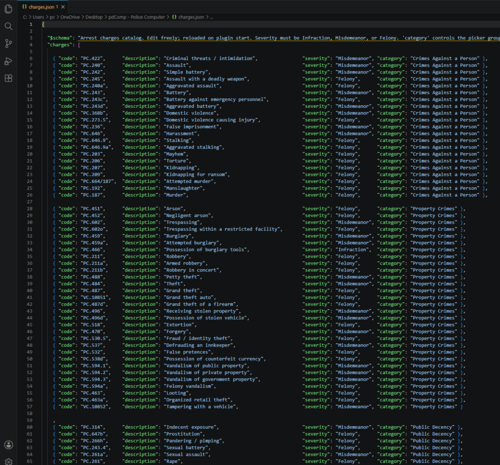
Man, I am actually impressed. If you could add a way to resize the window, that would be great. Also, there are no public offences at all. I don't know if you forgot them (Jaywalking, Loitering, Dog not on leash, littering, Disturbing peace, graffiti, etc.) You can add a bunch more, but I must say I like how clean it looks and how easy it is to use. Will definitely be looking to put that in my game.
- 306 comments
- 19 reviews
-
-
- 3
-
-
I can also interact with my mouse in it, click scroll, open and close windows? Sorry for asking
- 306 comments
- 19 reviews
-
Is this gonna interact with my keybinds in-game when I type in it? Also, would be nice to have peds and vehicles photos with colors etc… (you can probably get AI generated one like many other popular computer like Report plus, and MDTPro) looking promising though. Looking forward to trying it.
- 306 comments
- 19 reviews
-
-
- 1
-
-
 I downloaded the new beta version 0.9.9.4 and installed it. I tried entering my email and creating a password, and it says invalid email or password. Do I need to create a cloud account first? I also can't sign in to MDTpro for some reason now.
- 389 comments
- 9 reviews
-
-
Could you add this little touch of realism. When you finish a citation report, have a little printer sound effect that confirms you have printed the ticket. Report+ has that and I love it.
- 389 comments
- 9 reviews
-
How do you change background? I am a bit confused. Maybe a little video, or a step-by-step instruction. I changed the BCSO background in the folder and rename it the same with my background and nothing shows.
- 389 comments
- 9 reviews
-
Sending reports takes forever on the native version and I get an error message saying fail to connect to HTPT server or something on that like. Sending citation reports works fine, only arrest reports.
- 389 comments
- 9 reviews
-
Also, I noticed a bug where when you run a plate on a traffic stop the information doesn’t refresh in the native MDT even when pressing the refresh button, as it does in the regular version. For some reason, I need to run the plate twice for it to pop up. Also, the arrest report takes a very long time to load in the system, while it loads, if you click on another tab like person or plate, it doesn’t save it at all. If you tab out, then you get the message it was saved. Besides that, I love the new design. Just curious, are you using grammar police to call the plates? If so, try running the plate via the STP menu if you get same results. If you problem is fix, then In grammar police you need to use the STP handler for plate check and peds check? Handlers are 0=Native 1=STP& UB 2=Policing Redefined. Set it to 1 in the GP .ini and see if that makes a difference. Might not be the issue, but worth giving it a go. I am also having the same issue for the report not sending. A work around for now is to tab out or right click on the game screen to close the MDT and the report should be saved. Hope this gets fixed, Because this new MDT is a blast. BTW, the new native MDT is using the open, closed, cancel option in the menu. You need to manually set the report to closed if you want you case to appear in court, same for giving citation, the report should set to states closed for the citation to be handed to the person.
- 389 comments
- 9 reviews
-
Yeah, if you could make it work so that it filter most of the hit out, ALPR on MDTPro is having too many hits, almost everyone is committing an infraction, or stolen, warrant etc…which is not realistic. If it could be a way to tone it down, or like I said filter it for the ALPR independently. I’ve been asking Opus 49 for a long time for a CDF integration, but no replay. Again, thank you for your hard work. This mod is amazing. The best out there. BTW, I love the new MDTProNative design, it’s just too bad you need to tab out of the game using Alt-Tab. It would be nice to be able to open it up on a single click. And I have noticed some delay or lag for plate information to pop up in the MDT. It takes a few seconds. Also reports takes a long time to send to the database for record. The design look sick man. 👍
- 389 comments
- 9 reviews
-
I would really appreciate it, coz I tried everything and can't get it to give me the same results. Even changed the handlers in GP. Nothing
- 389 comments
- 9 reviews
-
@stocky789 ALPR, on the other hand, are you saying you are getting mixed results from the CI ALPR, and what is against the registration for the given vehicle? Yes. Exactly. You're sure that none of the files for Callout Interface go in the Callout Interface folder? Like the XML file? I did a fresh install, and nothing has changed. I am using PR BTW. On the other hand, don't worry about the performance; I installed too many DLCs.
- 389 comments
- 9 reviews
-
I am getting some different hit results from the Callout interface ALPR. e.g., says "expired insurance," MDTPro shows as valid. Did I install everything correctly, or am I missing something? Also, the performance seems to have gotten worse with this update.
- 389 comments
- 9 reviews
-