


Pazzi
Members
-
Joined
-
Last visited
Everything posted by Pazzi
-
your pack hasn't been updated since 2016. i assume it is not compatible with the newer version of EUP.
-
use Stop The Ped and hit "enter" key while you're running/chasing the ped. It will boost your speed for 3 seconds. i think we can also configure the duration and boost intensity in the ini file.
-
I couldn't find the LSPDFR crash entry on the log. If it is a CTD (crash to desktop), most probably it is caused by your mods folder (corrupted model or textures)
-
it's a glitch when detecting ped status after the arrest happened. i'd just ignore it.
-
i think the tactics are all that you already mentioned above.. 🙂
-
computer+ and stp are just fine to add.... perhaps if you send the RPH log, we can find the real crash cause.
-
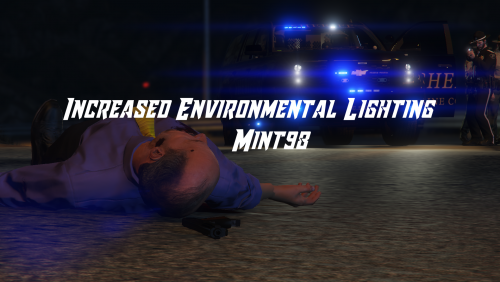 I'm not sure if it's only me. I'm using VisualV and after i applied this mod, I don't see any significant improvement on those coronas on the wall.
- 24 comments
- 9 reviews
-
some components are made for long sleeve or short sleeve shirt. the one you selected above is designed for long sleeve shirt because the game doesn't have to render the whole arms.
-
you can try first with 1x peds, 1x vehicles.... if it's not suitable (performance wise), you may select the lower ones until you feel happy
-
there's a bottleneck on RPH hooking process to GTA V core which causes performance loss. mainly because RPH has to fight for the anti-modding mechanism in GTA V game engine. the performance loss (FPS drops) is inevitable because the more you have plugins, the more hooks needed to GTA V core which would slow down the rendering process. but you can still improve the FPS by turning down a few graphic settings to one notch down (e.g from very-high to high), thus will increase your base FPS.
-
do you have ELS installed? also make sure that the xml files which come with the pack are in the right ELS folder. (read the ELS readme for more precise installation procedure)
-
since LSPDFR handles and controls all visible peds and vehicles, it should help a lot if you reduce the population density in GTA setting. (e.g. put it to half value) you can also reduce or disable LSPDFR ambient cops and events to improve performance also take the GTA graphic setting one notch down (e.g. from very-high to high) will definitely improve tour FPS.
-
if you have ultimate backup, stop the ped will get the police model from UB local patrol (but not the vehicle)
-
yeah i think we need the log when your game was crashed
-
you set it correctly to "None". i think the crash might be caused by something else. please post your RPH log.
-
 hi, perhaps you might check if there's any line in your code that sets the ped persistence to false myPed.isPersistant = false; from my experience, if you set it to false, it is the same meaning as myPed.Dismiss(); when the ped is dismissed, GTA V will take over the control of the ped and make it ambient ped. i hope it helps.
 -
-
try to remove any plugin which temper the default GTA V "persistence". somehow the ped gets "dismissed" when it sets the persistence attribute on ped. "dismissed" means plugin asks GTA to take control the ped as ambient ped.
-
Hi man... that's really cool... should be very helpful for the community.
-
yeah. there's no visual mods that can boost you FPS. perhaps you gained the FPS after removing arrest manager.
-
you might have installed the wrong LSPDFR+ version (unofficial) if you have it, make sure to download the latest update and install it again
-
it has vehicle mimic & follow feature that has some effects on traffic stop, i guess. but i still need that feature. i think i just need to lower more settings to gain more FPS.
-
 EUP Menu is optional since you can go to police station and customize your character there.
- 262 comments
- 20 reviews
-
-

- 1
-
-
do you guys using "Traffic Policer"? it seems the FPS doesn't drop (only a little bit 1-2 FPS) during pullover when i remove "Traffic Policer".
-
hi, do you guys experience a massive FPS drop (10 - 15 FPS) when pulling over the car for traffic stop? usually the most severe drop happens when the suspect is trying to find the position to stop. i'm afraid it's only me. so, please let me know if this is normal in LSPDFR 0.4

