Pazzi
Members
-
Joined
-
Last visited
Everything posted by Pazzi
-
 there's an alternative to stop the cars. you might try the freeze driver feature from make the peds calm again.
- 338 comments
- 46 reviews
-
Turn off "frame scaling" in GTA V advanced setting. or if you're using Nvidia card, turn off DSR feature. (for best result, this plugin needs to be run at a pure 1920x1080 resolution)
-
FYI. you may customize it in your backup.xml file.
-
 hi, do you use "Frame Scaling" mode setting or Nvidia DSR? if so, you may need to turn those off.
- 1,742 comments
- 172 reviews
-
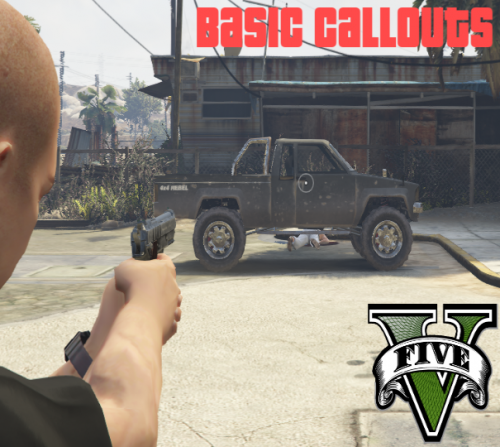 hi man... please ignore the sadistic 1 star review. you've already stated that this callout is WIP and there'll be many bugs, etc. that guy should have read it before giving review. all in all, not bad for a beginner and you have potential to fix those bugs and write more callouts. now, i'm not giving you any review yet until your callout is ready. keep up the good work! 👍
- 58 comments
- 12 reviews
-
-

- 2
-
-
.thumb.png.ccb0302957ee78eebc9b6db9b98a38d2.png) I know this is beta and you're a new plugin dev. Please add some unique callout. Those 2 callouts have already been in many previous callouts plugins. You have potential, keep up the good work.
I know this is beta and you're a new plugin dev. Please add some unique callout. Those 2 callouts have already been in many previous callouts plugins. You have potential, keep up the good work.- 68 comments
- 14 reviews
-
-
- 2
-
-
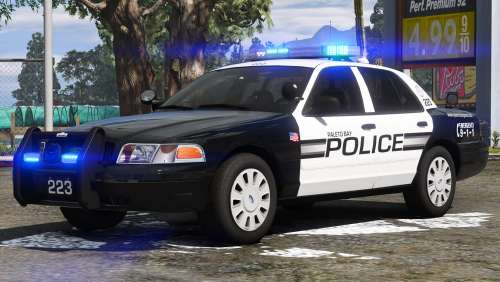 For you who want red-blue corona, put this entry in your VCF file <EOVERRIDE> <Extra01 IsElsControlled="true" AllowEnvLight="true" Color="red" OffsetX="-0.70" OffsetY="-0.20" OffsetZ="0.50" /> <Extra02 IsElsControlled="true" AllowEnvLight="true" Color="blue" OffsetX="0.25" OffsetY="-0.20" OffsetZ="0.50" /> <Extra03 IsElsControlled="true" AllowEnvLight="true" Color="red" OffsetX="-0.25" OffsetY="-0.20" OffsetZ="0.50" /> <Extra04 IsElsControlled="true" AllowEnvLight="true" Color="blue" OffsetX="0.70" OffsetY="-0.20" OffsetZ="0.50" /> <Extra05 IsElsControlled="true" AllowEnvLight="true" Color="red" OffsetX="-0.25" OffsetY="0.20" OffsetZ="0.50" /> <Extra06 IsElsControlled="true" AllowEnvLight="true" Color="blue" OffsetX="0.25" OffsetY="0.20" OffsetZ="0.50" /> <Extra07 IsElsControlled="true" AllowEnvLight="true" Color="red" OffsetX="-0.40" OffsetY="-0.80" OffsetZ="0.50" /> <Extra08 IsElsControlled="true" AllowEnvLight="true" Color="blue" OffsetX="0.00" OffsetY="-0.80" OffsetZ="0.50" /> <Extra09 IsElsControlled="true" AllowEnvLight="true" Color="blue" OffsetX="0.40" OffsetY="-0.80" OffsetZ="0.50" /> <Extra10 IsElsControlled="false" /> <Extra11 IsElsControlled="true" /> <Extra12 IsElsControlled="false" /> </EOVERRIDE> The red-blue textures have been provided by the author in the "optional" folder.
- 10 comments
- 8 reviews
-
-
- 2
-
-
Great to have an FPIU with ALPR I have been waiting for it... The only issue is the tail light looks greyish... perhaps because I'm using Visual V?
- 10 comments
- 8 reviews
-
Hi, have you tried to run on older GTAV Patch. The latest patch caused performance issue with RPH in my game. I rolled back to GTAV 1180 and RPH 0.57 and the performance is back up. Disclaimer: I don't recommend to run LSPDR using older GTAV & RPH, since you'll not get support from the developers.
-
-
 Hi man.. your callout deserves 5 stars... please add more callout and locations... the callouts are really fun to play...
- 221 comments
- 63 reviews
-
-
- 1
-
-
 Hi, it would be nice if you add the more location in sandy shores and paleto bay area....
- 136 comments
- 42 reviews
-
-
- 1
-
-
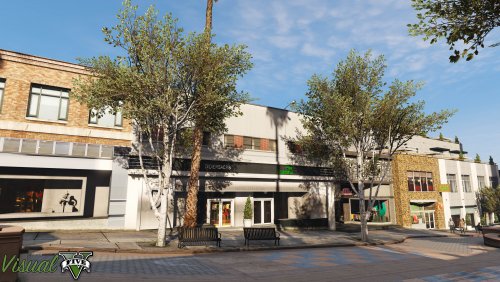 Some tips to fix the emergency light intensity when using Visual-V: Using OpenIV, go to update.rpf Go to "common\data\" and extract "visualsettings.dat" file to your window folder (we cannot directly edit it on OpenIV) Edit visualsettings.dat file (using notepad or other text editor) and replace these parameters: car.defaultlight.day.emissive.on 3000.00 car.defaultlight.night.emissive.on 300.00 Put back that file to overwrite the original one. You may increase or decrease the values as you wish.
- 42 comments
- 19 reviews
-
-
- 2
-
-
Hi, Everyone might have different tastes. I used MVGA. It looks good, but the color is too cartoon-ish for me. I used NVR. It looks great, but it does has performance impact (5-10 FPS in certain area). Just a little bit, but I value every FPS I got. Then, I tried Visual-V. It also looks great. The quality is just a little bit below NVR, but no performance impact at all. So, now I stick with Visual-V. Some tips to fix the emergency light intensity when using Visual-V: Using OpenIV, go to update.rpf Go to "common\data\" and extract "visualsettings.dat" file to your window folder (we cannot directly edit it on OpenIV) Edit visualsettings.dat file (using notepad or other text editor) and replace these parameters: car.defaultlight.day.emissive.on 3000.00 car.defaultlight.night.emissive.on 300.00 Put back that file to overwrite the original one. You may increase or decrease the values as you wish.
-
-
FPS drop is inevitable, especially if you installed a lot of plugins/callouts. One more thing that I notice is if you're using latest GTAV patch (1290 or 1395) and latest RPH (0.62), it tends to drag your FPS further down.
-
-
-
it has been 3 months since the announcement. ask again in 3 months, I guess
-
 This pack definitely deserves 10 stars if it has ALPR (as extra perhaps).. great work man!!
- 89 comments
- 45 reviews
-
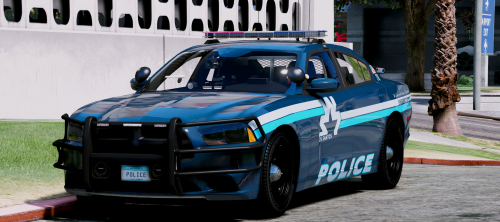 excellent pack!! if you can, please also add the FPIU and Tahoe to this pack... really love it!
- 32 comments
- 35 reviews
-
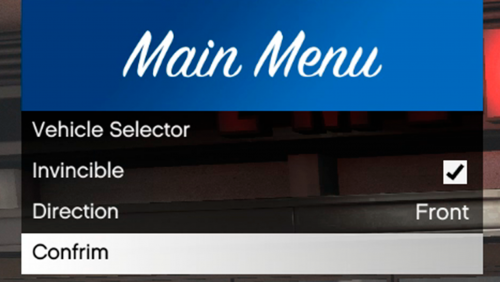 tell me the reason to use your plugin, instead of just pressing F4 and type "spawn POLICE" ?
 -
it would be freaking cool game tbh... cant wait till oct 28, 2018
-
I was not joking. This forum is not for joker.
-
if it returns void, you may put <bool> in there.

.thumb.png.ccb0302957ee78eebc9b6db9b98a38d2.png)