Tactical Donut
Members
-
Joined
Everything posted by Tactical Donut
-
-
-
-
From the album: Fotos
Wow, the rims are correctly scaled! -
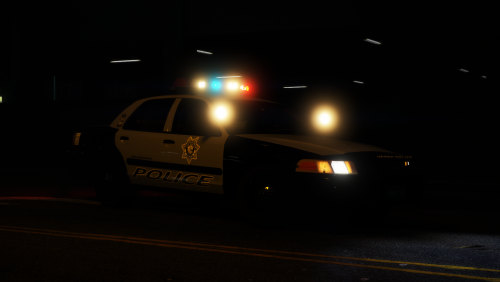 Thank you SO much for fixing the interior on the 2014 FPIU... Seriously. No one on this website seems to have the talent to do that, but apparently you do! Again... Thanks. I love the tan interior on the CVPIs too, that's really unique. I especially like the artificial condensation on the CVPI headlights, it really gives it that authentic 2011 crap feel. The only thing is that the URL on the back of the vehicles does not have a dot between "LSMPD" and "ORG", and the CVPIs don't have dials, but that's just me being annoying. I was going to delete my account but maybe not anymore!
- 46 comments
- 29 reviews
-
-

-

- 2
-
-
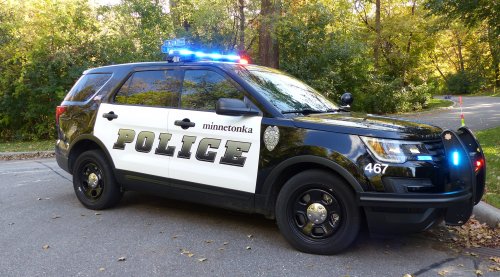 Was going to quit the site... But wanted to give you this information first. "Minnetonka" font is Times New Roman. Unit numbers are Ariel. Lightbars are the Liberty and the Valor on the 2016 FPIU (467). All other 2016 FPIUs have Liberties. There is NO unit that uses the Arjent. I have no idea what the CVPI has, they don't use that anymore. Good job on getting the "police" text on the doors correct!
 -
I've got a bunch of Minnesota State Patrol textures here. Do whatever you want with them, change them, re-upload them, claim them as yours, use it in FiveM or videos, I don't give a fuck. I never got any downloads when I uploaded these so I'm giving them away. http://www.mediafire.com/file/mtqtled5i8ic0w9/San_Andreas_Highway_Patrol__MSP_.zip http://www.mediafire.com/file/dqa112soz79cef4/Non_Lore_Friendly.zip If you want some actually good MSP textures check out this topic:
-
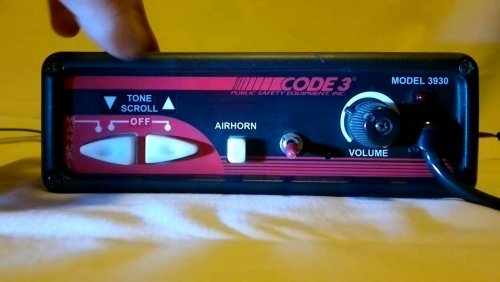
 Yes. That's definitely true. At the same time, I'd also like to not have my siren randomly play different tones. If I want to select the yelp, I don't want the priority to be randomly selected. Unless I'm going crazy, in the real world, you can also choose if you want to go to stage 1, 2, or 3- You don't just press a button and it immediately goes to 3 with no other option.
- 44 comments
- 4 reviews
-
Was going to download... But then saw it was non-ELS. So never mind. edit: why tf did I ever make this comment
- 44 comments
- 4 reviews
-
-
-

- 4
-
-
 Change the name of the wail (0x0D329446) to SIREN_PA20A_WAIL, and the airhorn (0x0EA58C7C) to AIRHORN_EQD, and re-import it.
- 10 comments
- 1 review
-
 Without a doubt, that slicktop Charger is the best one on this site. I appreciate that the rambar is an extra, and that it uses the new base model, instead of the piece of crap Hurk one. The rest of the pack is also amazing and I highly recommend it.
- 66 comments
- 26 reviews
-
-
- 1
-
-
If you update the slicktop Charger to a base that isn’t trash and keep the previous setup (maybe minus the ALPRs unless you’re going for a traffic enforcement look) I will be extremely happy - I’ve been looking for a slicktop Charger with the rambar as an extra that uses the new base model for a very long time. I’ll definitely leave a 5 star review when you update the slicktop Charger.
- 66 comments
- 26 reviews
-
-
- 1
-
-
 Seriously why does EVERY SINGLE unmarked Charger have a stupid rambar AND wraparounds AND a spotlight? edit: I learned how to create my own vehicles edit: i love how people keep liking this toxic comment I made 6 years ago lmao
- 175 comments
- 24 reviews
-
-
-
-
- 10
-
-
-
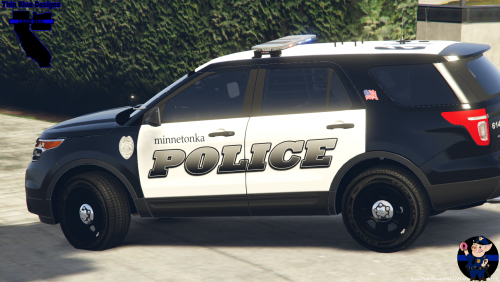 This is actually quite accurate, and I'm very pleased that this was finally released! With the exception of some very minor font errors, these textures are a 100% match to the vehicles I see every day.
- 1 comment
- 1 review
-
-
- 1
-
-
 Good vehicle, only made less good by your choice to use Thehurk's crappy Charger base instead of Matt's for some reason
- 253 comments
- 53 reviews
-
-
- 1
-
-
Hi there, I'm not quite sure if this is the right section to post this in but here we go I tried to change the walk style of the Sheriff peds from the default crappy weird one to the cop duty belt one, and no matter what I do, the changes don't reflect in game. I've added the line into the update.rpf peds.ymt, and I've also tried adding it into the RDE peds.meta. Is there a meta/ymt that will overwrite any other stupid settings that modify the sheriff peds? Thanks in advance for the responses.
-
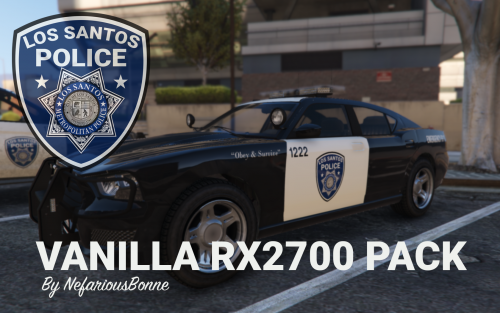 I was thinking of something like this, with an identical (or close to) lighting setup. https://www.gta5-mods.com/vehicles/unmarked-undercover-gallivanter-baller Ideally it would be armored with bullet-resistant windows and without those weird things on the doors of the Rockstar-created armored vehicles.
- 19 comments
- 5 reviews
-
Would you consider making an armored 1st generation Baller for stuff like VIP transports?
- 19 comments
- 5 reviews
-
Amazing! I’ve been waiting for something just like this. It’s always annoying when there’s some actually 100% lore-friendly stuff but it’s ruined because it’s non-ELS. Now all I need is for the “Vanilla Valor” pack to make a return.
- 19 comments
- 5 reviews
-
-
- 1
-
-
See my reply here: https://www.lcpdfr.com/forums/topic/85013-game-stuck-on-loading-screen-after-plugins/?do=findComment&comment=553052
-
Your game save is corrupted, start a new game
-
Ensure that the vehicle has FLAG_EMERGENCY_SERVICE in the flags section of the vehicles.meta.
-
Navigate to C:\Users\Your Username\Documents\, and permanently delete (after saving your User Music folder) the Rockstar Games folder. If you’ve just closed GTA V you won’t be able to delete one or two files for about a minute or so. Then, navigate to C:\Users\Your Username\AppData\Local (might be Roaming, I forgot)\ and permanently delete the Rockstar Games folder there. You then NEED to start the game NORMALLY, NOT through RPH, and click “Story Mode” on the startup screen. Note that you’ll need to re-sign in. In the launcher, ensure that you don’t enable cloud saves yet. Hope this helps!
-
You sent me the metas, not the vehicles. Certain cars can cause the game to crash for unknown reasons, that’s the reason why I’m asking for the vehicles that you are using. There’s no need to send them to me, just link them here.