


Tactical Donut
Members
-
Joined
Everything posted by Tactical Donut
-
Are you consistently trying to add the same vehicle? Which vehicles are you using?
-
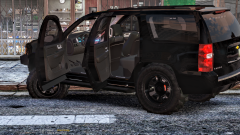
From the album: Things
Robbery at the Binco -
First run the installer that will create the OIV, then you can extract it from the “Build” folder.
-
I actually have RDE installed, but you can extract the gameconfig from the OIV with 7-Zip if you don’t want to install RDE. Keep in in mind that if you do want to actually install RDE, YOU NEED TO MAKE A BACKUP OF YOUR VANILLA UPDATE.RPF. The installer will install RDE into your mods folder update.rpf AND INTO YOUR VANILLA UPDATE.RPF AS WELL.
-
Out of curiosity, does the game crash when RPH says "Loading and Populating Game World"? My game runs perfectly fine with the supplied metas - Try installing a different gameconfig and see what happens.
-
I am using the gameconfig supplied in the RDE 3.1.1 installation.
-
I'll test these right now.
-
That makes absolutely no sense whatsoever. But hey, whatever works for you
-
Hmm. I’m honestly not quite sure what the problem could be then - Sorry I couldn’t have been more help! One last suggestion, remove all RPH plugins and SHV scripts, and just run the game with RPH and LSPDFR, nothing else. If that still doesn’t work, disable the mods folder and essentially just run vanilla GTA V but through RPH and with LSPDFR.
-
Remove all LSPDFR plugins and try again.
-
Hi, so this problem is exactly what it sounds like. I recently downloaded the amazing Arizona DPS 2013 FPIU (which you can find here), and added the carcols.meta into the DLC (I've given the vehicle its own DLC in anticipation of it becoming a pack). Unfortunately, the game does not recognize the carcols, and I was forced to add the entry into the update.rpf carcols.ymt. I've attached the DLC's carcols.meta (which I've had to put in a text file because of upload limitations) and content.xml to this post - Let me know if you need additional files or information. Thanks in advance for the support! content.xml carcols.txt
-
Downgrade your textures to 2K. Remove Arrest Manager if the problem still occurs and you have it installed.
-
The first thing that jumps out at me when I look at the vehicles meta is the lack of entries specifying the vehicle interior type - You should probably add that; although it does not result in a game crash for me. The first thing I see when looking at your carvariations meta is how excessively long the entries are. I highly recommend using this instead: Secondly, which cars are you adding to the game? It's my understanding that when you add more than three cars the game will crash - Please attach the vehicle/carvariation text for those as well.
-
In the future, just attach the files versus trying to take a screenshot - I think the mods appreciate that more. I’ll test your metas right now and see what I can figure out.
-
First, remove Arrest Manager (if you have it) If you still have the problem or want to reinstall Arrest Manager, downgrade all of your textures to 2K.
-
-
Could you search the vehicles.awc for: - SIREN_PA20A_WAIL.wav - AIRHORN_EQD.wav - SIREN_2.wav - POLICE_WARNING.wav - AMBULANCE_WARNING.wav - 0x0D329446.wav - 0x0EA58C7C.wav And tell me which ones exist?
-
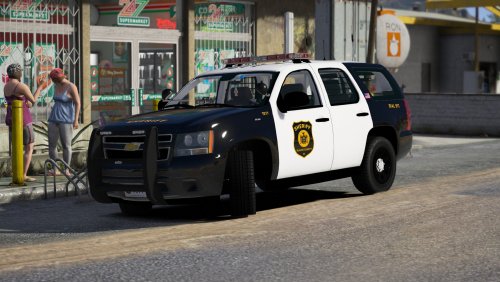 Hi, would it be possible to change the lighting to a standard red/blue setup? I really love the FPIU, as the interior doesn't make me want to blow it up, and would like to use it as more of a "universal" patrol vehicle.
- 18 comments
- 16 reviews
-
No, you do not. I’ve made that mistake before and it only adds to the annoyance level in this situation.
-
What? Screenshots, please.
-
You can't do anything to fix it. Just like scaling, Thehurk does not make pushbar collisions a priority. The lack of pushbar collisions is something only the person who made the car can fix.
-
You wouldn't by any chance have NaturalVision installed, would you?
-
Some AWCs contain a file called "PA20_WAIL" or something like that instead of the standard 0x0D329446 file, I'm really not quite sure why. Simply replace that file. On a side note, the airhorn might also be randomly named "AIRHORN_EQB" (or something close to that) if you'd like to replace that as well.
-
Please try and use the Yelp, Priority, and Hi-Lo. Are those tones from the new Smart Siren or from the Sparta? If they are from the new Smart Siren, then check if the Wail and Airhorn are from the Sparta. If they are, reply here and I'll give you instructions to fix it.
-
Look in the configuration file:



