Tactical Donut
-
Joined
Everything posted by Tactical Donut
-
-
You should make all of them addons and then just edit the popgroups and vehiclemodelsets files so they spawn on the freeway only.
-
-
-
-
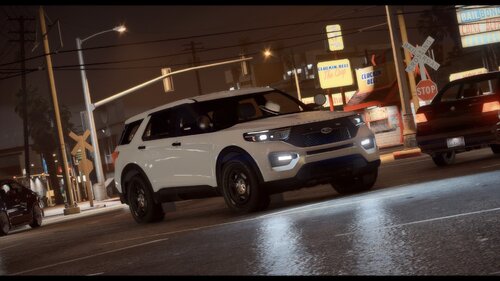 I very much appreciate you releasing this and am thankful for your hard work. With that being said, can you upload a template? I know the vehicle body is templated but the texture in zmod is literally a transparent image so there's no way for me to make a texture for this.
 -
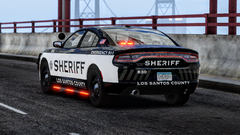
From the album: [WIP] Los Santos Sheriff's Department Mega-Pack
The vehicle shown is a demo car and will not be included in the final release; furthermore, its setup does not reflect the planned lighting/equipment choices for the pack. -
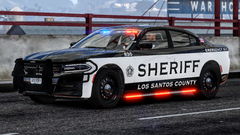
From the album: [WIP] Los Santos Sheriff's Department Mega-Pack
The vehicle shown is a demo car and will not be included in the final release; furthermore, its setup does not reflect the planned lighting/equipment choices for the pack. -
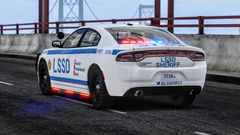
From the album: [WIP] Los Santos Sheriff's Department Mega-Pack
The vehicle shown is a demo car and will not be included in the final release; furthermore, its setup does not reflect the planned lighting/equipment choices for the pack. -
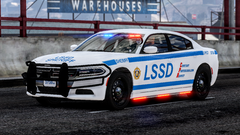
From the album: [WIP] Los Santos Sheriff's Department Mega-Pack
The vehicle shown is a demo car and will not be included in the final release; furthermore, its setup does not reflect the planned lighting/equipment choices for the pack. -
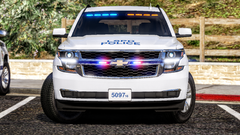
From the album: Pawnee Police Department (LSPD Mega-Pack WIP)
-
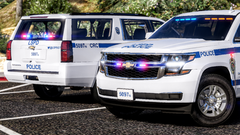
From the album: Pawnee Police Department (LSPD Mega-Pack WIP)
-
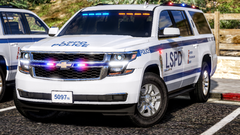
From the album: Pawnee Police Department (LSPD Mega-Pack WIP)
Might remove the roof rail modules (real NYPD CRC Suburban has those) and add a rear window Dominator since I think they kinda look stupid -
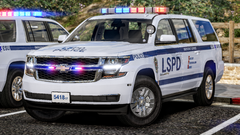
From the album: Pawnee Police Department (LSPD Mega-Pack WIP)
Official release screenshot 2/2 Some parts of the car look weird because I forgot to despawn or move the cars before I entered Rockstar Editor -
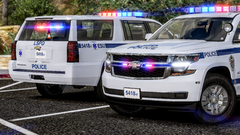
From the album: Pawnee Police Department (LSPD Mega-Pack WIP)
Official release screenshot 1/2 Some parts of the car look weird because I forgot to despawn or move the cars before I entered Rockstar Editor -
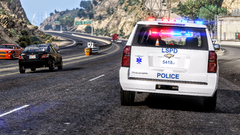
From the album: Pawnee Police Department (LSPD Mega-Pack WIP)
-
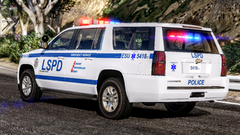
From the album: Pawnee Police Department (LSPD Mega-Pack WIP)
-
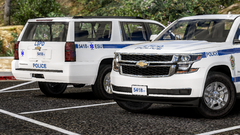
From the album: Pawnee Police Department (LSPD Mega-Pack WIP)
Decided to go with more of an NYPD style for the new Suburban. I'm still working on smoothing out the lines in the texture and adding equipment/lighting. -
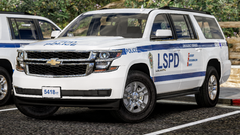
From the album: Pawnee Police Department (LSPD Mega-Pack WIP)
Decided to go with more of an NYPD style for the new Suburban. I'm still working on smoothing out the lines in the texture and adding equipment/lighting. -
.png.fa061a326326081281d632bf42550cda.png)
From the album: Pawnee Police Department (LSPD Mega-Pack WIP)
-
.png.6701d766ba701086d2d9508939d15509.png)
From the album: Pawnee Police Department (LSPD Mega-Pack WIP)
-
 1. If you could just ask people to not do something then I wouldn’t have idiots screaming for support on my files. Asking someone is like putting up a “no guns here” sign and expecting criminals to listen. 2. I did. That’s it, I’m done. I won’t comment here any further. I only came here because that guy quoted my year-old post for some reason.
- 175 comments
- 24 reviews
-
-
Are there any alternatives to this? Because zmod is literally the most poorly-designed, unintuitive and above all unstable program I have ever had the misfortune to use. I've heard some people talk about 3DS max, but that's $195 a month for some reason. I am done with this damn program randomly crashing when I'm trying to work on something. I planned to get the 2014 FPIU update to my Pawnee pack out tonight but that's not going to happen because of zmod. Any alternative would be a LOT better than this thing.
-





.png.fa061a326326081281d632bf42550cda.png)
.png.6701d766ba701086d2d9508939d15509.png)