


Tactical Donut
Members
-
Joined
Everything posted by Tactical Donut
-
.thumb.jpg.839c9476ae8ad03d6c703fab6ea3df7e.jpg) Can someone send me the model files for the Suburban because it doesn’t look like it’s on any websites any more
Can someone send me the model files for the Suburban because it doesn’t look like it’s on any websites any more- 12 comments
- 1 review
-
-
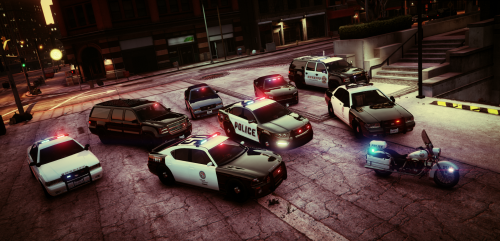 I’ve been waiting for something like this, can’t believe I didn’t download this before now! This should be featured instead of that “Vanilla Valor” pack.
- 29 comments
- 12 reviews
-
I've been doing this for a long time now and this is the first time this has happened to me. I've replaced every single police car in the game, and now when I go on duty, I get this message: ERR_GEN_ZLIB_2; Failed zlib call. Please reboot, verify the game data, or reinstall the game. For more information please visit this link: http://rsg.ms/verify. While the modded vehicles load in, nothing else works, because clicking OK on the message kills the game, and ignoring it freezes the game after about a minute After I remove patchday14ng and its RPF file, the game works normally and going on duty does not give me that message. I've determined that the patchday14ng RPF is the issue and appears to be corrupted. I really don't understand why this is suddenly happening. Original patchday14ng RPF MD5: d1bce738736bb767db87589c1362f8f5 Added vehicles patchday14ng RPF MD5: bdbc52e6d538805ba9ab3c363109ee82
-
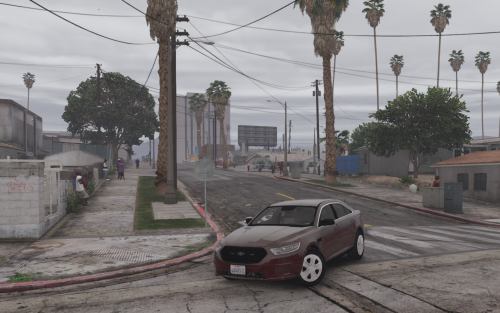 Great pack, but I have some suggestions for the future. - Add secondary lights to the Suburban - Add takedowns to the Suburban - Add door trim to the CVPI - Swap the position of the rear secondary and primary lights on the CVPI
- 39 comments
- 11 reviews
-
-
Oh my god I finally found a ELS new-body-style Suburban that wasn’t taken off the web by some idiot! Very good job, love it!
- 39 comments
- 11 reviews
-
-

- 1
-
-
 This doesn’t make my emergency lights brighter, it just changes the colors to some awful light blue and horrible de-saturated red color.
- 335 comments
- 70 reviews
-
 When I installed 3.0 with a clean game folder, it crashes when loading story mode. When I installed 3.1 with a clean game folder, story mode doesn’t load. When I installed 3.1.1 with a clean game folder, story mode still doesn’t load. The screenshots look nice, though...
- 1,509 comments
- 85 reviews
-
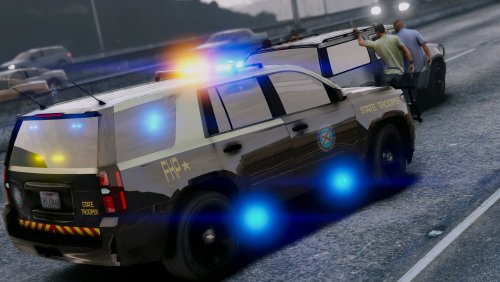 Cool. With some copying-and-pasting from this pack, I got the logo replaced. If anyone wants to download the .YTD with the edited skin here's the link.
- 17 comments
- 4 reviews
-
**BE AWARE THAT I AM AWARE THAT IT SAYS ITS A SAHP CAR BUT IN THE PHOTOS IT SAYS FHP, THIS WAS BECAUSE I CHANGED MY MIND ON THE SKIN AFTER THE SS WAS TAKEN, INGAME ITS FINE** So why does it say Florida Highway Patrol on the front doors? Otherwise, the model and the lighting setup looks great.
- 17 comments
- 4 reviews
-
Quite a noob question here. I am trying to change out the sirens in GravelRoadCop's Modern Siren Pack. I have the "vehicles" folder with the new sirens in it, with the folder size at 15.5mb so it won't mute the sounds, however I can't figure out how to put those files into an .oac format so I can import it into OpenIV. All of the "amazingly helpful" tutorials I've seen already have the files in an .oac format, but I'm not sure how to do that. Restating what I said above, How do I put all of the audio files within my "vehicles" folder into an .oac file to import it into OpenIV? Thanks!
-
Ok, cool. I'll try installing LSPDFR on a different computer and see if that does anything. Do do you think the crash might be related to RPH? Before, ELS stopped working when I installed RPH 0.56 and only started working again on 0.55...
-
Yes. I've put the vehicles in the mods folder, which strangely works despite its dependence on Script Hook V (I think). Even though that works, my .asi files don't.
-
Yes, it's only stopped working after RPH 0.57, GTA Online 1.41, and (very unlikely) that new vehicle texture. Before, I had a custom skin for a F-550 tow truck, and that didn't crash it so I really have no idea what's happening.
-
Placing the vehicle back in, with its own texture makes the game work (running through normal launcher) For some extremely weird reason, running the game through RPH makes it work and not crash with the modified textures, but now when I install LSPDFR, the game crashes.
-
So I had recently installed a new ELS Tahoe (and converted it to an addon), and I decided to replace the default textures with a DHS texture. However, after installing it and running the game (through the launcher and not RPH), it crashes when trying to load story mode. Removing the car fixes the problem. I'm just trying to run the game, I don't have LSPDFR installed. In case you need it, here's the vehicle and the textures:
-
-
.thumb.png.f858dea215c2f2387e70ee1a3be5cce9.png) I managed to install the file, and I really enjoy the texture. I only have 2 problems with it: The "Police" text on the trunk seems a little bit too big. Near the hood, there is too much line spacing between "Homeland" and "Security". Otherwise, great texture!
I managed to install the file, and I really enjoy the texture. I only have 2 problems with it: The "Police" text on the trunk seems a little bit too big. Near the hood, there is too much line spacing between "Homeland" and "Security". Otherwise, great texture!- 3 comments
- 1 review
-
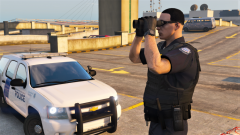 Sorry to ask, but is there any more details you can give me for the whereabouts of the DHS skin? Thanks!
 -
Hmm. When I open it in edit mode, the replace buttons don’t show up, I only get options for exporting. I’ll try again soon.
- 3 comments
- 1 review
-
Where did you get that car? I've been searching everywhere for a good Federal Protective Service model.
-
Ok I can't actually delete my stupid comment so I'm just going to edit it and hope no one else looks here
- 3 comments
- 1 review
-
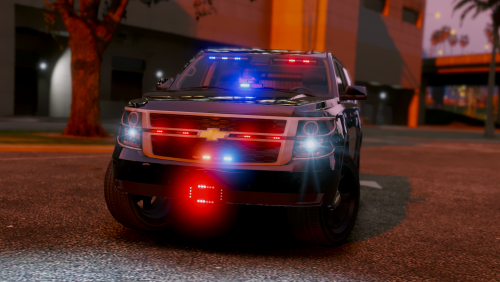 Model and lighting is great, however I took off one star for the weird skull things on the trunk.
- 22 comments
- 12 reviews
-
 Never mind I actually just didn’t go on duty, after I did that the plugins worked
- 1,178 comments
- 137 reviews

.thumb.jpg.839c9476ae8ad03d6c703fab6ea3df7e.jpg)

.thumb.jpg.20c1cbcd6420a10e2206dc4932a5c20b.jpg)
.thumb.png.f858dea215c2f2387e70ee1a3be5cce9.png)
