


Tactical Donut
Members
-
Joined
Everything posted by Tactical Donut
-
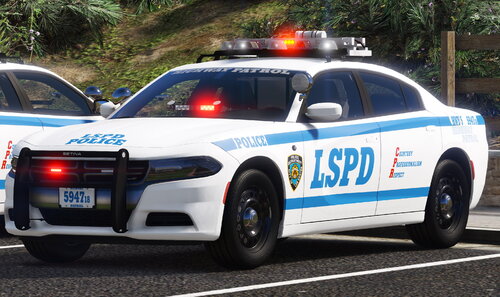
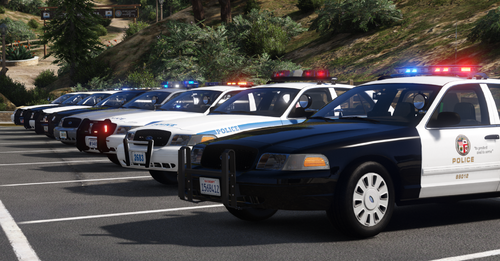 [ELS] San Andreas Law Enforcement Pack Build 260710-610E6 This collection pack contains all of my publicly-released LSPDFR packs in one add-on DLC. This includes 71 vehicles from eight agencies: BCSO-MO Blaine County Sheriff's Office Pack (Boone County, MO) LSPD-CA Los Santos Police Department Mega Pack (Los Angeles, CA) LSPD-IN Los Santos Police Department Mega Pack (Pawnee, IN) LSPD-MN Los Santos Police Department Pack (Golden Valley, MN) LSPD-NY Los Santos Police Department Mega Pack (New York City, NY) LSSD-TN Los Santos County Sheriff's Office Mini Pack (Nashville, TN) SAHP-FL San Andreas Highway Patrol Pack (Florida) SAHP-US San Andreas Highway Patrol Mini Pack (National Parks Service) For more information on the vehicles included in this pack and their IDs, review the Installation Guide included with the download. Please note that this is a very large DLC pack. Extra caution to load, vehicle, and DLC limits should be observed. With the release of this pack, all of my standalone releases are end of engineering and end of support, effective immediately. Checksums File: San Andreas Law Enforcement Pack 260710-610E6.zip MD5: f74b01da242d4c0b90507e8f34b50763 SHA1: 0a33c3ed37d7dd6e4239bd1e404dc4115900707d SHA256: 7904df7ef2914275fd6851b132b75cedc7572c581f533f25ba439226cb12faf2 SHA512: f280081ed018d9d209ffc2e14a5646ce23a6075d8e06508129cfa35e3e5a58aff35ef989e0eb581c71859b53b8d5b1b10953c485d8b580495e7bfef1f3d3964c
- 19 comments
- 1 review
-
-

-

- 6
-
-
Hey guys, Wondering if it's possible to allow changing/editing the updates section on files after an update has been committed. It would be useful to be able to update convention, fix typos, add known issues etc. Thank you.
-
Hey guys, just curious, did Rockstar change something with carcols.ymt in this latest update? It seems like you cannot have any custom siren settings in carcols.ymt, else the game would crash. - discovered in newer game versions IDs overlapped with mine; resolution was to move IDs to the last available in the system, i.e. 250-254
-
Well, to be honest it's been a very long time since I've done modeling, and an even longer time since I made this post. So don't quote me on this because I really don't know if this is right. But from what I remember, I believe you would need to change the glass ID for all of the [COL] window objects to ID 122... as well as the normal 'Crash' properties on both the object and the glass material (see Chief's reply). 120 - weak glass - side windows 121 - medium glass - rear windshield 122 - strong glass - front windshield - combine this with the 'FLAG_HAS_BULLET_RESISTANT_GLASS' in vehicles.meta and you get, well, bullet-resistant glass, with the proper "blocked bullet" drawable being rendered. 123 - unbreakable/bulletproof glass - oddly this makes it, so every window has the bullet hole drawables when it is shot. However, this does not represent the actual state of the window, it will remain "bulletproof" even if bullet holes appear. As for windows not breaking... I'd certainly like to know what I thought 6 years ago to make me think I had it working, because I sure don't remember now. Sorry.
-
 Honestly, not really, since the unmarked vehicles generally have more complicated light setups I'm not qualified to replicate. However, I might be able to throw something together with limited accuracy in a future update and add more unmarked vehicles (FPIS, FPIU, etc.) if it's viable. Thank you for your suggestion.
- 255 comments
- 75 reviews
-
-
- 2
-
-
As others have reported it too, I'll test it out on my end and plan to release appropriate modifications, along with the other fixes for the non-modeling caveats. Thanks.
- 255 comments
- 75 reviews
-
-
- 1
-
-
-
Wasn't aware that was an issue, thank you for letting me know. As it's a modeling issue, I won't be able to fix it for a bit, or at least not until I have another modeling project significant enough to warrant trial license activation on. Thanks for your patience and for reporting the issue.
- 255 comments
- 75 reviews
-
Great idea, I forgot that vehicle existed, to be honest. I have to reactivate my ZModeler trial license anyway to fix a small issue with the 2020 Tahoe's reflective livery--so I'll look into adding the 2016 slicktop FPIS while I'm at it. Thank you for your suggestion.
- 255 comments
- 75 reviews
-
-
- 2
-
-
Honestly, if I have the time, probably. I still need to fix the police5 bug. Should be easy enough to just merge stuff from the existing models in that pack while I’m at it. Thanks for your comment.
- 255 comments
- 75 reviews
-
-
- 1
-
-
This issue is resolved in the latest update, 210901-0317E4(ED). The 2016 FPIU has been renamed to lapdpolice5. All other vehicles are the same. Thanks for bringing it to my attention.
- 255 comments
- 75 reviews
-
-
- 1
-
-
Yes, that same remaster, I hope to include the 2020 FPIU in, as well as the Ford Fusion hybrid. I would estimate I'm almost 50% of the way through, but considering my trial license expired and I don't like modeling, I can't give you a timeline. Thanks for your comment. 2020 FPIU added in version 210901-0317E4(ED). Hope this resolves your issue.
- 255 comments
- 75 reviews
-
-
-
- 2
-
-
Please install the "Vanilla Handling" version of the pack, located at root/Optionals/Vanilla Handling. You will need to overwrite the existing lapdaddon DLC with the one contained in that folder. For more information, please refer to the installation README. I am still working on a remaster for this pack, and that remaster will include a version using realistic handling, but with realistic damage parameters. Thank you.
- 255 comments
- 75 reviews
-
 I don't know what you're trying to say here. Adding both the .meta and .ymt versions of carvariations (not 'covariations') and carcols (not 'carols') into some unspecified add-on pack won't fix this issue without also updating the loadfile, and even if the loadfile is updated, it still might not work as it will just duplicate existing game data. As it is right now, if the installation and troubleshooting instructions are followed to the letter this issue can be resolved without much work. It clearly works for the majority of users. At the same time, I understand the frustration that this issue can cause. One solution may be for me to add all of the necessary carcols and carvariations data directly into the add-on pack and thus remove the requirement to modify the base files. However, I believe I had previously tried this, and it didn't work for the replacement vehicles. I don't know. I'll test this and if it works for me, I'll push it as an ED update alongside the current MD update. What?
- 50 comments
- 4 reviews
-
From the album: Projects
-
WIP stuff
-
Grand Theft Auto V 10_9_2023 5_32_15 PM.png
-
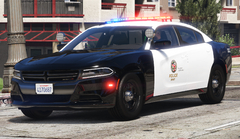 Grand Theft Auto V 10_9_2023 5_31_42 PM.png
-
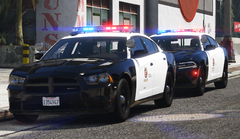 Grand Theft Auto V 10_9_2023 5_32_39 PM.png
-
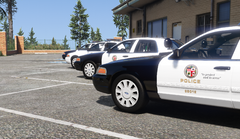 Grand Theft Auto V 10_8_2023 2_23_41 PM.png
-
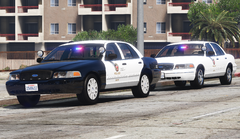 Grand Theft Auto V 10_8_2023 2_26_02 PM.png
-
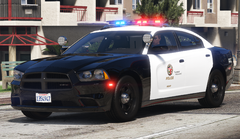 Grand Theft Auto V 10_8_2023 2_25_00 PM
-
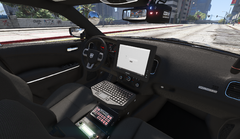 Grand Theft Auto V 10_8_2023 2_24_23 PM
-
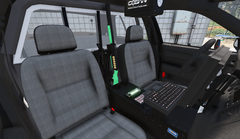 Grand Theft Auto V 10_8_2023 2_24_10 PM
-
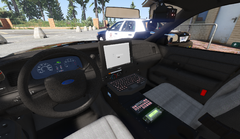 Grand Theft Auto V 10_8_2023 2_23_57 PM
-
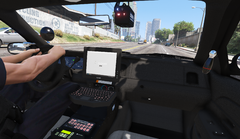 lapd_rework_1.png
-
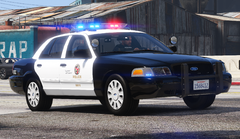 lapd_rework_2.png
-
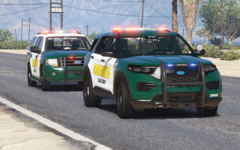 esco_pre_release_8
-
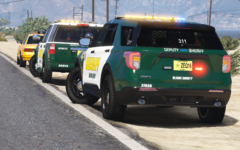 esco_pre_release_6
-
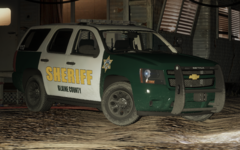 esco_pre_release_5
-
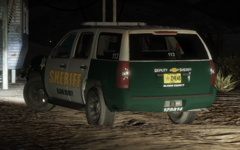 esco_pre_release_4
-
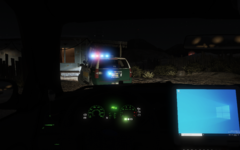 esco_pre_release_3
-
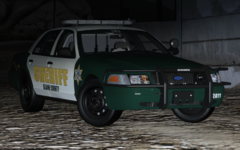 esco_pre_release_2
-
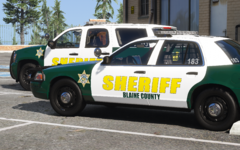 esco_pre_release_1
-
-
From the album: Projects
-
From the album: Projects
-
From the album: Projects
-
From the album: Projects
-
From the album: Projects
-
From the album: Projects
-
From the album: Projects
-
From the album: Projects
-
I have added a section on highriser operation to the README (page 11). This is now fixed. This feature is only supported on the following models: police21, police22. To operate the highrisers on supported vehicles, use a mod menu or trainer to open the Boot and Bonnet nodes, which respectively control the left-front and right-rear highriser modules. Sorry for your trouble.
- 50 comments
- 4 reviews

