


Him1250
Members
-
Joined
Everything posted by Him1250
-
-
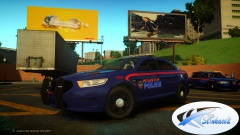 Pretty sure that's DB's interceptor.
 -
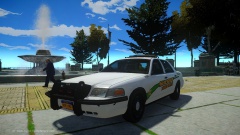 Who's wrap?
 -
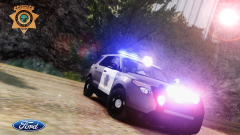 Nice! :D
 -
Also...The legend needs to be scaled on the X axis. Like Mustu said the lighting doesn't go well together.
- 6 comments
- 4 reviews
-
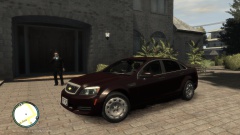 Doubt it. It looks like Kevin's base model.
 -
That appears to be a Soundoff ELP9000 (US) and I'm gonna be doing a Soundoff pack very soon so stay tuned...
-
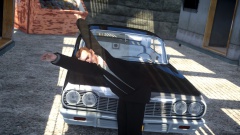 Kind of looks like he's dancing. :P
 -
-
![[WIP] Proper Explorer Utility](//s3-gallery.int-cdn.lcpdfrusercontent.com/gallery/album_2692/sml_gallery_138650_2692_783028.jpg) Think it's the one from the DL section.
Think it's the one from the DL section. -
-
Yes, they are.
-
-
-
Try reexporting it.
-
I would have to say mine is the Federal Signal Legend Code 3 Defender
-
The only reason the car is clear is because it has a transparent texture. I suggest you put a black skin on it.
-
Yup! :D
-
My Photo! :D
-
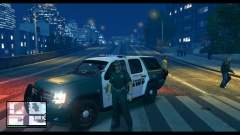 May I remind you what you said on his video? Dem editing skills...Dat ENB......Dat Tahoe
 -
Use a simple lightbar. Don't use the valor if you're just beginning. If you wanna add me on skype @ Arapahoe2012 I can walk you though the basics.
-
You gotta scale it down more on the Y and X axis
-
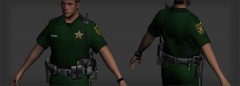 They aren't the GTA V peds. At least I don't think.
 -
Looks SO real! :D
-
Sometimes the vehicle model 'glitches' out meaning you'll get city bug where your textures disappear. I would suggest A) Restarting your game B) Reinstall the vehicle C) Contact the author

![[WIP] Proper Explorer Utility](http://s3-gallery.int-cdn.lcpdfrusercontent.com/gallery/album_2692/sml_gallery_138650_2692_783028.jpg)

