


Mage25
Members
-
Joined
-
Last visited
Everything posted by Mage25
-
Hi and welcome to LCPDFR forums! Downloading LCPDFR and other associated files are at your own risk. You may disable your computer security systems, at your own risk to download LCPDFR. I would expect there would be no problem if you are downloading from this website and not any others that are hosting the files. LCPDFR is now in the form of an executable, everything is done for you (except downloading C++ 2010 Redistributable and .NET Framework 4)
-
Oh excuse you. I have many posts to read than just one, [word removed].
-
Head to GTAPoliceMods.com
-
Ahh, yes. Always wondered about the guy sitting in the car. I thought he comes out when there's a shootout.
-
Your graphics card looks quite fine.
-
You should be able to run fine with the one you currently have.
-
You can play online but you cannot non-trainers servers which is a pain but understandable.
-
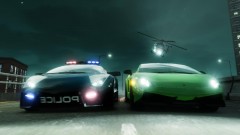 WIP? When will it be released?
 -
Also, wasn't it two guys who come in the NOOSE Patriot?
-
-
-
No, there is no specific order. With the automatic installation of LCPDFR, everything is mostly done for you. Just load the game and you can play it! If you want to play multiplayer (without LCPDFR), simply remove dsound.dll and ScriptHookDotNet.asi from your GTAIV root folder. C++ 2010 Redistributable (x86) and .NET Framework4 can be installed before or after your LCPDFR installation. These programs are basically essential on every computer, so it's good to have them.
-
Usually, you'd replace an existing police vehicle with the police car in a mod. Then, all the police officers will drive that particular model. I think police2 is a Police Patrol or Cruiser (not sure which one), and if you replace it with your police car from the mod, all police cars of that type will be that vehicle.
-
Those graphics cards appear to be from 2005-2006. 256MB is not enough for games these days, so i would recommend an upgrade to at least 512MB, 1GB will future-proof your laptop for sometime.
-
Click the diagnostics log link in my signature.
-
-
That is a sick looking car! Where did you get it from?
-
It's best to use dsound.dll as you can play multiplayer. Remove xliveless.
-
So you needed to install x86? And that made the game work?
-
Not recommended to use LCPDFR for single-play missions, nor would I use car mods for SP.
-
Yes, you should have installed the 64 bit. Can you post the diagnostics log?
-
Everything appears to be fine? Are you running as admin? Also, is there anything below the diagnostics log?
-
But British police don't have guns! Nah, jokes.
-
Post us the diagnostics log if it works. Remember, you require Visual C++ 2010 Redistributable (x86 or x64 - depending on your system) and .NET Framework 4. These can be found from a simple Google Search.
-
Dsound.dll still needs to be removed to play non-trainer Multiplayer, though. Which I hate about mods/trainers - You gotta remove them from their folder to play legit multiplayer.

