viperwolf
Members
-
Joined
-
Last visited
Everything posted by viperwolf
-
 The documentation that came with the download contains a default controls folder. It shows the numbers and key to change. Example: scroll lck key ID # is 145
- 2,662 comments
- 234 reviews
-
-
-
-
 maybe i mis understood, but im not sure how LSPDFR key bindings would not be default, unless you changed them. I dont think you can change them anyway, im not sure about that. try going into the computerplus ini and change it to another binding. Alteast you can see if anything is working right.
- 1,742 comments
- 172 reviews
-
no, in your LSPDFR folder( GTA/plugins/lspdfr ) you should have ComputerPlus.dll, ComputerPlus.ini and the ComputerPlus folder make sure all 3 are there
- 1,742 comments
- 172 reviews
-
-
are you using a controller? You have to hold E, bc the old computer is still there.
- 1,742 comments
- 172 reviews
-
-
 For everyone having trouble installing, Just follow the read exactly like it says, step by step. Preparation: -mods/update/update.rpf/common/data Find this xml file "dlclist.xml" -open/edit dlclist.xml and scroll down until you find this "<Item>dlcpacks:\eup\</Item>" DELETE this line. ************Make sure to delete this line************ Then go to: -mods/update/x64/dlcpacks/ and delete the eup folder Install -mods/update/update.rpf Open the update.rpf folder that is in the rar you downloaded you will see the x64 folder and the dlc_patch Just drag and drop each folder so it can install. It will be the same for serve and rescue addon. The menu is a simple root directory drop.
- 2,342 comments
- 236 reviews
-
-
Ive used that pack before and it worked. Are you using the newest scripthook?
- 2,662 comments
- 234 reviews
-
-
-
-
did you put the xml in the ELS default folder? GTA/ELS/default/ all xml go here
- 2,662 comments
- 234 reviews
-
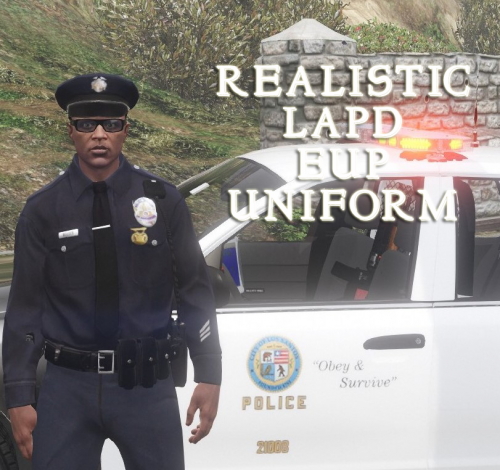 What can you say, its Candice doing her thing and making uniforms better. Great Work! Thank you
- 8 comments
- 7 reviews
-
-
You may be able to just change the key binding. To get to stage three you can hit alt j and that will activate it.
- 2,662 comments
- 234 reviews
-
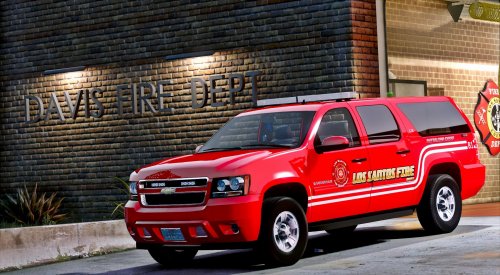 Go into vehicle.meta and find the "diffuseTint" value and change it to this <diffuseTint value= "0x00FFFFFF" />
- 29 comments
- 10 reviews
-
-

- 1
-
-
-
Very well said.
-
 The callout should load automatically when you go on duty, like other callouts, you should not have to manually load it.
- 329 comments
- 53 reviews
-
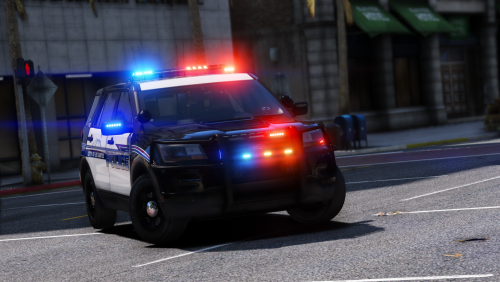 Make sure your xml is not corrupt(reinstall it) and verify you dont have two of the same slots installed. example police3xml and another poilce3xml
- 60 comments
- 32 reviews
-
I think its just how the uniforms work, they were ment for certain outfits. Like if your character was wearing gloves, he may not show hands with a short sleeve shirt. It s a combination you have to scroll through to get it right. Like jackets will come through vests and such. If im wrong someone please correct me.
- 2,342 comments
- 236 reviews